


Understand Factur-X, electronic invoicing and mandatory customer data
Objective. Understand Factur-X as a readable PDF plus structured XML, inspect mandatory source data and distinguish a successful comparison from the honest diagnosis that no XML is available.
Before you start: select the Factur-X invoice to inspect
In your subscription, select an issued invoice whose Factur-X model was active when it was issued. Confirm that you can open its final PDF and access the function that extracts or downloads its associated XML. Record the invoice number and keep it throughout the check. If no invoice meets these criteria, stop after identifying the model to use; do not create an invoice solely to complete the exercise.
Control to perform
Use the customer, optional matter and invoice you have just selected. Record number, date, currency, seller, buyer, line description, net, VAT, gross and due date from the real document. If the XML is unavailable, note the invoice number, model and exact error, then stop the comparison until the XML becomes available. Do not copy the PDF values into the XML column.
60-minute schedule
- 8 min: inspect model and sources.
- 12 min: locate the selected invoice and read its PDF.
- 12 min: attempt the genuine XML retrieval.
- 12 min: prepare the ten-field comparison.
- 10 min: compare fields or diagnose the missing prerequisite.
- 6 min: keep document, transport and payment checks separate.
Prerequisites
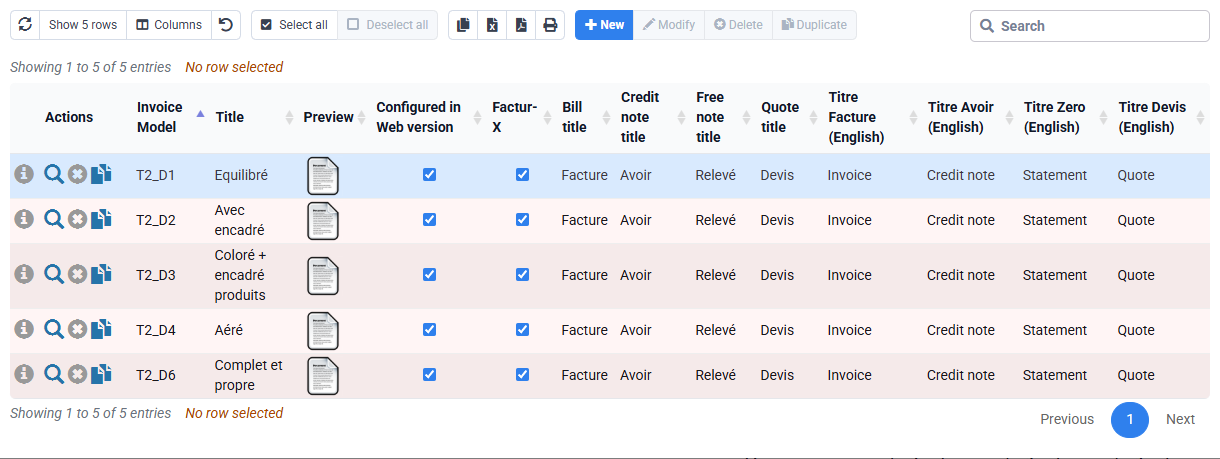
- The invoice model must actually generate Factur-X before issue.
- Seller and buyer identities, address, SIRET and VAT are reviewed.
- PDF and embedded or associated XML must come from the same issued invoice.
- An issued fiscal document is never silently modified to make the exercise pass.
Understand the different stages
The PDF serves human reading; XML serves automated exchange. They must describe identical parties, lines, tax breakdown, totals, currency and due date. Technical validation checks structure and profile; transport history checks submission and returns; payment records settlement. None replaces another.
1. Verify the real invoice and its sources
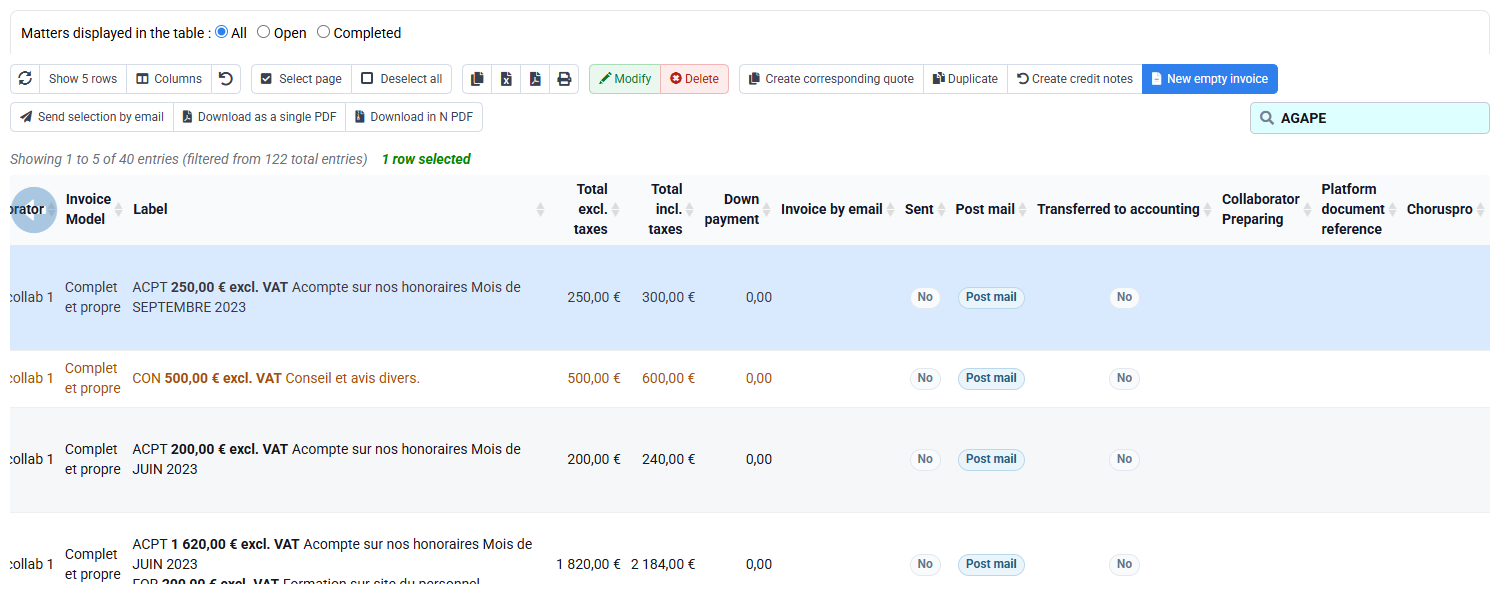
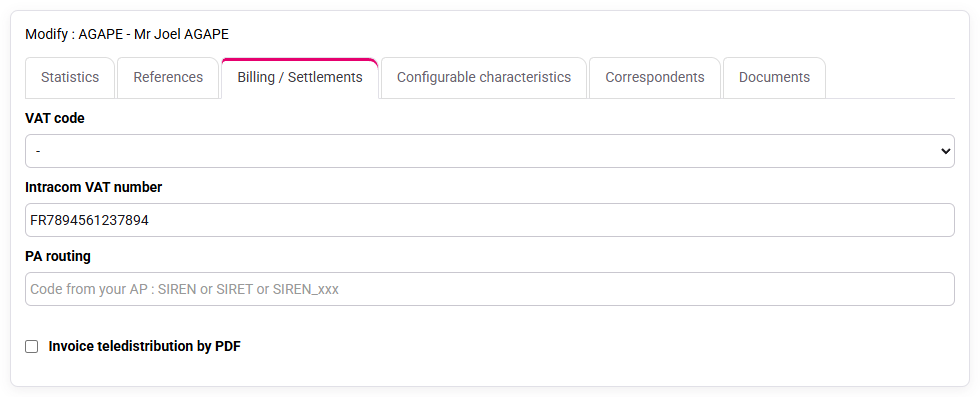
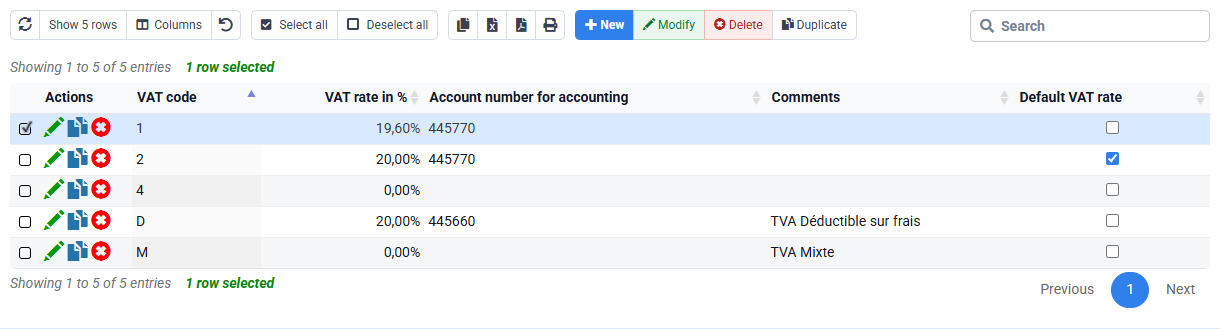
Find the selected invoice in the issued-sales journal, not invoices awaiting validation. Check the selected customer, the selected matter and the selected invoice’s actual gross amount. Inspect company, customer, VAT codes, sales codes and invoice model. Note the ten comparison values from the PDF.
2. Retrieve and verify the XML, or stop if it is unavailable
Use only the genuine embedded-XML extraction or application link associated with the selected invoice. If no CrossIndustryInvoice XML is obtained, note the invoice, model and message, check the generation method, then stop the comparison. Do not claim that the ten values match and do not create a substitute.
Construct the ten-field comparison without inventing the second column
Create a worksheet with one row for invoice number, issue date, currency, seller, buyer, line description, net amount, VAT amount, gross amount and due date. In the PDF column, copy the value exactly as displayed on the selected invoice and note the page or visual zone. If a genuine CrossIndustryInvoice file is obtained, fill the XML column from that file. Otherwise leave it unavailable and record the exact blocker. Add a source-data column pointing to the Tempolia record that should feed each value: issuing company, selected customer record, sales code, VAT code, invoice line, payment terms or model.
When retrieval fails, an explicitly unavailable XML column is useful. It prevents a learner from confusing expected data with observed data and prepares a precise retest. Do not copy PDF values into the XML column, infer them from a caption or use an artificial HTML page. When XML later becomes available, record the element name or XPath and compare semantics, not only visual spelling. A structured identifier can be technically well formed and still refer to the wrong legal party.
Arithmetic control
For the selected invoice, recover net and VAT from the issued piece rather than assuming a rate. Verify net plus VAT equals gross and reconcile the VAT breakdown to invoice lines. If several VAT categories exist, compare every category separately. Check decimal precision and rounding at line, tax and document levels; for a one-cent difference, check the rounding rule instead of editing the amount.
Find each mandatory value in its Tempolia source
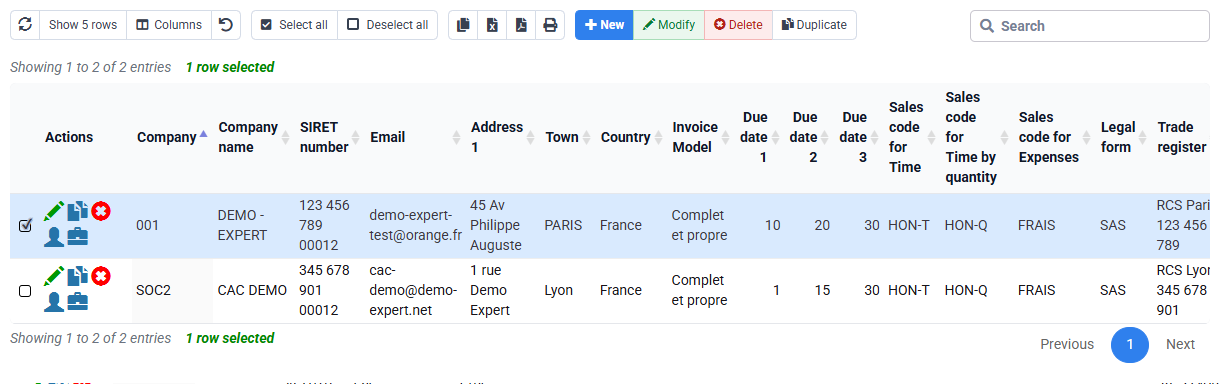
Seller data normally comes from the issuing-company record: legal name, address, country, legal identifiers and VAT number. Buyer data comes from the selected customer: legal identity, billing address, country, SIRET, VAT identifier and routing information where applicable. Commercial values come from invoice lines, sales codes and units. Tax category and rate come from the VAT configuration applied to each line. Currency, dates, payment terms and bank references come from invoice and company settings.
Review each source and mark values as present, missing, inconsistent or not applicable. A readable PDF may tolerate an omitted structured identifier because a human recognises the customer; automated routing will not. Conversely, a technically populated field is not trustworthy if it was copied into the wrong source solely to satisfy validation.
Where to correct each error
- If seller identity is wrong, stop and ask the person who maintains the company record to correct it through the usual process.
- If buyer identity or routing is wrong, correct the authorised customer record and preserve the former state.
- If a line or price is wrong before issue, correct the draft source and regenerate.
- If an issued document is wrong, use the approved fiscal correction flow; never replace the issued document silently.
- If VAT category is wrong, consult accounting or the person responsible for VAT configuration before reissuing.
- If only transport fails while PDF and XML are coherent, investigate platform routing rather than changing monetary values.
Run the genuine Factur-X technical checks
To repeat the check, start with a prepared invoice generated by an active Factur-X model in dedicated training data in your subscription with the appropriate authorisation. Retrieve the final PDF and extract its embedded or associated XML using a genuine application function or recognised extraction tool. Confirm that an XML document exists, that its root and namespace correspond to the supported CrossIndustryInvoice profile and that it passes the applicable syntax or schema validation used by the project. Preserve the original PDF, extracted XML and validation report together.
Technical validity is one layer. Perform the ten-field semantic comparison next, including parties, references, line quantities and units, allowances or charges, VAT breakdowns, totals, currency and payment terms. Then, and only then, test submission through the configured channel and retain acknowledgement and history. The same invoice reference must connect the PDF, XML, history and accounting lines.
If something goes wrong
- No XML link: check the model and generation method before comparing PDF and XML.
- XML cannot be parsed: keep the original file and validation error; do not rewrite it manually.
- Schema passes but amount differs: structured source or transformation is wrong despite technical syntax.
- PDF and XML match but routing rejects: inspect identifiers, network rules and platform response.
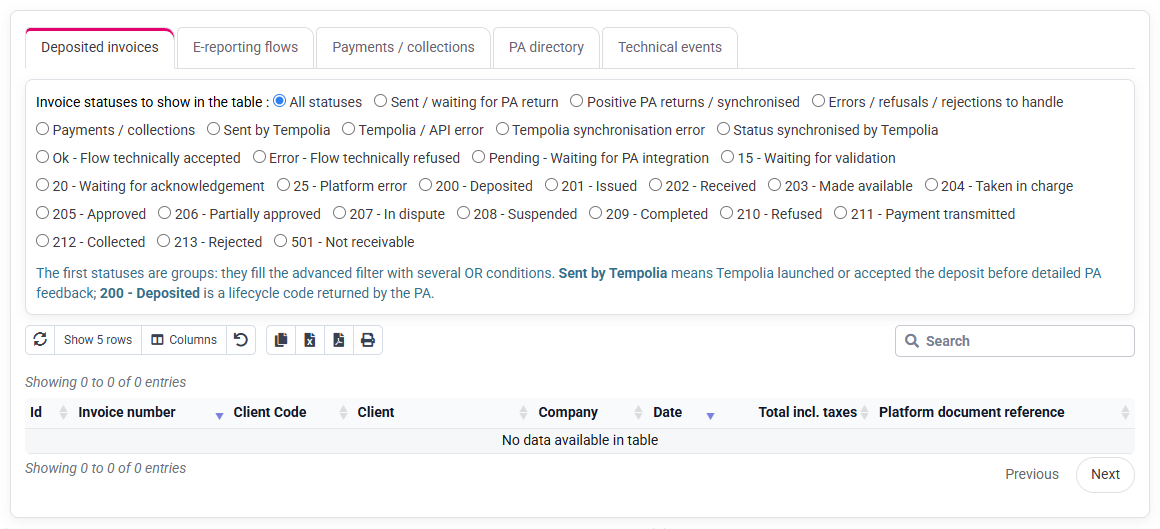
- History is empty: no transmission status is available; check the environment and whether a submission occurred.
Separate document, transport, accounting and settlement controls
Work in order: check the issued invoice and its PDF/XML, validate the XML, read the platform history, then compare the accounting export and payment. Do not carry a status from one stage into another.
Build a lifecycle table with columns for invoice issued, PDF retained, XML retained, technical report retained, submitted, acknowledged, accepted or rejected, accounted, paid and matched. For the selected case, complete each stage for which an actual value or status is available and leave the others blank. Fill XML, transmission and later stages only from actual files or status rows. This makes the gap actionable and prevents false completion.
When a correction is required, identify which layer failed. A missing buyer SIRET is a source-data issue; malformed XML is a generation issue; unknown recipient is often routing; rejected accounting account belongs to export configuration; unpaid balance belongs to customer follow-up. Correct the appropriate source instead of repeatedly modifying the invoice text.
Final practical check
- Start from the sales journal and retrieve the selected invoice without using a direct link.
- Read the ten PDF values again and identify their Tempolia sources.
- Try to retrieve the XML again and check that you obtain the same file or the same error.
- If the XML is unavailable, note why the comparison must stop and which invoice and authorisation will be needed to try again.
- Keep technical validation, PA acknowledgement and payment as three separate stages.
Use only values actually read in the PDF, XML and histories. If a history is empty, check its filters and leave the status blank. Keep the invoice number, model and access path so that you can resume from the same point.
Periodically check invoices expected to be Factur-X but lacking an extractable XML, validation errors, PDF/XML differences and routing rejections. Also sample accepted invoices: a technical acceptance does not by itself confirm that PDF and XML contain the same business values.
Exercise recap
- 1. Record ten PDF values.
- 2. Seek the genuine XML tied to the selected invoice.
- 3. Record the unavailable prerequisite and define the prepared retest.
- The worksheet lists the PDF source and mandatory data.
- Never replace a missing XML with an artificial page or reconstructed values.
- Comparison is concluded only from genuine CrossIndustryInvoice XML; otherwise it remains explicitly pending.
Before you finish
State whether the XML was retrieved and which PDF/XML fields were compared. If it was not retrieved, check the invoice model and generation method and leave the XML values blank.
Step back
Factur-X is correctly checked when the visible document and structured data describe the same invoice. If no genuine XML is available, stop the comparison after checking the model and generation method. Document, transport, accounting and payment are then followed as separate stages.