


Configure the database, access rights and locks
Objective. Set up a reliable and secure Tempolia database by configuring companies, users, reference data, permissions, profiles and period locks in the correct order.
What you will learn
- Configure issuing companies, bank accounts and core reference data.
- Grant each employee only the permissions required for their role.
- Use profiles and locks to standardise access and protect closed periods.
Recommended workflow
- Define companies, general options, bank accounts and document settings first.
- Create stable sales, task and expense codes before operational data is entered.
- Create employees, assign profiles and review sensitive permissions individually.
- Test the configuration with a standard user account before opening the database to the team.
Before continuing
- No shared or generic employee account is used for day-to-day work.
- Permissions are tested with the actual user profile, not only as Administrator.
- Locks protect approved periods without preventing legitimate current work.
Before you begin
In your subscription, choose a representative employee who must enter time on one open matter with an authorised task and see only matters belonging to the assigned group, but must not see cost prices or alter a locked period. Check the complete configuration chain before enabling the access.
Prerequisites in your subscription
- Have the necessary administration rights in your subscription and a representative business account. Without change authorisation, follow the workshop in read-only mode.
- Locate your issuing company, selected employee, assigned group, effective profile, one task, its sales code and its one-character VAT code.
- Choose one matter the employee must see and another outside the permitted scope, so both permission and prohibition can be tested.
- Use a second account representing the tested profile. A check performed only as administrator does not show what the business account can actually do.
Suggested schedule — 1 h
- 5 min: state the business need and prohibited actions.
- 10 min: check options, company and bank.
- 10 min: review the employee record and assignments.
- 10 min: test profile, scope and sensitive columns.
- 10 min: check tasks, expenses, sales codes and VAT.
- 10 min: test approval and locking with the business account.
- 5 min: step back and record the chosen access settings.
1. Configure common rules before individual users
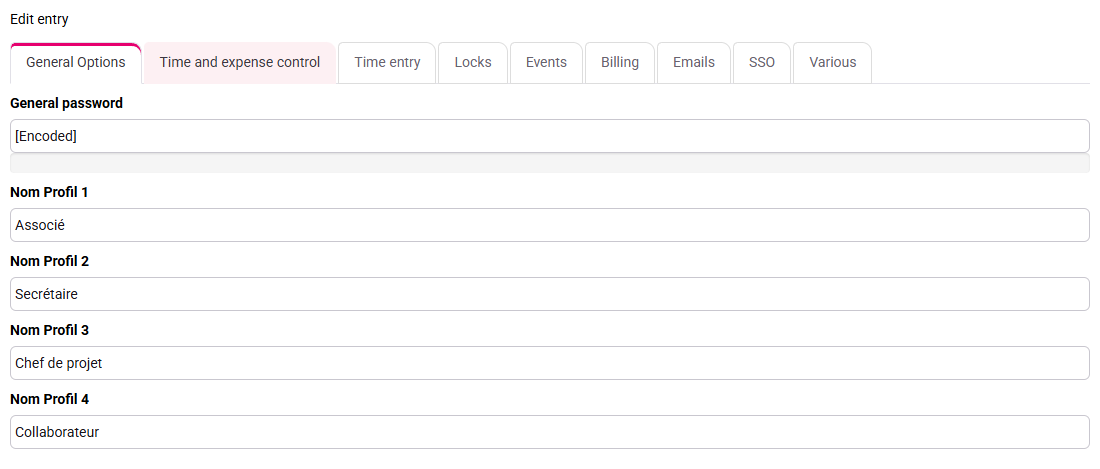
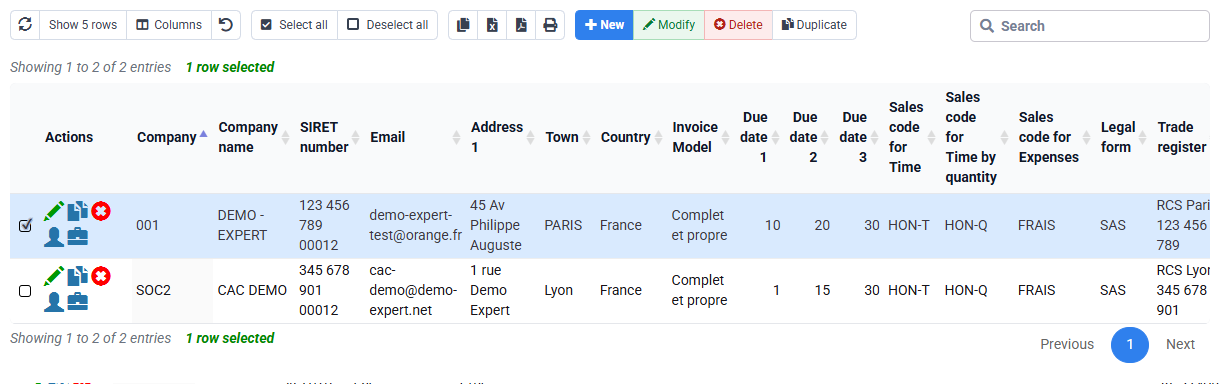
Open Configuration > General options, then Companies and Bank accounts. General options establish profiles, passwords, entry controls, approval behaviour and defaults. The issuing company holds legal identity and invoice settings; bank accounts support payment instructions and exports. These values are foundations, not a collection of optional switches.
For your issuing company, identify which rules the team truly uses. For every sensitive option, note its purpose and expected effect. Enabling everything produces contradictory behaviour and makes support harder. Keep only settings whose purpose and effect are clear.
2. Build the employee, profile and scope chain
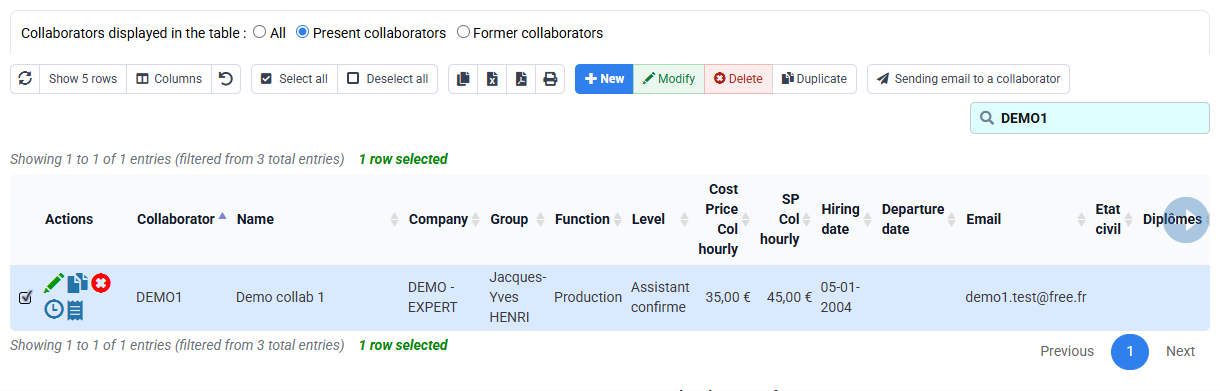
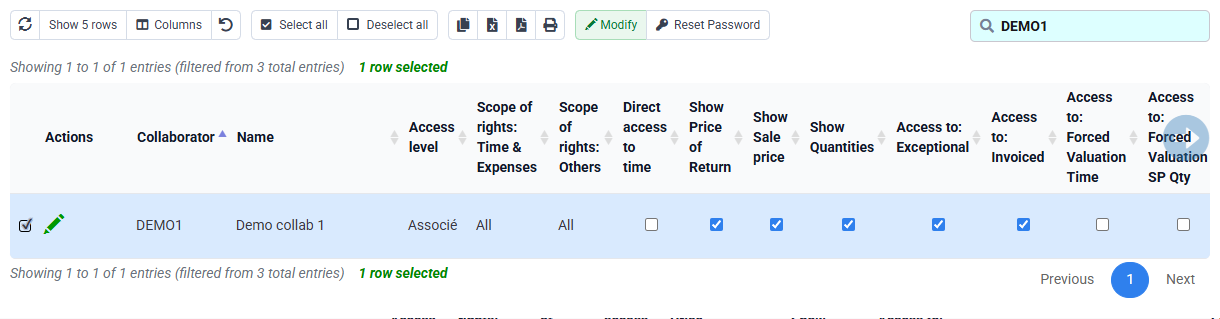
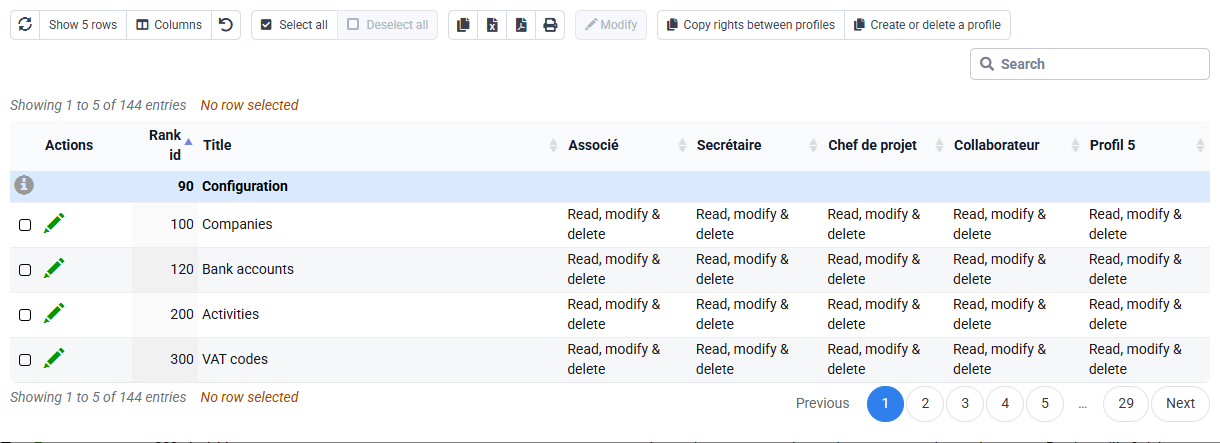
Open Employees, the selected employee’s login rights and the profile matrix. The employee record supplies identity, company, group and operational links. The profile grants page capabilities. Login scope determines which employees, clients or matters are visible. Column permissions can hide sensitive values such as cost price.
Rights therefore answer three separate questions: which page, which records and which fields. Test all three with the representative account. Search for a matter the employee should access, open time entry, and verify that cost-price columns and administration pages are absent. Do not infer business-user behaviour from the administrator view.
Check profile, record scope and cost-price visibility separately. An “Associate” profile, “All” scope and visible costs fail the restricted target; correct each setting and repeat the test with the business account.
3. Approve and lock without erasing history
Approval separates entry from managerial control. Locking prevents changes before a chosen date or in a validated period. These mechanisms protect history only when the organisation knows who approves, when the cut-off occurs and how a legitimate exception is handled.
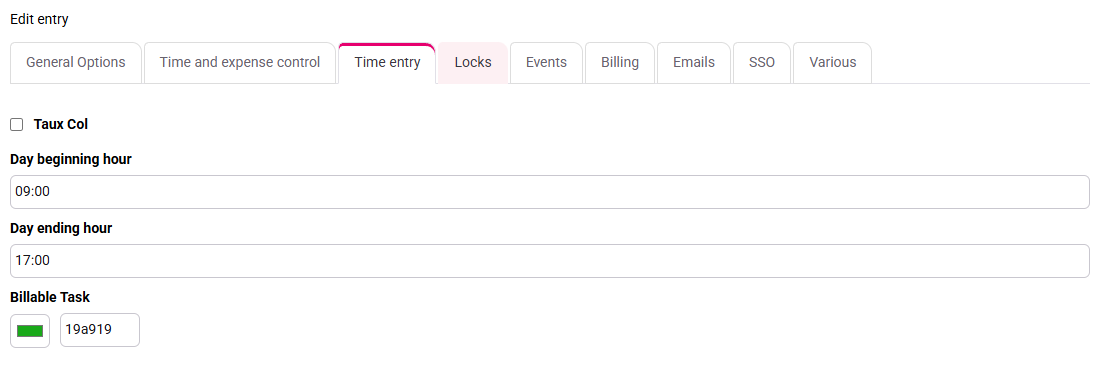
Test the selected employee in one open and one locked period. Current work should follow the normal workflow, while the locked line remains visible but cannot be silently altered. If it disappears, check scope and filters; if it remains editable, check effective profile, company, cut-off date and approval state. Locking is a process control, not a substitute for correct rights.

4. Stabilise tasks, sales, tax and expense reference data
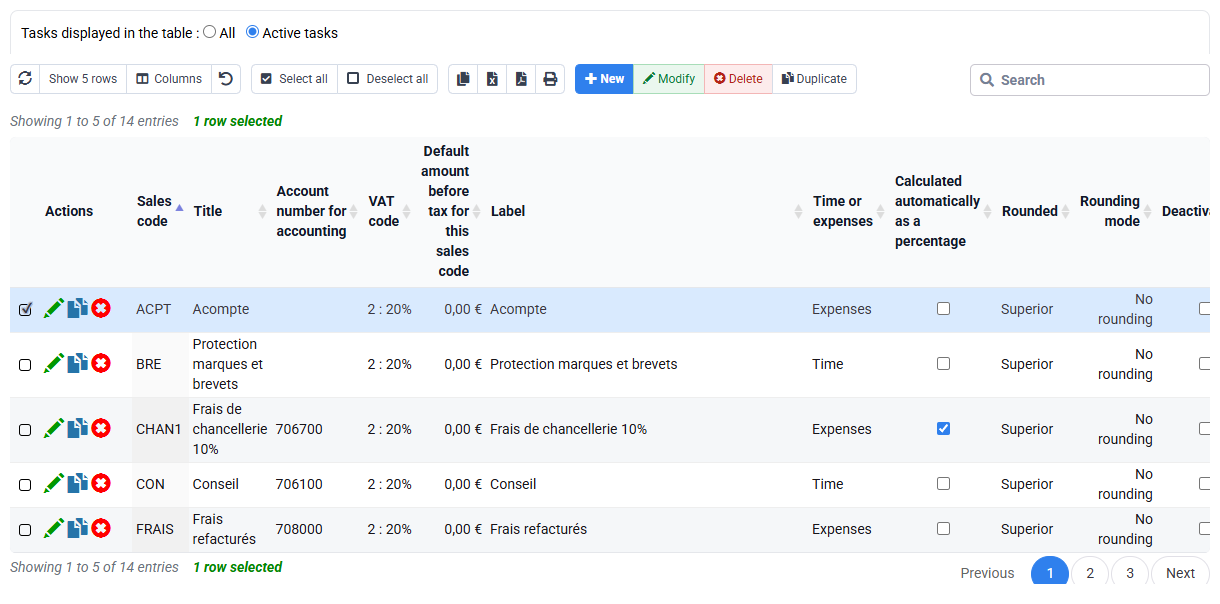
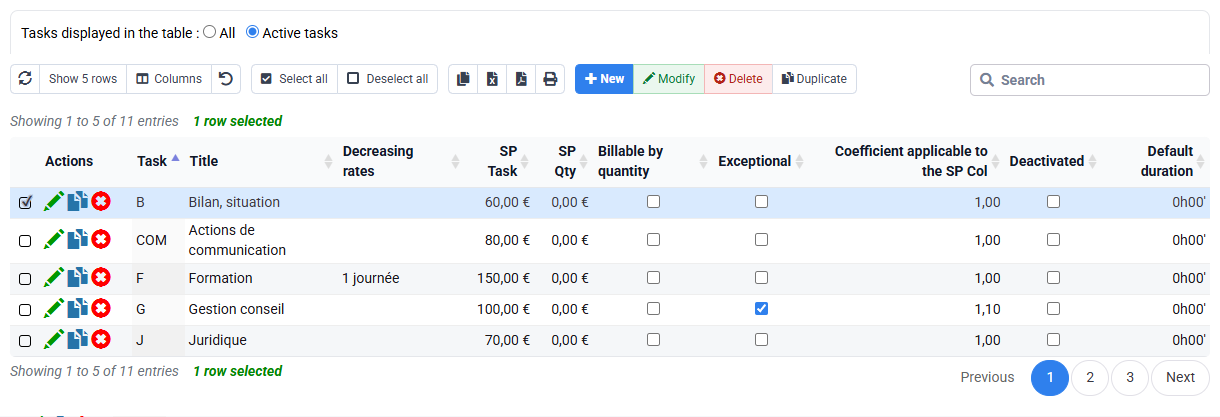
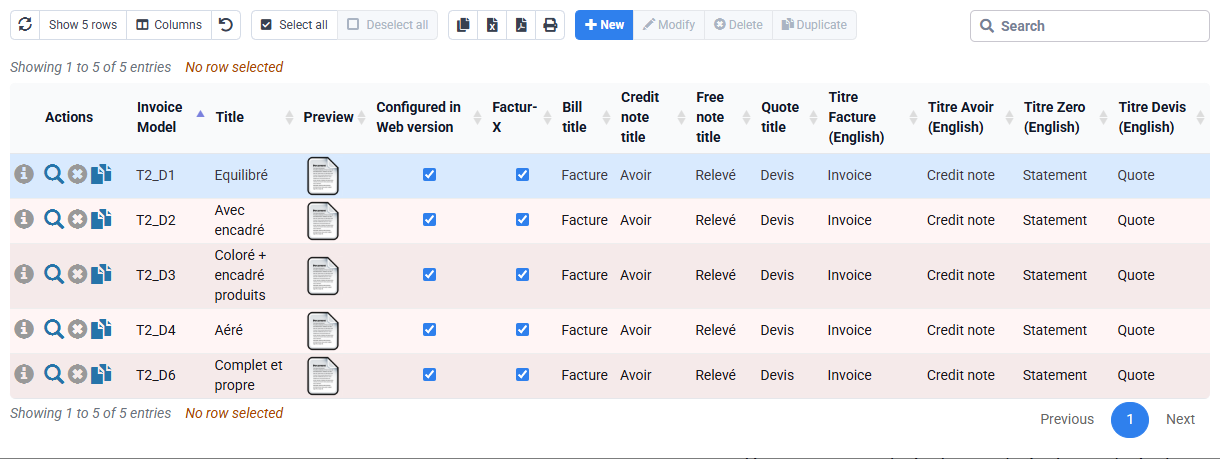
Sales codes, VAT codes, expense codes, billable tasks, non-billable tasks and invoice templates translate operational entries into commercial and accounting outputs. Build dependencies in order: commercial and tax rules first, tasks and expenses next, templates and client settings last. Reuse stable codes rather than creating near-duplicates.
For the selected billable task, verify that it is active, maps to the intended sales code and receives a one-character VAT code through the applicable rule. A non-billable task should remain available for internal work without reaching invoice preparation. Never delete a code used historically: make it unavailable for new entries so old time, invoices and exports remain intelligible.
5. Separate client rules, electronic routing, cost and price
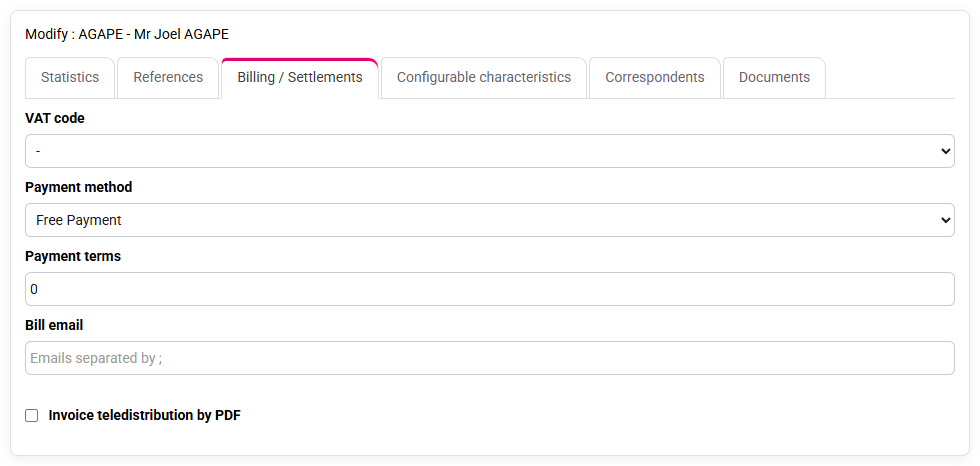
Client billing data can override or complete common rules: payment terms, invoice contact, model, language, VAT context and electronic-invoicing identifiers. Missing PA/eReporting information may not affect time entry but can block transmission later. Custom characteristics need a clear reporting purpose, a limited list of values and someone responsible for maintaining them.
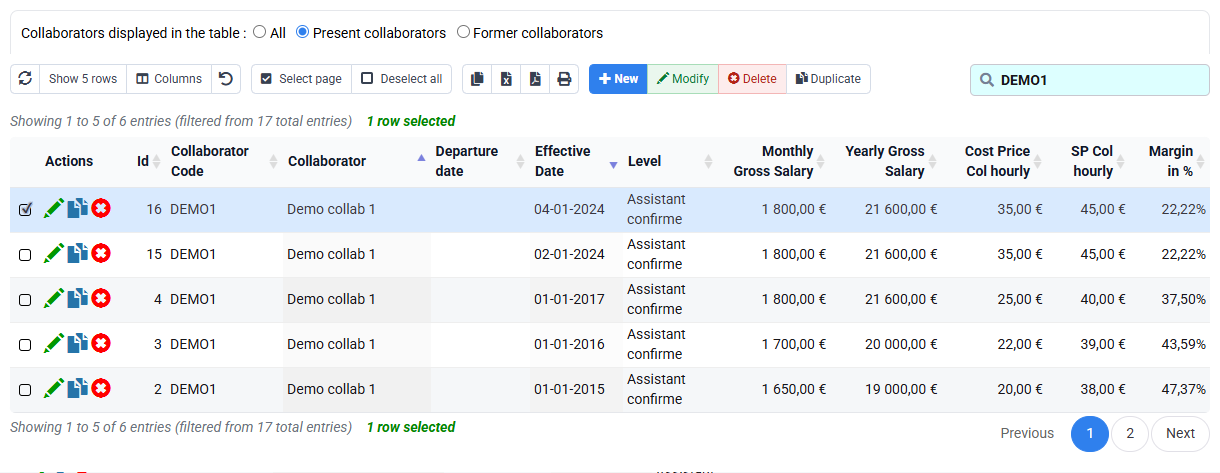
Compensation history supports internal cost valuation; selling prices by employee, matter or quantity support commercial valuation. They are not interchangeable and require different permissions. Effective dates matter: changing today’s value must not silently reinterpret historical work. The selected employee may enter time or quantity without seeing pay history or cost.
If the employee/matter or task/matter exception tables show no row, conclude only that no matter-specific override is observed. The applicable general rule, its effective date and its value must still be identified elsewhere; an empty table gives neither the applicable rate nor the resulting margin.
6. Check the configuration in downstream reports
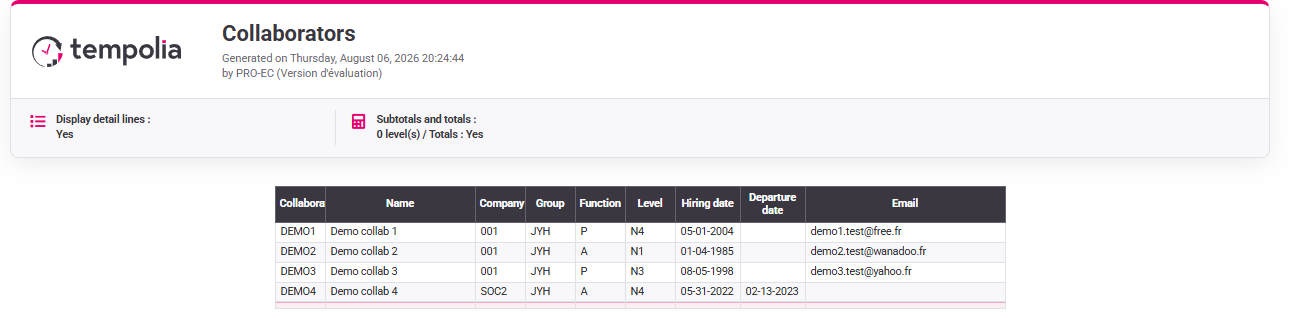
Run a restricted report with the selected employee and a control report with the authorised manager. Use the same company, client, matter and period. The operational rows should agree while confidential cost columns remain hidden. Also verify that the selected task reaches the expected reporting axis and that its sales code and one-character VAT code produce consistent commercial data.
If the totals differ, compare filters and data scope before widening rights. If the totals agree but a sensitive column appears, correct the column or profile rule. Record the effective configuration together with the permitted and prohibited actions observed under the business account.
Try the access with the business account
- 1. List three permitted and three forbidden operations for the selected employee, including the chosen matter scope, cost visibility and locked periods.Every permission matches a real task performed by the selected employee.If not, stop and ask the person responsible for that role to decide before configuring.
- 2. Follow selected employee → group → profile → page → record scope → column and record each value.The observed access comes from visible profile, group, scope and column settings.If not, inspect inherited profile, duplicate account, company and group.
- 3. With the business account, find the chosen matter, open time entry, look for cost and inspect a locked period without saving.Normal work is possible, sensitive cost is hidden and history is protected.If not, identify whether page, row, column, lock date or approval causes the issue.
- 4. Confirm selected task → sales code → one-character VAT code, then compare restricted and manager reports.Operational totals agree while confidential fields respect the role.If not, review task mapping, effective dates and filters before expanding rights.
Errors that create future incidents
- Testing only with an administrator account.
- Granting a broad profile to compensate for one missing page.
- Deleting a code used in historical time, invoices or exports.
- Changing rates without effective dates and an impact review.
- Locking periods before defining approval and exception responsibilities.
Step back
Good access settings let the employee work on the intended matters without exposing costs or reopening a locked period.
When the role changes, review profile, group, record scope and sensitive columns, then sign in with that account and check the result. Keep the chosen settings with the access request so they are easy to revisit.
Test one more user profile
Use a second business account and prepare a four-column sheet: allowed, forbidden, observed and correct.
- 1. Before opening Tempolia, write down the company, profile, groups, visible matters, hidden costs and the period that must be locked.
- 2. Read the profile and groups first, then sign in with the test account and check one authorised action and one forbidden action. Record the exact screen and message.
- 3. Test one meaningful anomaly: the chosen matter is missing, a cost is visible, a locked period can still be edited or a report shows unrelated matters. Check the setting that governs that symptom, then repeat the same test.
- 4. Close every tab, sign in again with the test account and check that the permitted action works while the forbidden action remains blocked.