


Build and use budgets
Objective. Use time, expense and billing budgets to forecast workload and revenue, compare forecasts with actual activity and prepare invoices without unnecessary re-entry.
What you will learn
- Distinguish time, expense and billing budgets and understand how they complement each other.
- Plan workload, billing dates and expected margins by client and matter.
- Analyse variances between budgeted, actual and invoiced amounts.
Recommended workflow
- Define the scope, period, matter and assumptions before entering budget lines.
- Enter workload, expected expenses and billing schedules using stable reference codes.
- Review the forecast in the planning views and assign responsibilities where required.
- Compare the budget with actual time, expenses and invoices, then record material variances.
Before continuing
- Every budget line belongs to the correct client, matter, period and issuing company.
- Recurring budgets are renewed without duplicating existing lines.
- A variance is explained from the detailed data before the forecast is revised.
Before you begin
Choose an open matter in your subscription with a billing budget and time budget. Record its fee, planned workload, employee and period. For example, an €850 fixed fee and four planned hours let you compare commercial value and workload without confusing them.
Prerequisites in your subscription
- Use one matter from your subscription, its sales code, a planned task, the employee concerned and a comparable period.
- Locate an existing budget for observation; do not run a global renewal or issue invoices during training.
- Prepare four columns: forecast, actual, invoiced and explained variance.
- Locate one billing-budget row, one time-budget row and the corresponding agenda week in your subscription. They must carry your exact matter, period, task and employee.
Suggested schedule — 1 h 15
- 5 min: translate the engagement into measurable assumptions.
- 15 min: build the matter budget.
- 10 min: schedule time, expenses and workload.
- 10 min: build the billing plan.
- 10 min: simulate renewal and check valuation.
- 20 min: reconcile forecast, actual and draft invoice.
- 5 min: step back and decide one management action.
1. Translate the engagement into three budgets
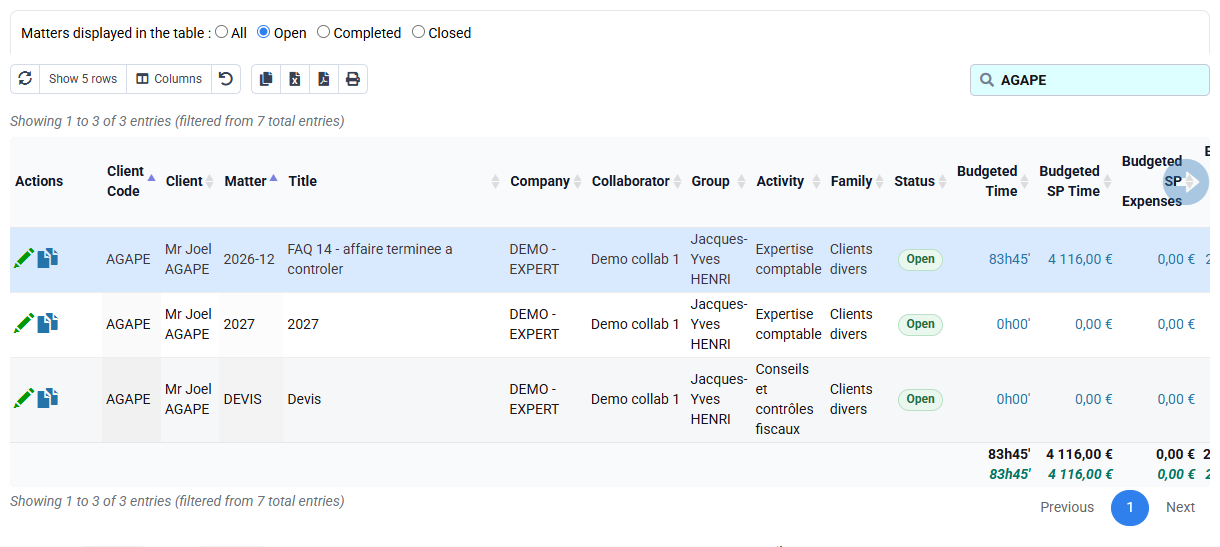
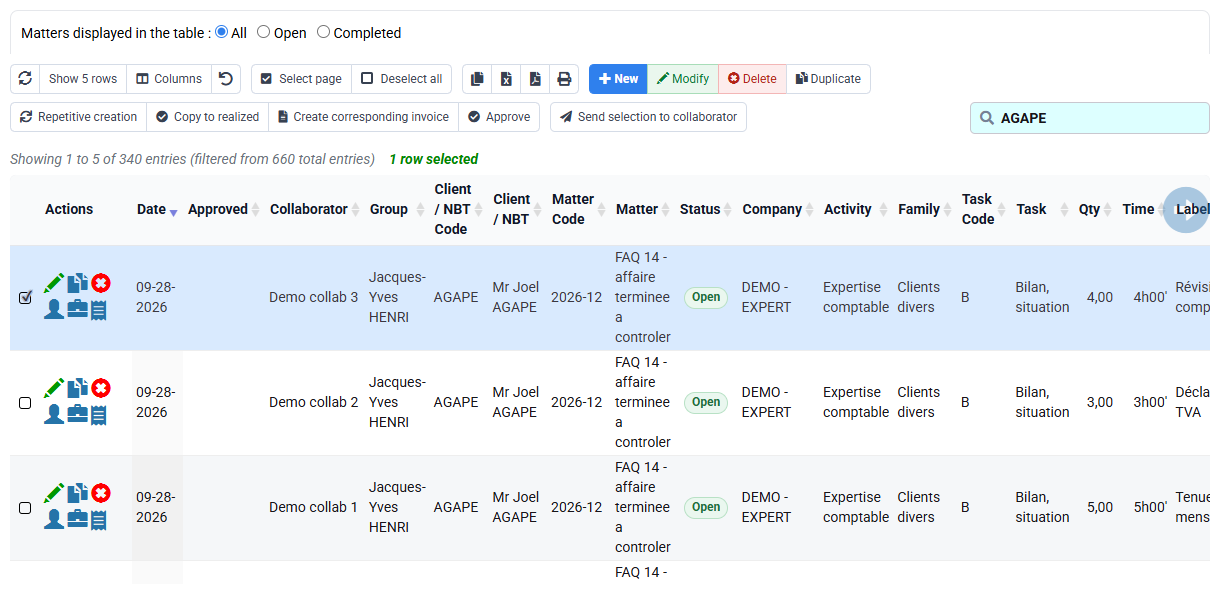
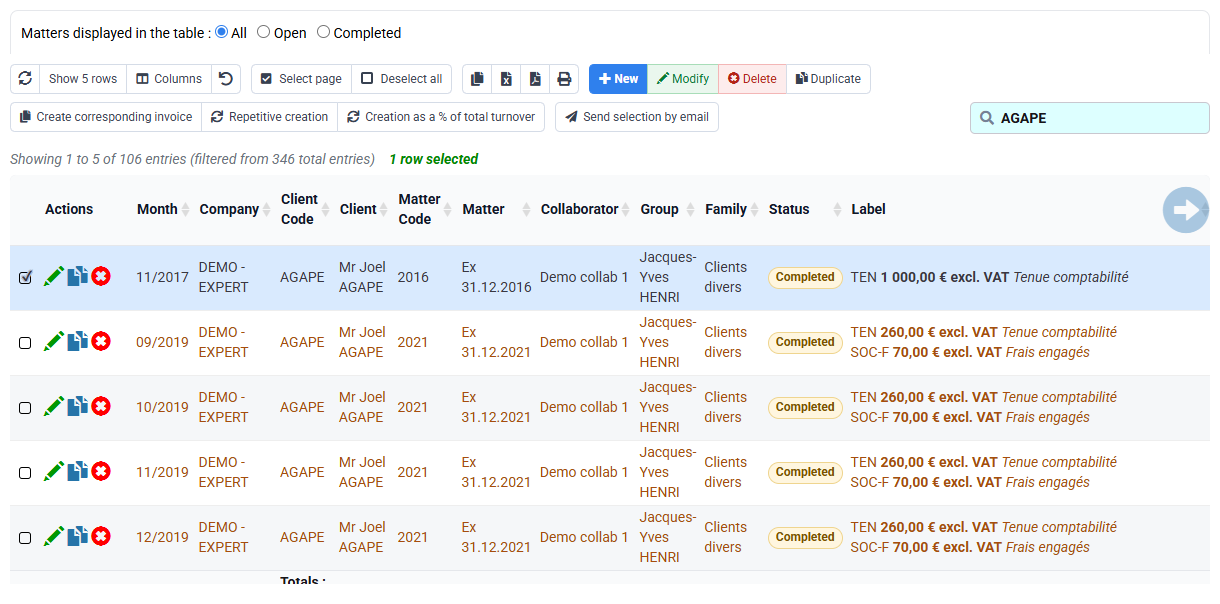
Open Clients / Matters > Budgets by matter and client. Treat time, expenses and billing as three related but different forecasts. Time answers what resources are needed; expenses anticipate external cost or re-billing; billing specifies commercial amount and date.
For your selected matter, record its billing amount for the period and its planned task hours for the selected employee. Do not force the figures to match: the commercial fee may be fixed while workload varies. Record the assumption, source and period so a future variance can be interpreted rather than merely highlighted.
2. Turn time budgets into a workable schedule
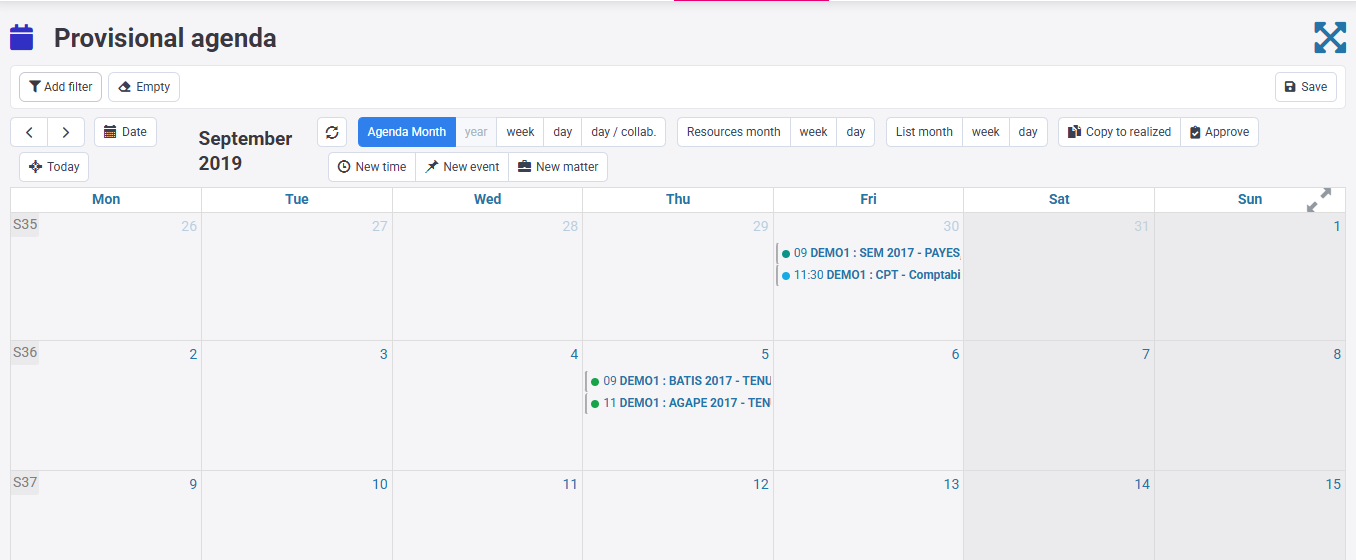
Open the forecast agenda and position your matter’s planned hours in the intended week. Check existing workload, absences and deadlines. A budget says that work should happen; the agenda asks whether a named person can actually perform it at the right time.
If the week is overloaded, choose an explicit response: move the task, reassign it, change the deadline or renegotiate scope. Do not leave an impossible forecast merely to preserve the initial number. Keep the decision and reason with the budget so later reports distinguish a managed change from an entry mistake.
Open the selected week and check matter, employee, task and duration. If the expected row is missing, return to the budget, dates and filters before concluding on capacity.
3. Renew without copying old errors
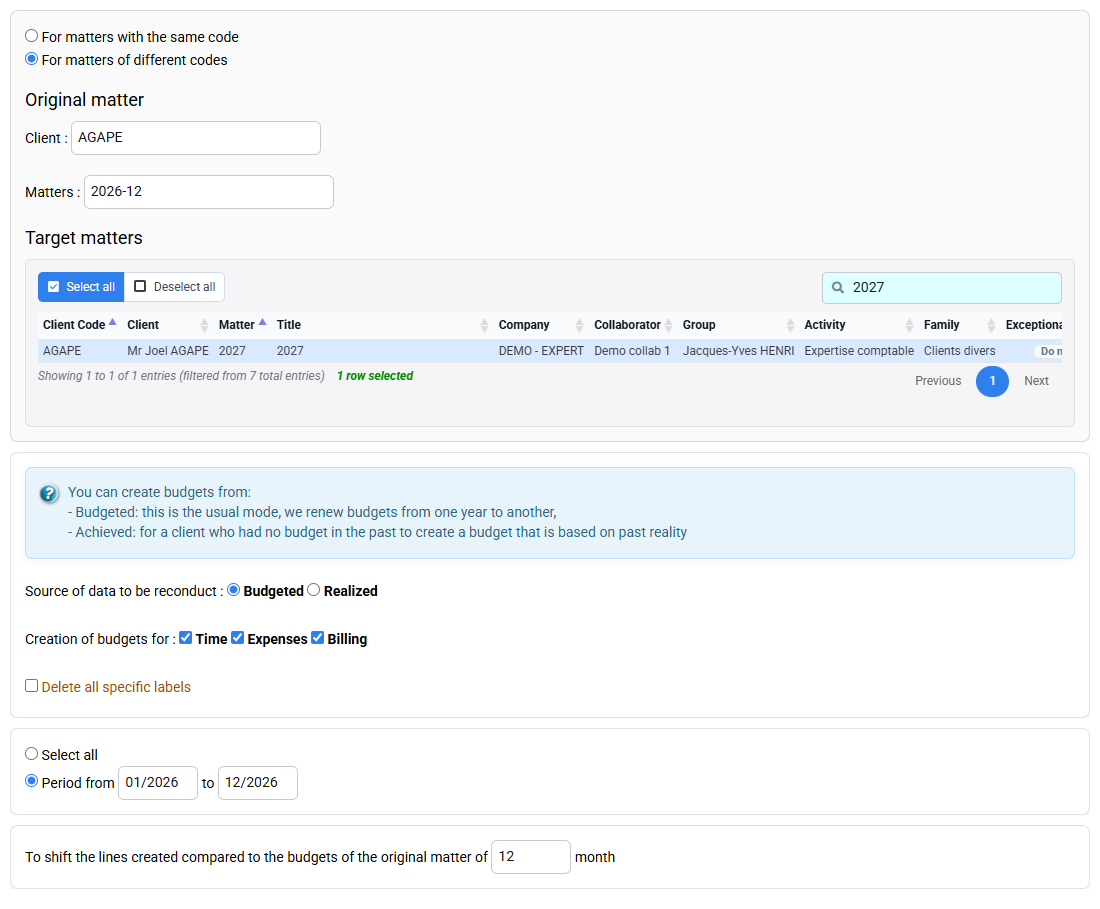
The renewal form can reproduce time and billing budgets across a new period. Before any run, define source year, destination year, clients, matters, budget types and options. Preview the perimeter and search for destination lines that already exist. Preview the renewal before applying it.
For this workshop, compare the selected matter’s engagement, rates, managers and scope with the source. Exclude obsolete tasks and revise dates. Each destination period should contain exactly one intended line. If duplicates appear, stop; do not “clean up later” after other users have begun planning.
4. Control valuation before interpreting margin
Time cost may come from compensation history; selling value may come from employee/matter prices or task quantity prices. Effective dates, matter-specific overrides and task rules decide which value applies. A correct duration with a wrong rate produces a convincing but false margin.
Check the selected employee’s rate on the applicable date and the price rule for the selected task. Keep internal cost and commercial price separate. If a report differs from the budget, establish whether the variance is quantity, mix of employees, rate, date or scope. Never adjust the budget solely to make the dashboard green.
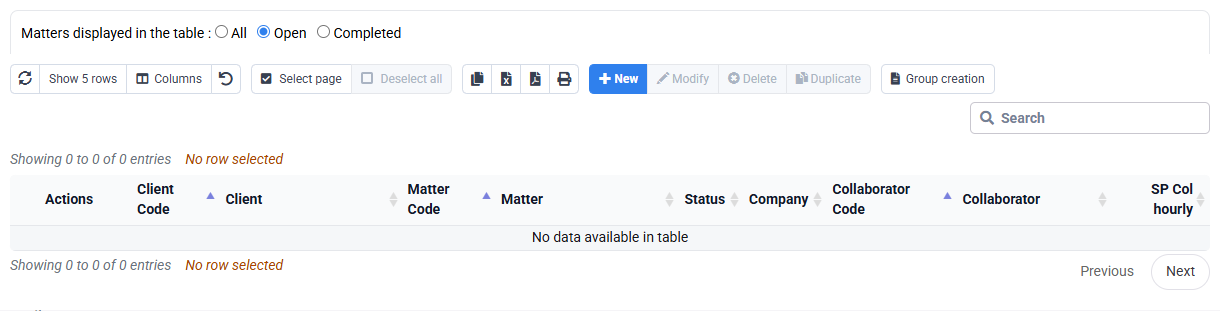
If the exception table contains no row, no employee/matter override is defined there. Identify the applicable general rule and its effective date before calculating any amount or margin.
5. Compare forecast, actual and invoice proposal
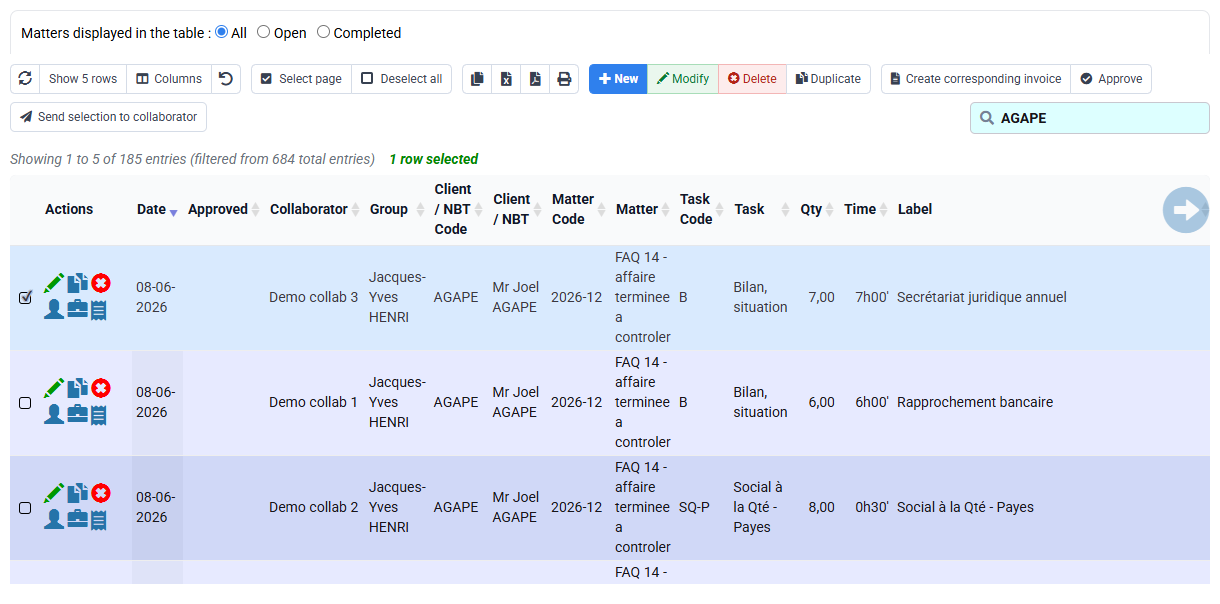
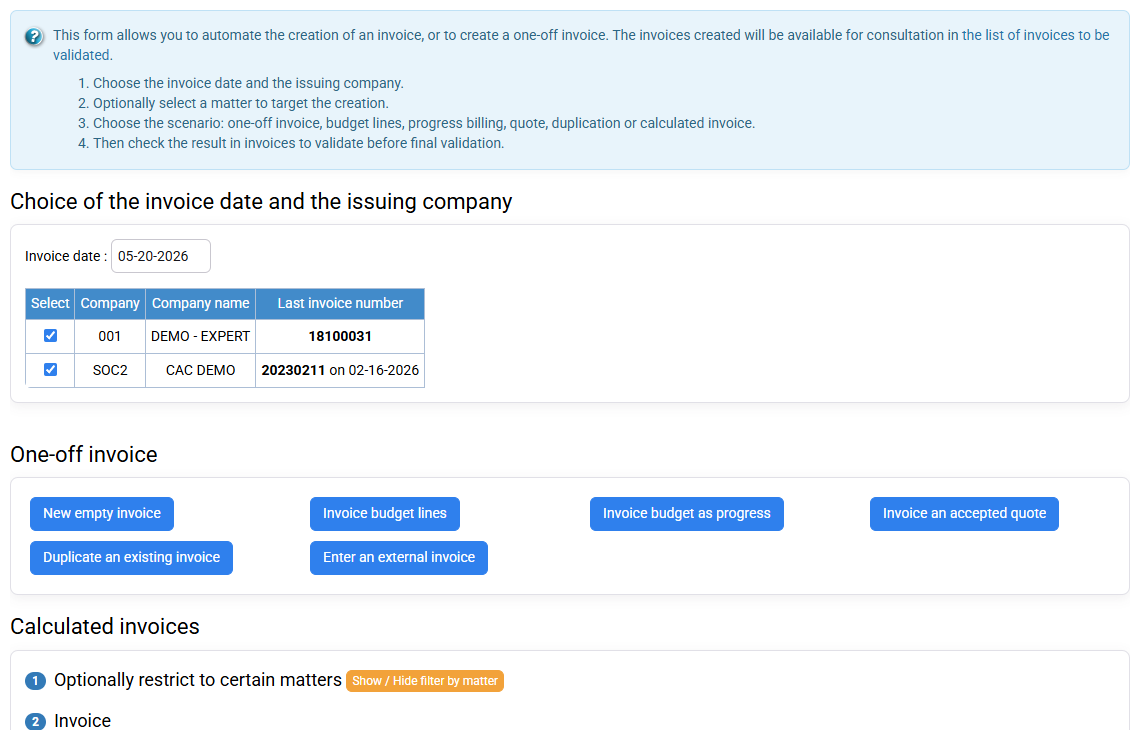
Filter Time detail and Expense detail on your selected matter and period and the same statuses used by the budget. Compare hours, task, employee and amount. Then open invoice preparation without issuing: verify that the billing budget and eligible actual lines are not accidentally combined twice.
For example, five actual hours against four planned produce a one-hour variance; this does not automatically change a fixed fee. Determine whether the cause is rework, scope change, learning, incorrect entry or unrealistic forecast. The response may concern organisation, the contract or a future budget.
6. Build a decision-ready variance report
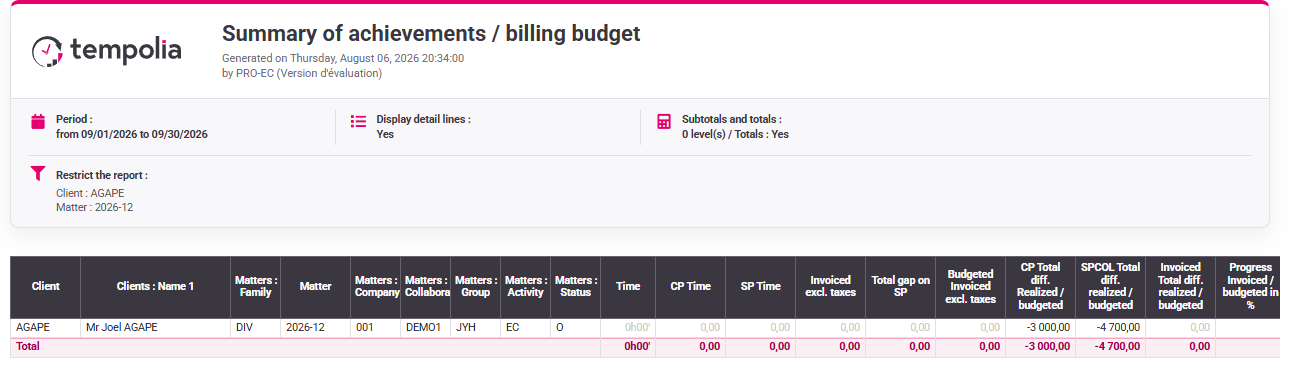
Use Reports / Outputs or a pivot table with the same company, client, matter and period. Display forecast hours, actual hours, forecast fees, invoiced fees and valuation. Group first by matter, then drill into employee and task. Keep the filters with the report.
Describe the variance in plain terms: what changed, why, and what you decide to do next. “Budget exceeded” is only an alert. For example: “one extra hour because an additional bank reconciliation was requested; check whether it belongs to the fixed fee”.
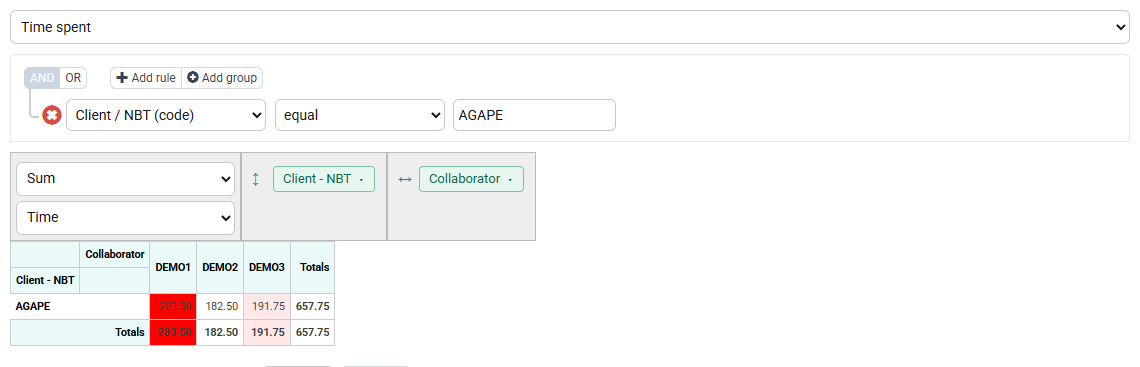
Filter the pivot on your matter and period, then compare planned and actual hours with the same unit.
Hands-on budget review
- 1. Record your matter’s fee, planned hours, employee and period with their source.Time, date and commercial amount are explicit and separate.If not, return to the engagement and matter rather than inventing a number.
- 2. Place the hours in the forecast agenda and check the selected employee’s workload.The task has a feasible slot, or a manager has chosen a different date, assignee or scope.If not, reassign, reschedule or renegotiate; do not hide overload.
- 3. Compare detailed time and expenses, budget and invoice preparation on one perimeter.Every variance and every proposed invoice line is explainable.If not, check period, status, already-invoiced flag, rates and matter.
- 4. Choose what to do with the variance: keep the plan, reschedule the work, adjust a future budget or review the billing rule.The budget review changes a decision, not merely a colour on a report.If not, distinguish an entry error from a genuine business variance.
Errors to avoid
- Using one global amount as time, capacity and billing forecast.
- Renewing before checking destination duplicates and changed contracts.
- Changing the forecast to conceal actual overrun.
- Interpreting margin without checking rates and effective dates.
- Comparing screens with different periods, matters or statuses.
Step back
A budget helps you see early that a matter needs more time, has moved to another period or will not be billed as planned.
When a variance appears, first check the detailed records and dates. Then reschedule the work, update a future budget or review billing according to the engagement. Keep the initial budget so the variance remains understandable.
Check another budget from forecast to billing
Choose a second matter and keep one table with forecast, actual and billed values. Do not move dates merely to make the figures agree.
- 1. Before opening Tempolia, write down budget amount, planned hours, period, responsible person, actual hours and amount already billed.
- 2. Read the budget first, then the matching time lines and finally the billing draft. Recalculate the variance and the completion rate before reading the report total.
- 3. Test one useful difference: duplicated renewal, overloaded employee, actual time above budget or a budget missing from billing preparation. Find the first screen where expected and observed values diverge.
- 4. Close every tab and repeat the route, checking that the variance still points to the same source and the same operational choice.