


Monitor payments, customer balances, reminders and SEPA direct debits
Objective. Read and manage a customer account from end to end: connect issued invoices, due dates, payments, matching, differences, reminders, SEPA batches, rejected transactions and accounting controls so that every balance can be explained.
Before you start: choose a customer account to analyse
In your subscription, select a customer you may view, with two issued open invoices and an exact or partial payment. Record references, due dates, gross amounts, amounts paid and opening balance before changing screen. Perform any payment entry, movement, matching or reminder only when your role and accounting procedure allow it; otherwise work read-only.
Numerical example for learning the method
Use this as a prepared accounting worksheet: an example company, bank BNK01, payment method Bank transfer, invoice F2026-041 for EUR 1,200.00 including tax, invoice F2026-055 for EUR 600.00 and transfer VIR-041 for EUR 1,185.00. The EUR 15.00 difference is presented as bank charges identified on the statement, but its accounting nature and sign must be established before any customer movement is created. Charges borne by your company may belong in a separate bank-expense entry and can leave EUR 15.00 genuinely due. Only if the approved treatment requires a customer movement of EUR -15.00 may the three lines clear F2026-041. F2026-055 then remains open for EUR 600.00. Keep these references on the worksheet and use the actual references selected in your subscription on screen.
Checks before any action
- Use the two issued invoices and the payment selected in your subscription; do not create the fictional ALPHA records.
- Check that the selected customer, bank and payment method are active and that your rights cover payments, movements and matching.
- You know the justification, sign and counter-entry for the EUR 15.00 difference. Never create a miscellaneous movement merely to make a screen reach zero.
- The SEPA part is a review only. Do not transmit a real bank file or send a real reminder outside an authorised test procedure.
60-minute schedule
- 8 min: read the customer account and state the opening diagnosis.
- 12 min: enter and verify the EUR 1,185.00 payment.
- 12 min: perform the first match and observe the EUR 15.00 remainder.
- 12 min: record the chosen treatment and complete matching if justified.
- 10 min: verify the balance, reminder population and SEPA data.
- 6 min: summarise the calculation and the checks you can reuse.
Checks on the worksheet and the selected customer
- Before correction, the proposed group does not clear and the difference is exactly EUR 15.00.
- In the worked example, F2026-041, VIR-041 and the EUR -15.00 movement total zero when the chosen accounting treatment uses that movement.
- The total customer balance is EUR 600.00 only when the first invoice has been cleared legitimately; otherwise the EUR 15.00 stays visible and explained.
- The reminder selection excludes F2026-041 only if its real balance is zero and retains F2026-055 for EUR 600.00.
Understand the control chain before clicking
A customer balance is not a single field. It is the result of invoices, credit notes, expected instalments, received payments, miscellaneous movements, rejections and matching. The sales journal lists the issued invoice, the payments table lists the receipt, and customer movements show how the two are matched. Reading only one of these screens can lead to a false reminder or a false sense that an account is clear.
A full, partial or grouped payment must retain a useful date, company, bank, method, reference, amount and customer. Matching then associates one or more payments with one or more invoices or credit notes. It never replaces the investigation of a difference. A bank charge, discount, write-off, wrong customer, duplicate import or rejected debit each requires a different treatment and approval.
The same discipline applies to SEPA. A mandate, RUM, IBAN, BIC, sequence, due date and creditor bank account describe the expected collection. A generated file only prepares the debit; bank acceptance and the recorded payment are later stages. Keep expected, submitted, accepted, rejected, recorded and matched states distinct.
Capabilities acquired
- Retrieve payments, customer movements, issued invoices and open balances within one company, customer and period.
- Record or review a payment using traceable banking information, then prevent duplicate manual and imported entry.
- Match exact, partial and grouped payments and explain a residual amount without hiding it.
- Read payment terms and instalments before deciding that an invoice is overdue.
- Review mandate and SEPA preparation data without confusing file generation with bank settlement.
- Prepare a reminder only after checking recent unmatched payments and rejected transactions.
- Reconcile customer follow-up with accounting export and cash-basis VAT where that option applies.
1. Establish the reliable account perimeter
Path: Billing > Payments, then Billing > Customer movements.
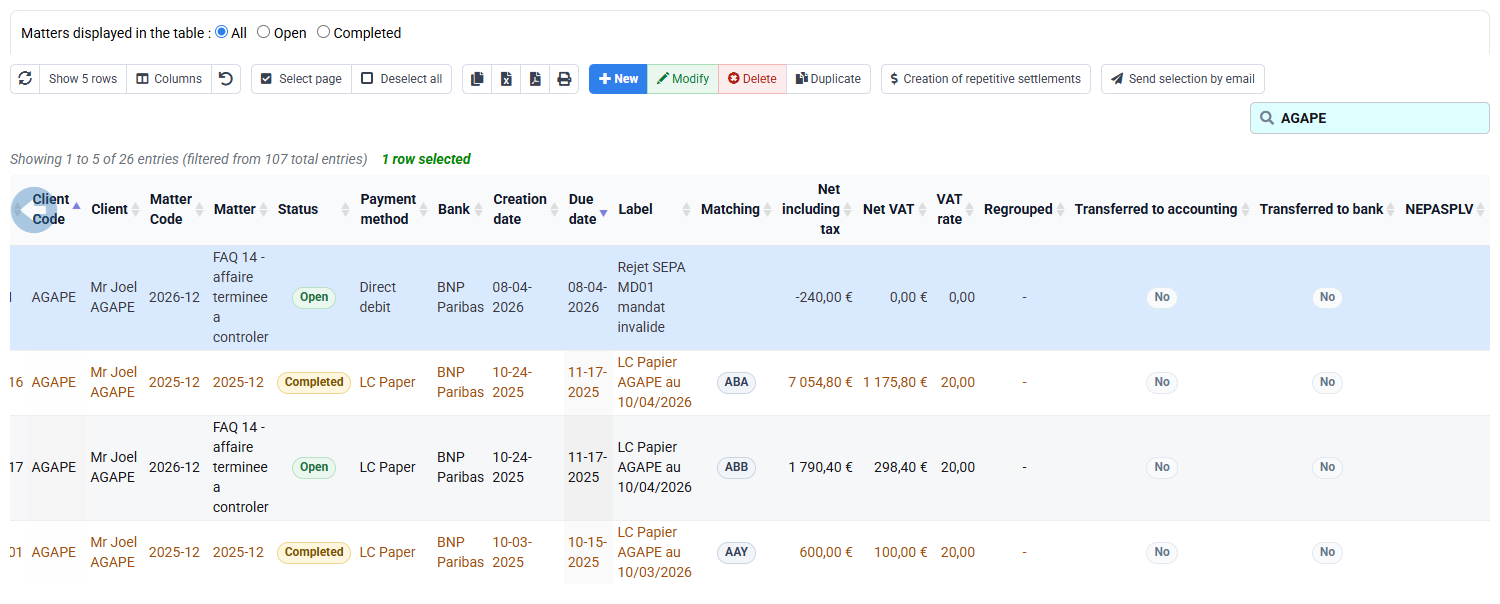
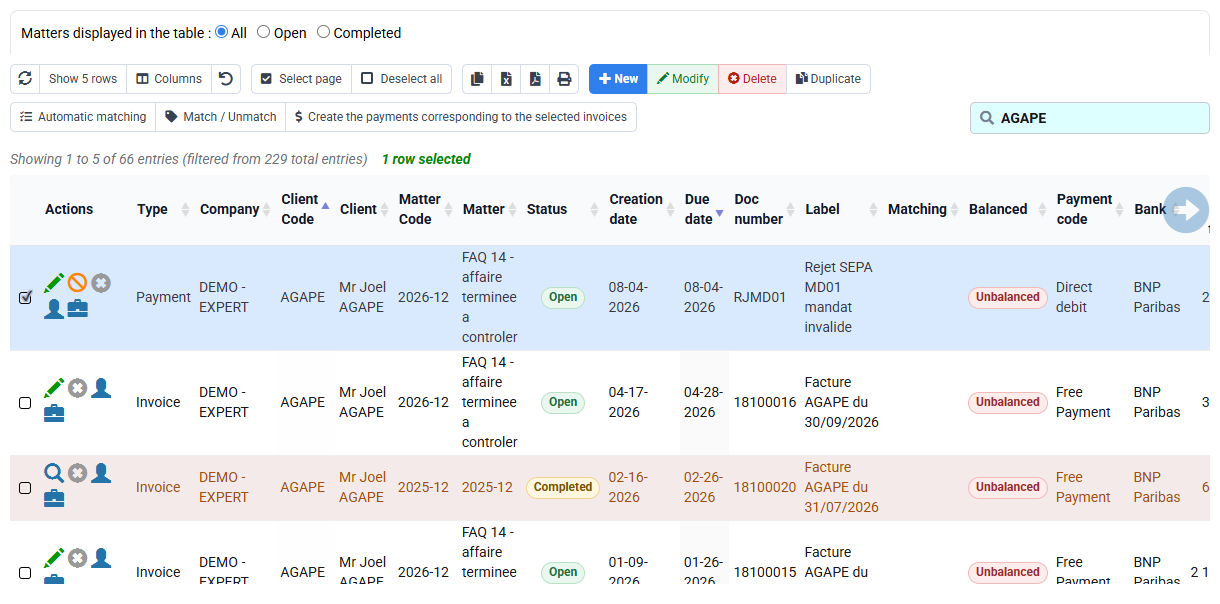
In Tempolia, select the customer, two open issued invoices and exact or partial payment chosen in your subscription, then apply one common period to all three source screens. First write down the expected opening account: EUR 1,800.00 invoiced and EUR 1,185.00 received, therefore EUR 615.00 remains open before the EUR 15.00 decision: EUR 600.00 on F2026-055 and EUR 15.00 on F2026-041. Confirm references, dates, signs and status rather than relying on a total alone. Remove unrelated saved filters and make sure your access rights do not conceal another line.
For the selected customer, the payment list should show the payment and its banking reference, and the movement table should show the invoices and payment being analysed. Filter each screen to your selected customer and inspect reference, date, amount, status, matching and balance. If the screen displays No data, check company, customer, period, filters and access rights before continuing.
2. Verify the payment, then match it
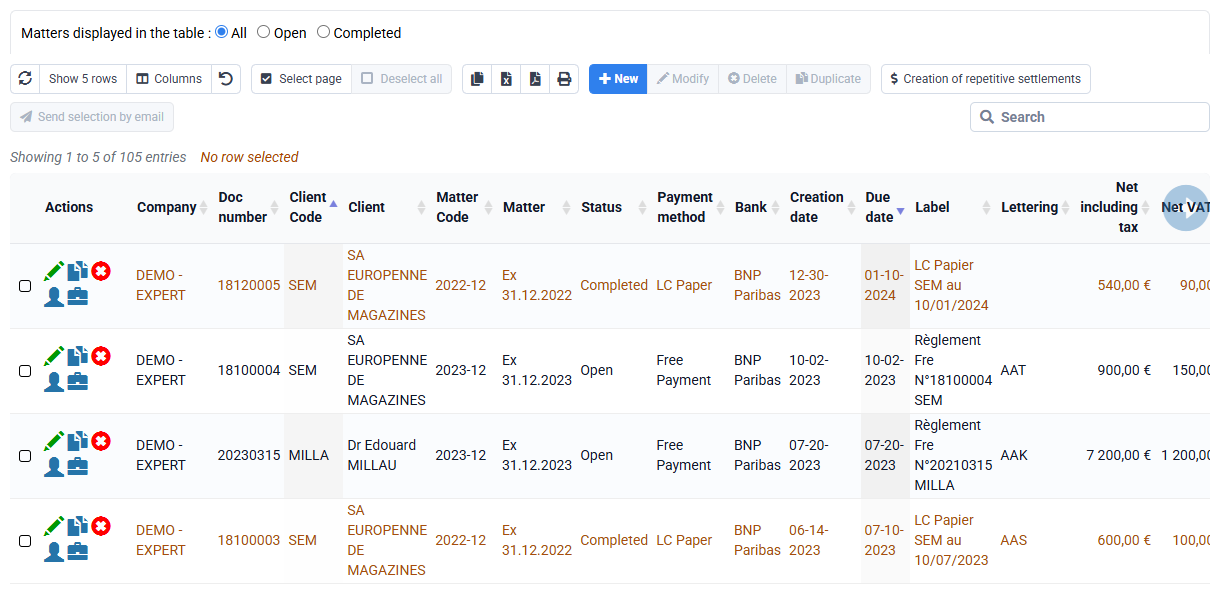
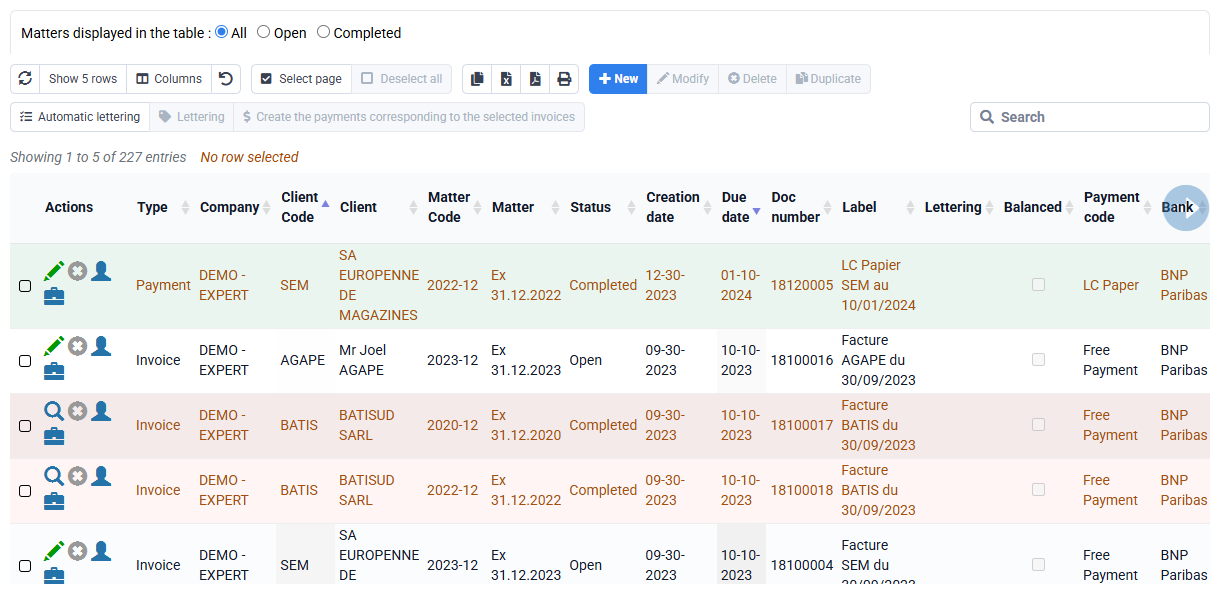
Open the payment selected in your subscription and check its customer, company, date, amount, bank, payment method and reference. Search that reference before saving any imported or manual line: a duplicate can make the balance look better while making the customer account and accounting export wrong.
Calculate the allocation on the worksheet first. In Tempolia, match the selected payment only when your rights and procedure allow it. Start with the invoice named by the payment reference, check the difference, then identify whether it is a partial payment, credit note, fee, error or another open item. Leave any unexplained amount open; never alter an issued invoice or payment merely to force equality.
3. Check due dates, payment terms and SEPA prerequisites
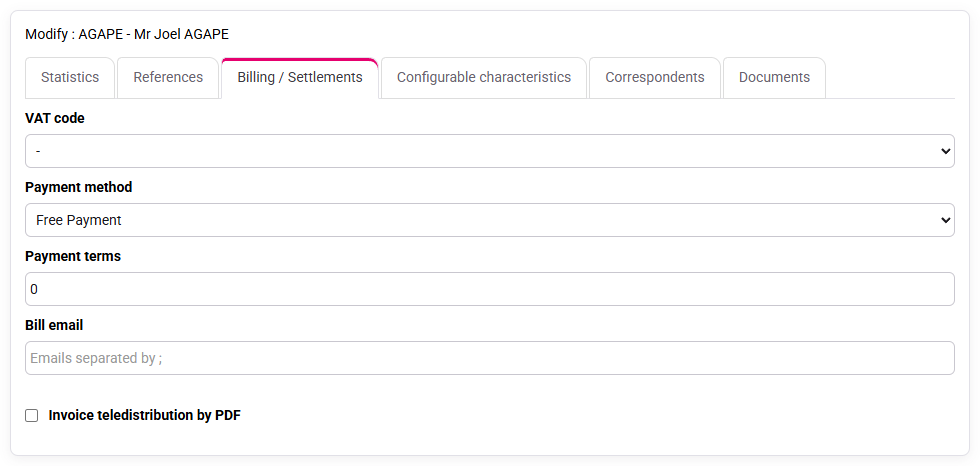
Before calling an item overdue, inspect the invoice date, contractual due date, payment method and any instalment schedule. The customer billing tab supplies default terms, but use the issued document and its actual instalments. A prepared invoice is not yet an issued sales-journal item.
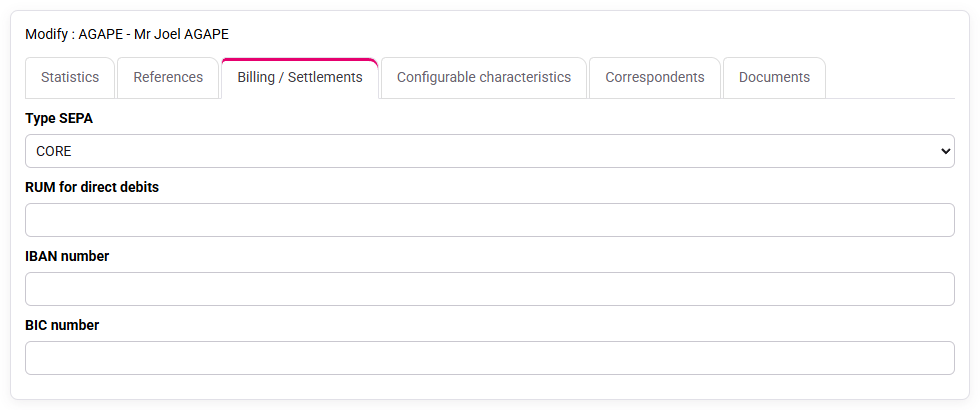
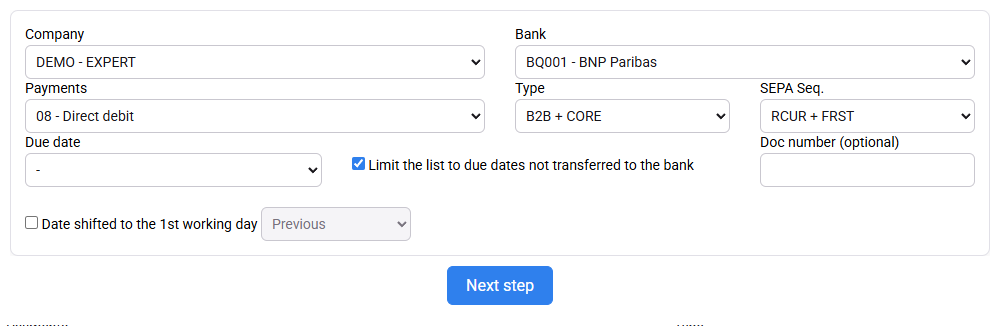
For a SEPA customer, review the signed mandate, unique mandate reference, IBAN, BIC, Core or B2B scheme, sequence and creditor bank account. Inspect the eligible-payment selection before generating anything. The exercise stops before real transmission. A generated XML or bank file only marks the preparation stage; bank feedback and a recorded payment come later. If a rejection exists, retain its code, date and link to the original collection before deciding whether to represent or contact the customer.
4. Prepare a reliable reminder and reconcile accounting
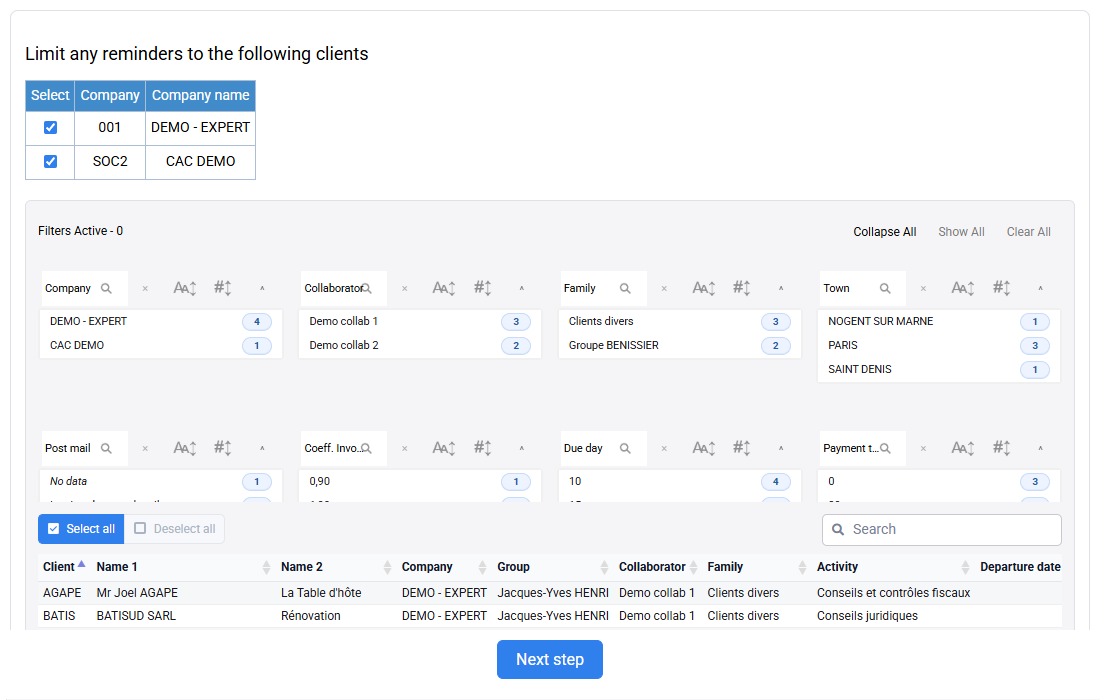
Run the reminder selection for the customer chosen in your subscription. Check every included invoice against its real open balance and due date, then review recent payments, disputes, credit notes and rejected direct debits before any external communication. The worksheet example stays on paper and is never used as a customer filter.
Finally compare the customer movements with the sales and payment exports. If cash-basis VAT is configured, verify that the payment and its matching feed the appropriate fiscal control. Customer follow-up and accounting export answer different questions, but their references, company, amounts and dates must agree.
Work through the selected account
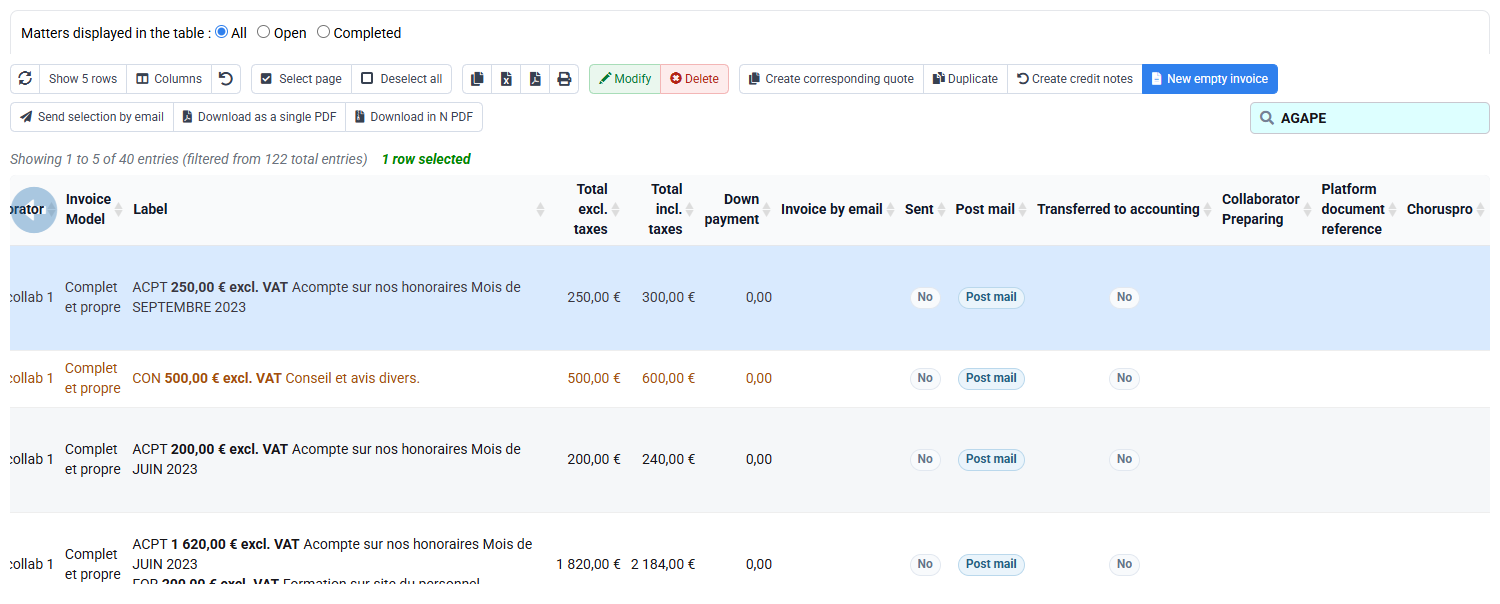
Keep the worksheet example separate from the customer selected in your subscription. Use the worksheet to practise the EUR 615.00 calculation. Use Tempolia only with the selected customer’s own invoices, payment and balances.
- 1. Calculate the worksheet balance, then filter payments, movements and invoices to the same selected company, customer and period.
- 2. Open the selected payment, identify the invoice named by its reference and calculate any remaining amount.
- 3. If authorised, match the valid lines; otherwise describe the matching you would perform. Prepare the reminder and review SEPA data without sending anything.
At the end, check these points
- The worksheet shows why EUR 15.00 remains and under which approved accounting treatment it could be cleared.
- The selected customer’s balance is calculated only from that customer’s actual invoices, credits and payments.
- Payment, matching and reminder use the same company, customer, period and references.
If the result differs
- If a difference grows instead of shrinking, check signs and movement types.
- If matching is unavailable, confirm that invoice and payment belong to the same customer and company and are still open.
- If the customer balance differs from your calculation, look for another invoice, credit note, rejection or unmatched payment before changing data.
Common mistakes
- Entering a payment against a similar customer or the wrong beneficiary company.
- Matching first and investigating the difference afterwards.
- Sending a reminder while a recent payment or rejection is still unmatched.
- Treating an expected SEPA collection, generated file and bank settlement as the same event.
- Changing an issued invoice or exported line instead of correcting the authorised source.
Before you finish
Without opening Tempolia, explain how EUR 1,800.00 invoiced, EUR 1,185.00 paid and the chosen treatment for the EUR 15.00 difference lead to the displayed open balance. Then show the payment reference, matching group, residual piece and reminder population. For a final check, repeat the calculation and identify the point at which accounting approval is required.
Apply the method to your selected customer
For the on-screen walkthrough, use the customer, optional matter and issued invoice selected in your subscription. Record the actual open balance, payment rows and due-date information; do not copy the EUR 1,800.00, EUR 1,185.00 or EUR 15.00 worksheet values into the selected customer account. If a rejection is visible, connect it to its original SEPA mandate or debit and describe its impact on the customer balance.
If the customer-movement view contains no rows, check company, customer, period and active filters before concluding that there is nothing to match. A blank table is not a cleared account. Do not create a miscellaneous movement, reminder or bank file merely to make the balance look right. At the end, keep the diagnosis of the selected account and the next authorised action for every step you could not perform. Keep the worksheet example separate from the selected customer throughout the exercise.
Step back
A reliable balance is one where each movement has an origin, an accounting meaning and a link to an invoice or payment. Automate searches for duplicate references, missing banks and unmatched amounts; leave decisions on differences, miscellaneous movements and customer communication to the accounting team. The lasting management indicator is not only total receivables, but also the number and value of payments that remain unmatched or unexplained.