


Customise data, lists and email campaigns
Objective. Add useful business information at the correct level, make it reliable for filtering and reporting, and use controlled selections for client or contact email campaigns.
Your data before starting
Ask your administrator for three dedicated training client records with internal addresses and a characteristic you may edit. The worked example uses two “PME” values and one “Association” value. If this example set is unavailable, use an existing populated characteristic in read-only mode and work with its real values. Do not reclassify live clients to reproduce the example.
What you will learn
- Choose whether a custom field belongs to clients, matters, employees or contacts.
- Define values that remain consistent and usable in lists and reports.
- Build and verify an email recipient population before sending.
Recommended workflow
- Define the business purpose, the person who will maintain the field, its type, allowed values and update rule before creating it.
- Add the field to the correct record type and test it on a small representative sample.
- Build a filtered list or report and verify the resulting population record by record.
- Prepare the message, sender, recipients, links and attachments, then send a test before the full campaign.
Before continuing
- The field does not duplicate standard information already available in Tempolia.
- Allowed values and empty-value rules are documented and consistently applied.
- The recipient count, consent context and sender are reviewed immediately before sending.
Prerequisites and data to use
Record the three client codes chosen for the exercise and use the same records throughout. Check that no standard Tempolia field already carries the segmentation you need. If creation is authorised, use technical code SEGCLI, label Customer segment and the closed values PME and Association. Otherwise use the existing characteristic approved by your administrator.
Stop before sending. Select only internal or test email addresses and do not use a production campaign for this exercise.
From the field to the email campaign
With the administrator-prepared records, prepare a message for the two “PME” records and exclude the “Association” record. With an existing characteristic, follow the same steps using the categories and counts already present.
- 10 min: turn the business request into a structured-data rule.
- 15 min: create the field and standardise its allowed values.
- 15 min: populate and verify the three client records.
- 20 min: filter, prepare the message and validate the population without sending.
- 10 min: diagnose discrepancies and agree how the field will be maintained.
The PME filter returns the two intended clients; the third is excluded because its source record contains Association.
1Design a field that can be maintained
Path: Configuration > Custom characteristics, then Configuration > General options.
Choose where the information belongs: client for a value shared by all its matters, matter when it varies by engagement, employee for an internal skill, and contact for information about an individual correspondent.
For the workshop field, choose Clients and click New. Enter code SEGCLI, label Customer segment, string type and length 20. Enter "PME" => "PME", "Association" => "Association" in the list-values field. Review the code, label and two choices before saving. Layout width and section-title options are optional.
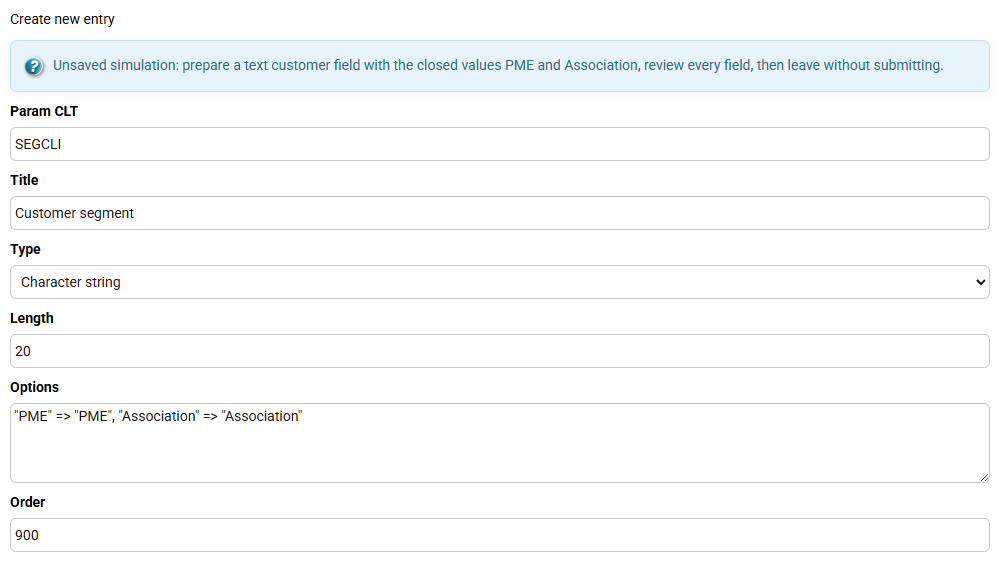
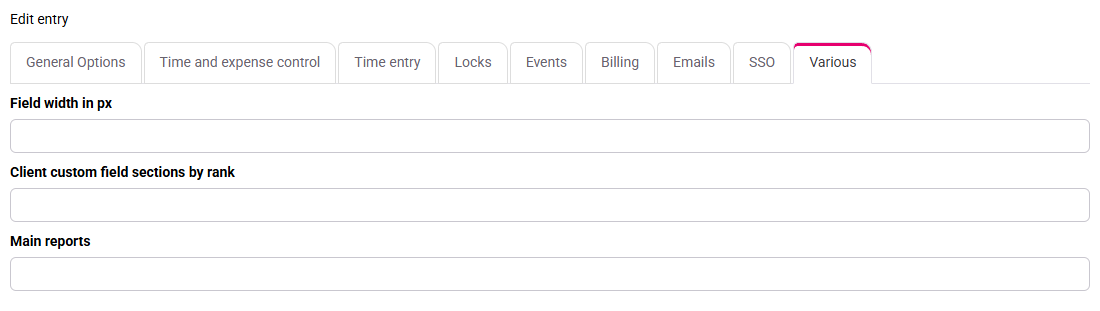
The field appears on client records and offers only the two agreed values.
2Populate the source records before reporting
Path: Clients / Matters > Clients.
In the list, open Columns and display Customer segment. Only on the dedicated example records, assign PME to the first two and Association to the third, then save and reopen them. On live client records, read the approved values without changing them.
Do not repeat client segmentation on every matter. Likewise, an internal skill belongs to an employee and cannot replace a client characteristic.
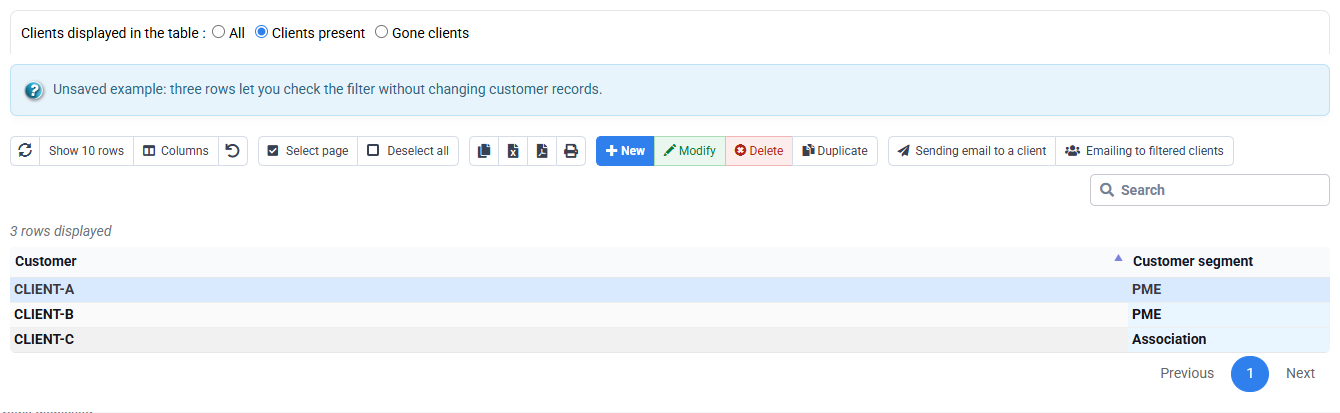
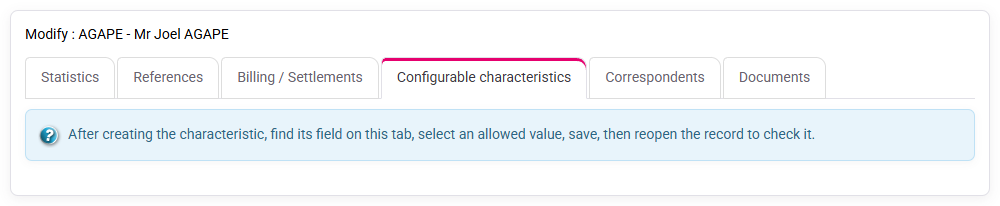
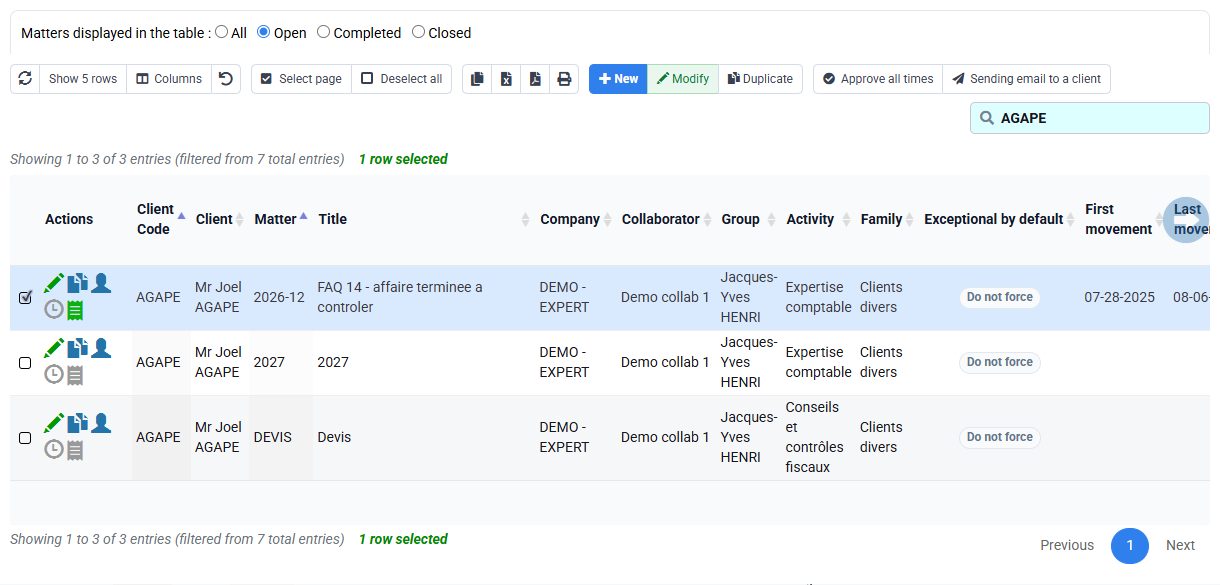
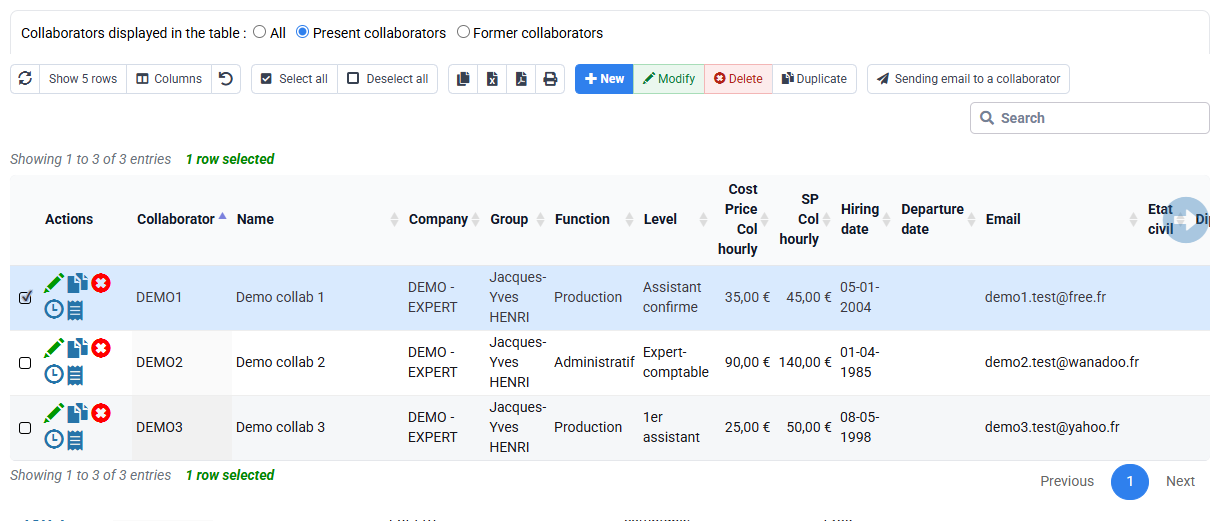
In the example set, the three records contain the intended values with no free-text variant. With an existing characteristic, record the categories and counts you actually find.
3Build an explainable list and export
Path: Tools > Reports / Editions and Tools > Exports.
Display client code, name, email and Customer segment, then filter for PME. Open one included record and the excluded record so that every decision can be traced to its source value. If the count is unexpected, check stored filters, rights, company scope and blank records before changing the business rule.
An export is a dated output, not a second database. Correct Tempolia and regenerate the file.
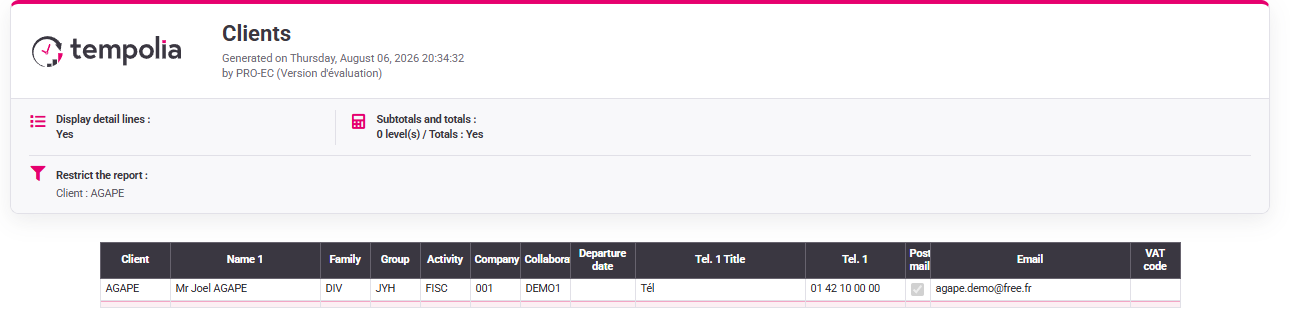
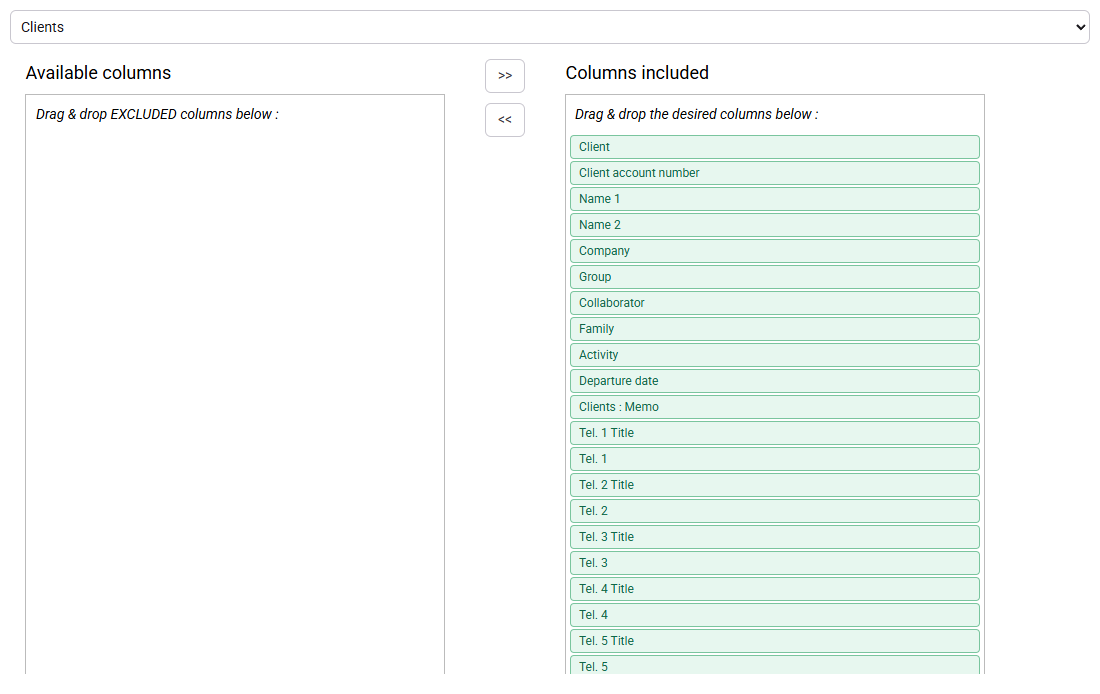
The list and export contain the same two client codes and every inclusion is explained by its client record.
4Prepare and validate the email campaign
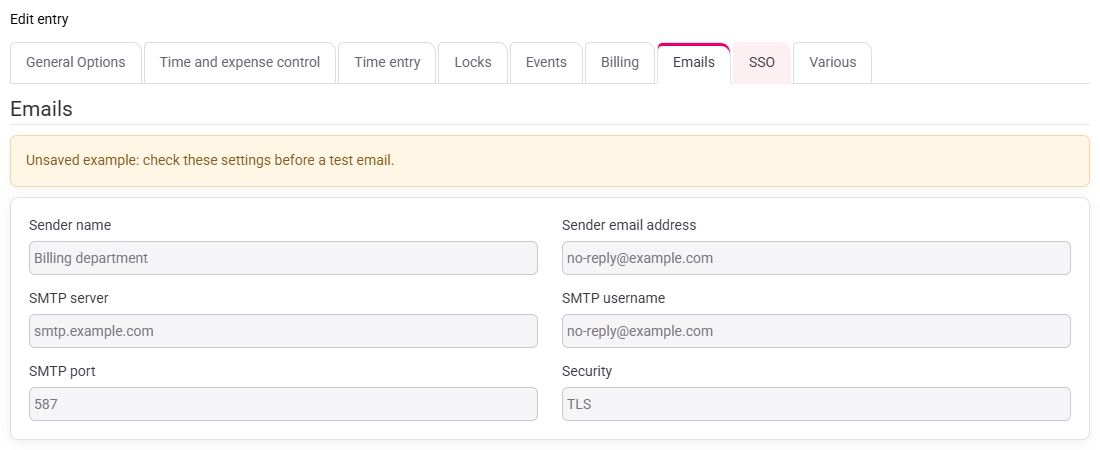
Path: use the email action from the filtered client list; for transport settings open Configuration > General options, Emails tab.
Record the filtered count, select the rows and confirm that the form carries over the same two recipients. Review sender, subject, body, links, attachments and addresses. Correct a missing address in the client record rather than adding an unfiltered recipient manually.
Stop before sending. If SMTP is not configured, ask the administrator to resolve it. Population quality and email transport are separate controls.
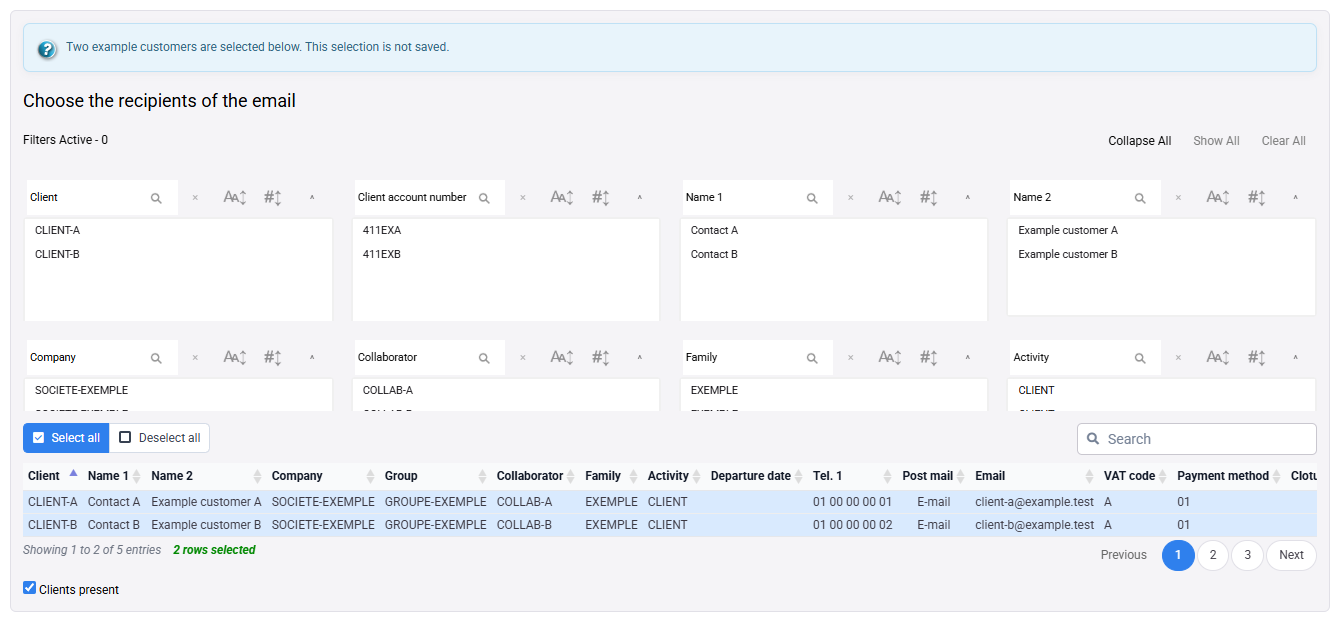
The summary contains exactly the two test addresses selected by the PME filter.
Try the complete path
Use either administrator-prepared example records or an existing characteristic in read-only mode.
- 1. Check the record level, label and allowed values. In read-only mode, note the values already in use.The characteristic belongs to the client and its values are clear.
- 2. Populate only the example records, or inspect a few existing records without changing them.Every filtered row can be traced to a saved client value.
- 3. Display code, name, email and characteristic, then filter on one value.The count matches the records that actually contain that value.
- 4. Open email preparation, compare recipients with the filtered records and leave without sending.The same internal addresses appear, with none added manually.
Errors to avoid
- Creating a free-text field when the decision requires stable categories.
- Putting customer information on matters and then obtaining duplicate customers.
- Correcting an export or recipient list instead of the Tempolia source record.
- Keeping an old session filter and attributing the reduced population to the new field.
- Concluding that the population is correct from an empty list, a generic report form or an SMTP error.
- Sending to real addresses without explicit authorisation.
Before preparing an email, reopen one included and one excluded client record. The filter and recipient list must match their saved values and addresses, with no manual addition.
Step back
A custom characteristic is not merely another input box. It becomes a shared business vocabulary used by records, reports and operational actions. Reliability therefore depends less on creating the field than on clear values, regular maintenance and checks before the data is used.
A useful characteristic removes manual lists: its meaning is clear, someone maintains it and the same saved value drives the list, export and recipient selection.
- Use a standard Tempolia field when it already expresses the need.
- Use a custom characteristic when the organisation needs a stable value at a clearly defined record level.
- Use filters and reports to reveal data quality before taking an operational action.
- Check the selected population, approve the communication and test the technical delivery as three separate stages.
You can choose the right record level and allowed values, verify the filtered recipients from their client records, diagnose a discrepancy and stop before sending when consent, data quality or transport is not ready.
Check the population before sending
Open a few included and excluded records and compare their values with the filter. The email summary must contain the internal addresses returned by that selection. If the count changes, check blank values, spelling variants, the record level and old session filters. Correct the source only when authorised; do not add recipients manually.