

Bill production by quantity and import data from Silae
Objective. Measure production in units, apply the correct matter-specific unit price, import Silae production in a controlled manner and invoice only the validated quantities.
Your data before starting
Choose a customer, an open matter, a quantity-billable task and a period not yet imported from your subscription. Record your own reconciliation key, sales code, one-character VAT code and applicable unit price. Use Silae only when your subscription connector is configured; otherwise follow the CSV or manual-entry route described in the training.
What you will learn
- Configure billable tasks and selling prices by quantity.
- Record quantities manually or import production while preserving the source period and references.
- Analyse both the billed amount and the time spent per unit.
Recommended workflow
- Define the unit, task, sales code, default price and any matter-specific price before recording production.
- For a Silae import, verify client mapping, period, employee assignment and task correspondence.
- Review imported or entered quantities, rejected rows and possible duplicates before approval.
- Prepare the invoice, verify quantity multiplied by unit price and confirm that unselected units remain available.
Before continuing
- Quantity and duration are stored as distinct measures.
- The applicable unit price comes from the intended matter and effective period.
- The acquired rows reconcile with the chosen source totals and do not repeat a previously processed period.
Prerequisites and unit-based logic
Choose an open matter, a quantity-billable task and a period not yet acquired. Record the sales code, one-character VAT code, applicable unit-price source and stable source references. Use Silae only when the connector is configured; otherwise use an approved CSV or manual-entry path.
Keep quantity and duration separate. The workshop stops at an unissued draft.
Twelve units to bill
For the worked example, prepare three production rows of 5, 4 and 3 units: 12 units at €25 give €300 net. Three hours of related work give 15 minutes per unit.
Do the 5 + 4 + 3, 12 × €25 and 180 ÷ 12 calculations on paper. Enter those values only in administrator-prepared training data. With live production, retain the actual quantities, references, durations and price received. Use one path only: Silae when configured, otherwise controlled CSV or manual entry.
- 10 min: define unit, task, sales code and price.
- 15 min: prepare source rows and stable keys.
- 20 min: review preview, mappings and one deliberate duplicate.
- 20 min: reconcile quantity and prepare the draft without issue.
- 10 min: analyse productivity and remaining units.
Source total, acquired quantity and draft quantity agree; amount is calculated separately as quantity × unit price.
1Configure the production unit and price
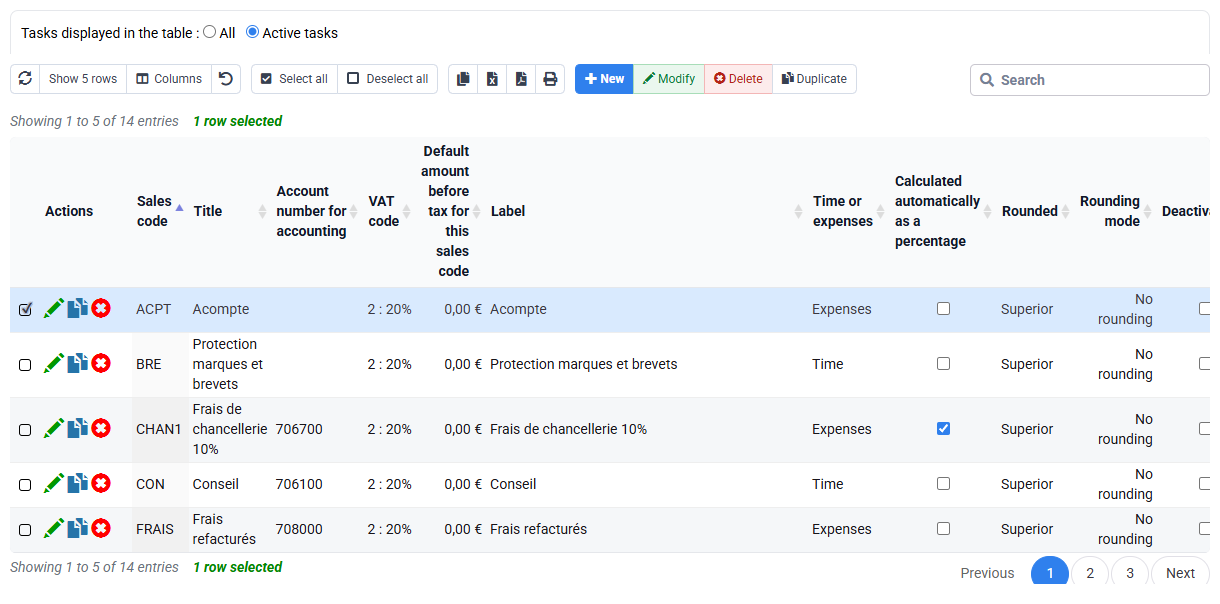
Path: Configuration > Billable tasks and quantity prices by matter.
Name a measurable unit, verify that the task is billable by quantity and link it to the intended sales code. Identify the price applicable to the matter and effective date. An empty override table means only that no exception exists there; continue to the default or historical rule.
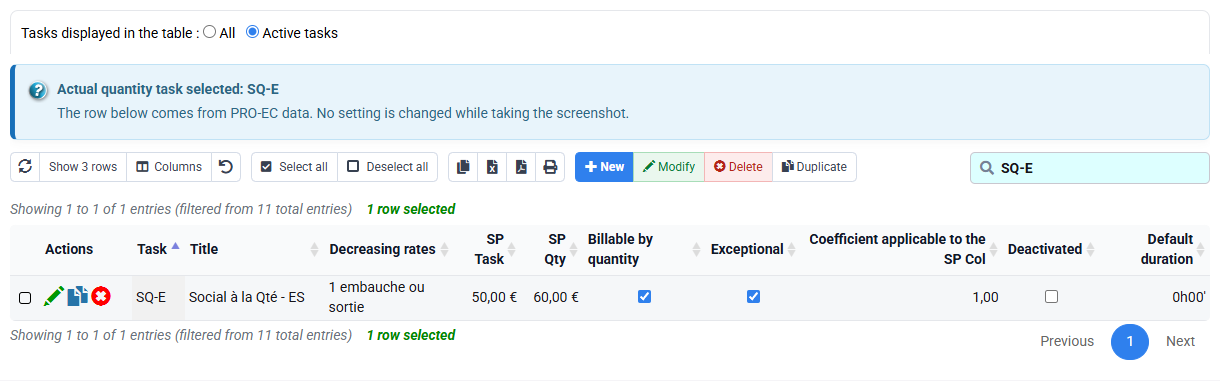
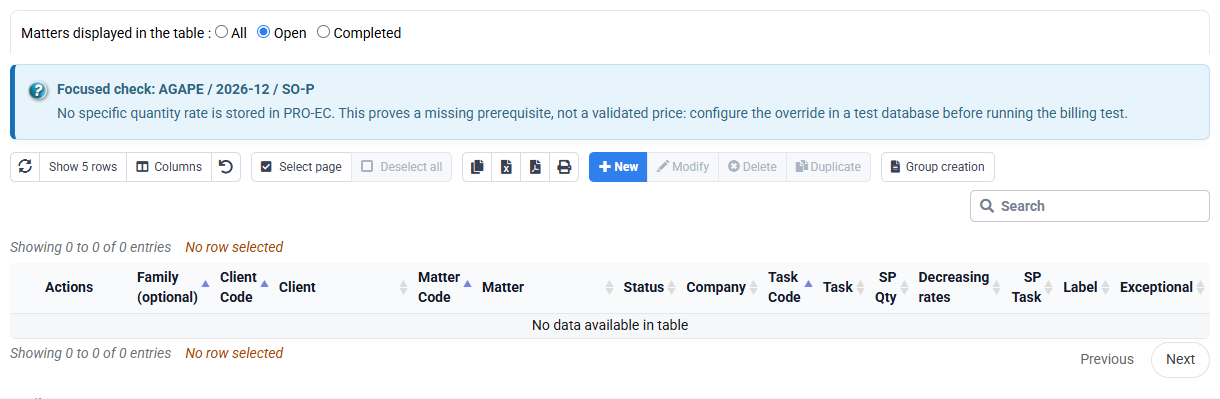
Task, sales code, one-character VAT code and unit-price source are known before acquisition.
2Choose and secure the acquisition path
Path: Silae import when active; otherwise approved generic import or Time entry.
With Silae, review period, external client, destination matter, employee, task, preview and rejects. Otherwise provide the same columns through CSV or manual entry. Record which path was used.
On paper or in dedicated training data, use PAY-01 = 5, PAY-02 = 4 and PAY-03 = 3 with three hours of work. With live production, use its own references and totals. Test a duplicate in preview only; never run a deliberate second import.
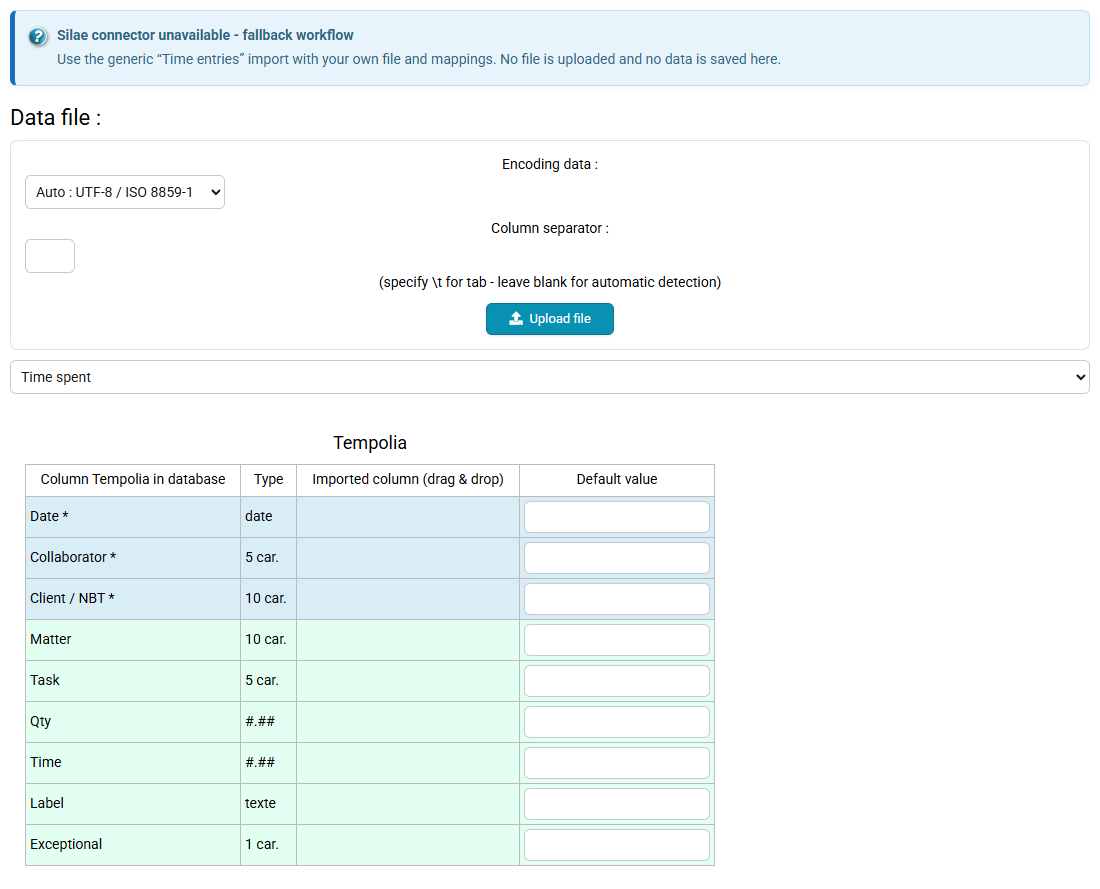
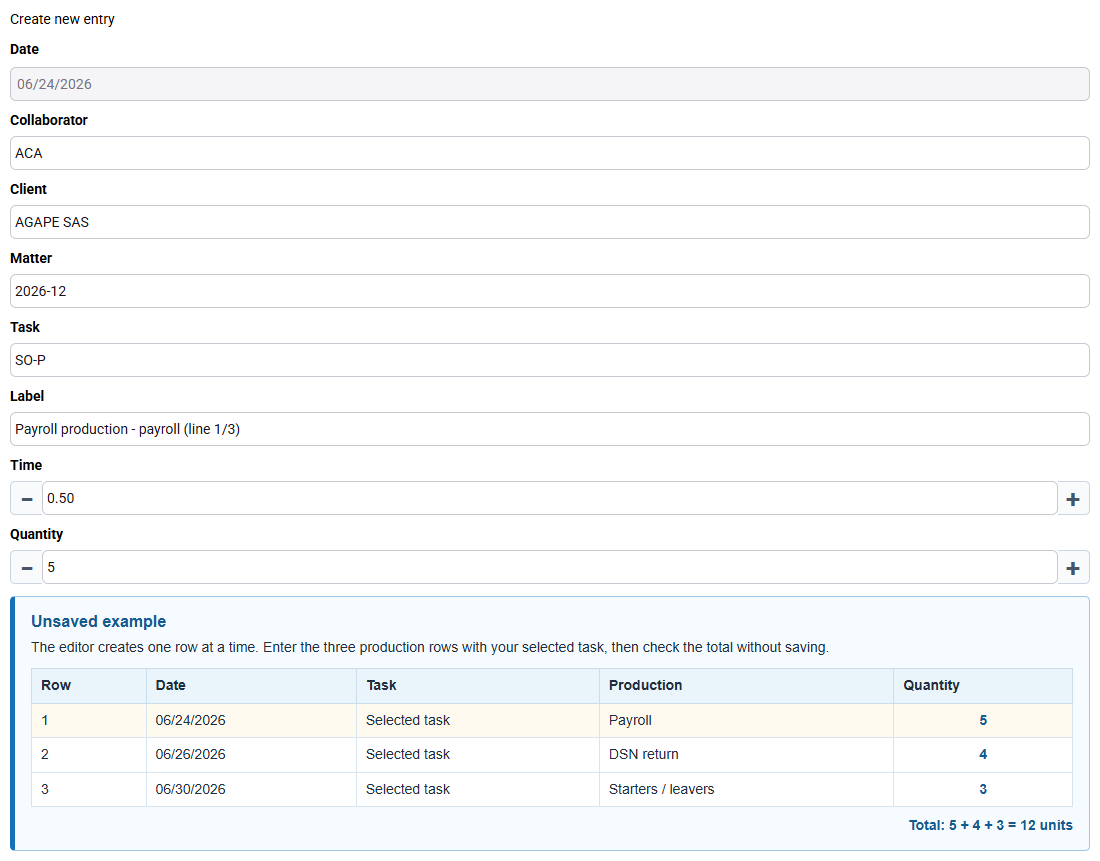
In the training data, the preview contains three unique references totalling 12 units. A repeated reference is flagged before any write.
3Reconcile production and productivity
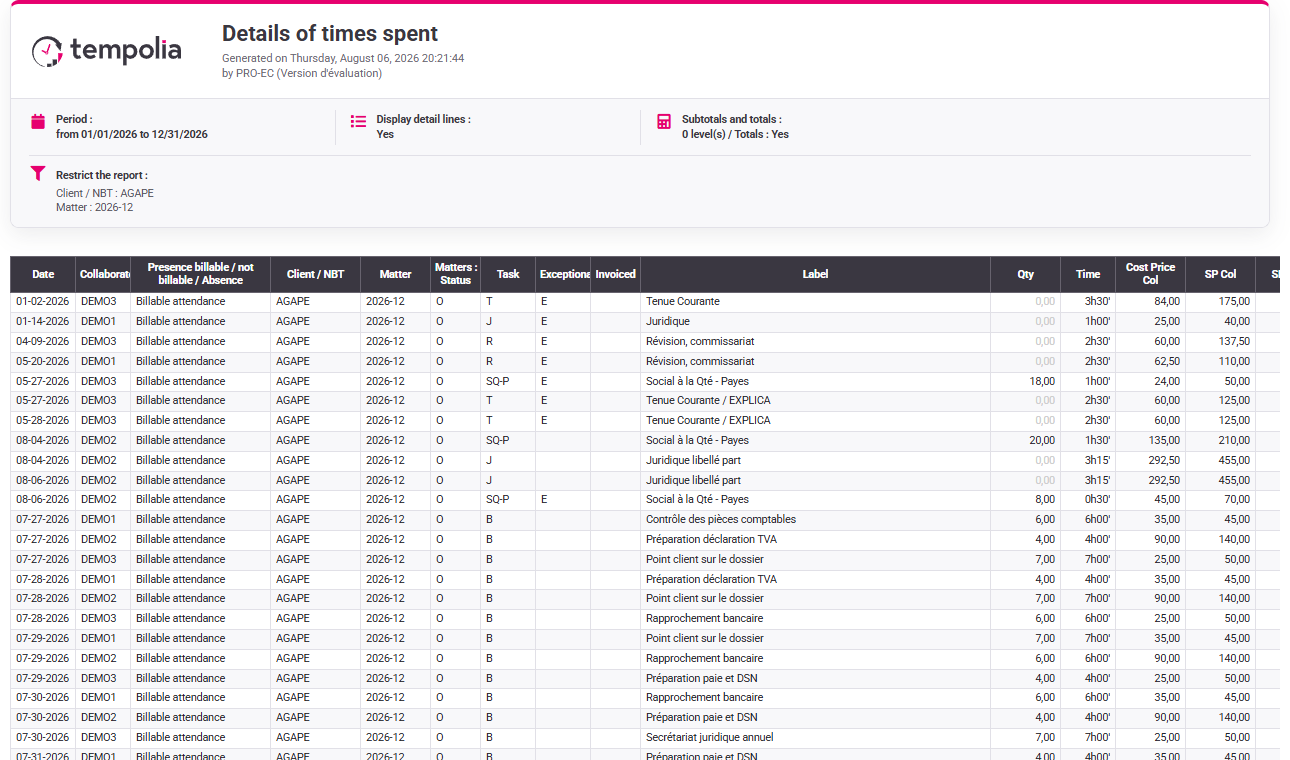
Filter the exact client, matter and period. Verify task, employee, quantity, duration, source reference, approval and billing state. Sum quantity first and duration second.
For the example, 12 units and 180 minutes give 15 minutes per unit. Duration measures productivity; it does not set the invoice amount.
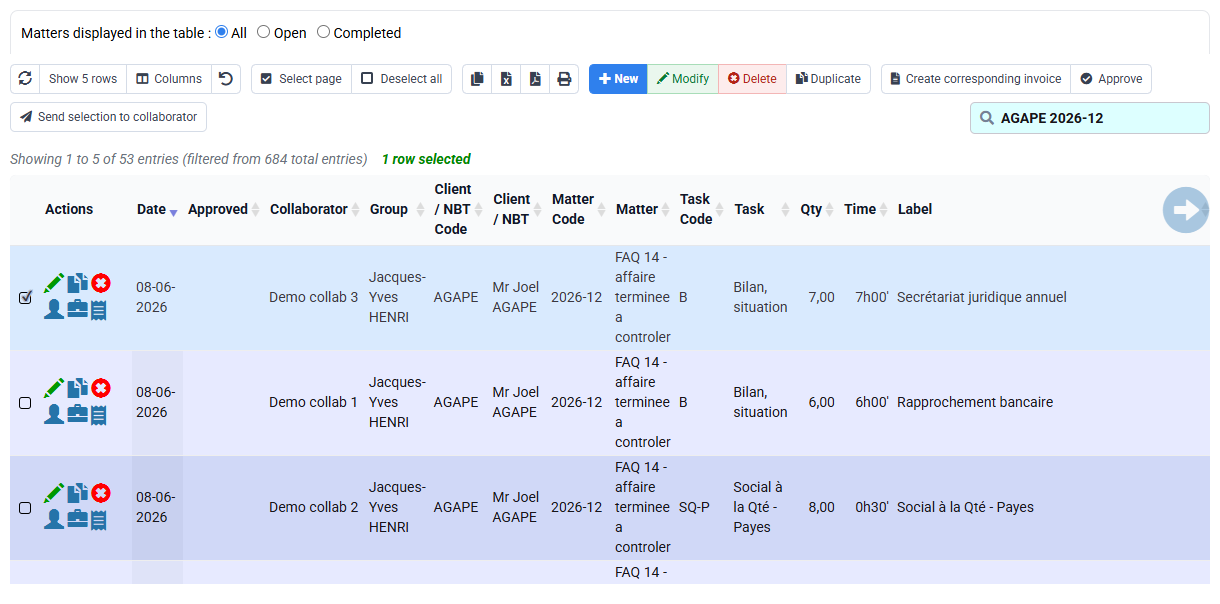
Every source reference appears once and quantity and duration totals reconcile.
4Prepare and control the draft
Path: Billing > Invoice preparation, then Invoices awaiting validation.
Limit calculation to the controlled matter and period. In the paper example, 12 × €25 = €300 net. With your data, calculate validated quantity × applicable price and compare that amount with the unissued draft.
€75 in the worked example may mean that only one three-unit row was selected; €600 may indicate a duplicate; an hour-based amount means the wrong billing rule. Correct the source or selection, not the draft total.
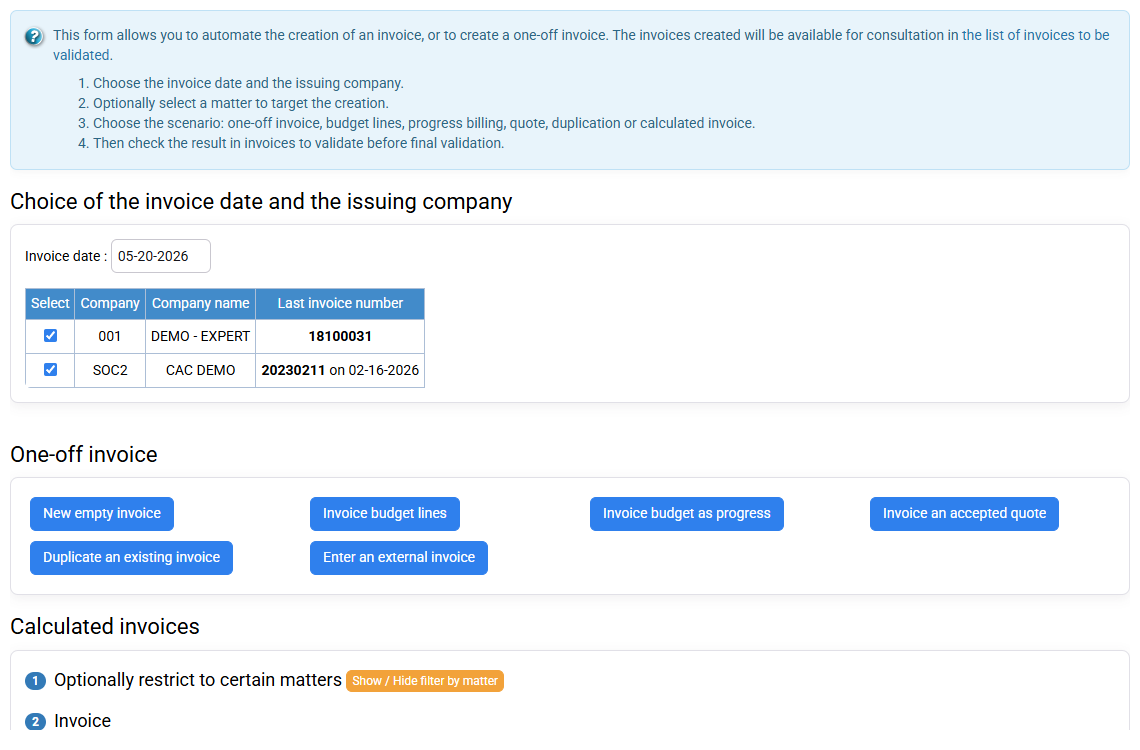
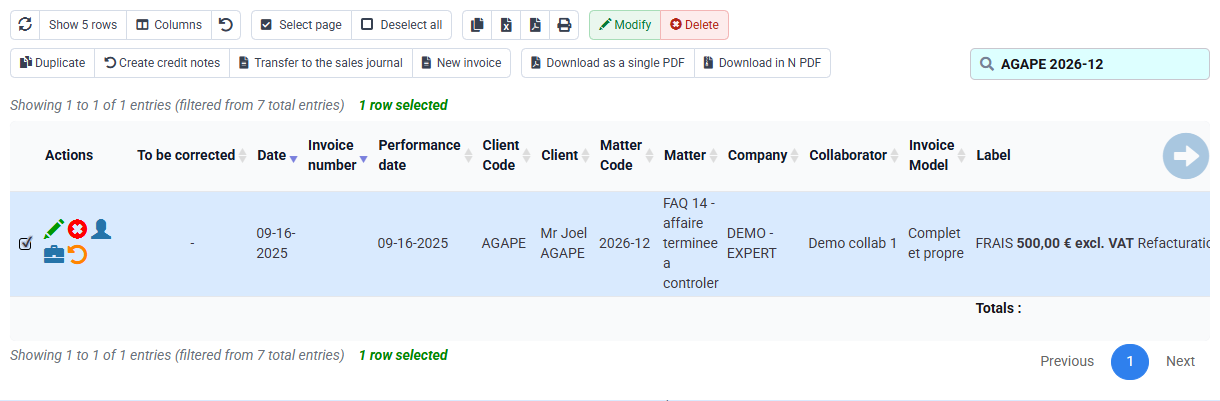
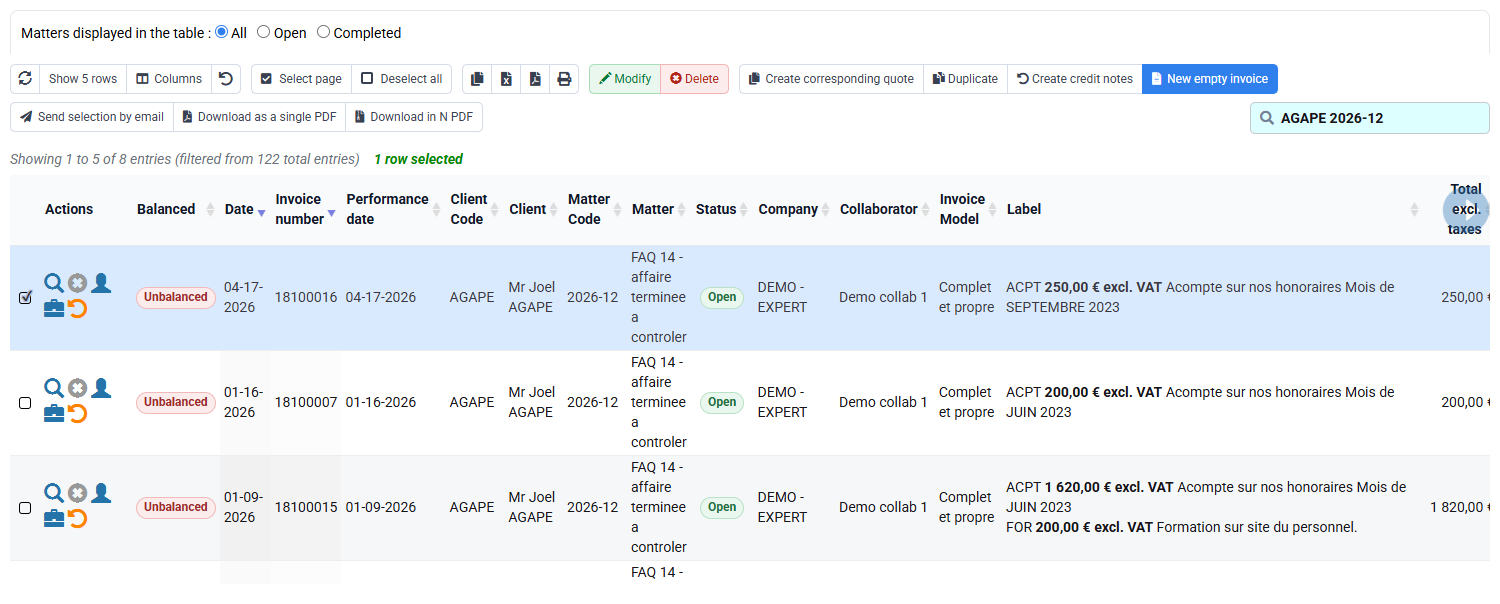
The draft contains exactly the validated quantity and no unit is counted twice.
Reconcile production with the draft
Keep the 5 + 4 + 3 units at €25 and three hours on paper or in dedicated training data. For live production, use only the references, quantities, durations and price actually received.
- 1. Check task, unit, sales code, one-character VAT code and applicable price.
- 2. Sum quantities and durations separately.
- 3. Review mappings and rejects. Present a known reference in preview only, without running the import.
- 4. Find every reference in detail and compare quantity × price with the unissued draft.
The draft total matches the quantities actually retained; average time is calculated separately.
Before you finish
- The task is billable by quantity and the unit is understood.
- You have found the applicable price, sales code and one-character VAT code.
- Every row has a stable reference and the period has not already been acquired.
- Draft quantity matches the accepted total; average time is calculated separately.
- You know whether the rows came from Silae, CSV or manual entry.
Before leaving the draft, add the source references again and check that quantity × unit price gives the amount displayed.
Errors to avoid
- Calling an integration-disabled alert a successful Silae import.
- Mixing manual and imported rows for the same production period.
- Using duration as quantity or unit price as an hourly rate.
- Ignoring rejected rows or mapping one external customer to the wrong matter.
- Replaying a processed file without stable identifiers.
- Issuing before 12, €25, €300 and 15 minutes per unit reconcile.
Before leaving the draft, total the retained quantities, find the applicable price and repeat quantity × price. Keep average time as a separate calculation.
Step back
Quantity billing separates output from effort. In the worked example, the client buys twelve units at the agreed price while the three hours spent remain available for productivity analysis. Quantity determines the invoice; duration helps manage production.
Whether the rows come from Silae, CSV or manual entry, follow the same path: source references → mappings → accepted and rejected rows → Tempolia entries → invoice selection. Each quantity must match before you prepare the draft.
- Define the unit and applicable price before collecting production.
- Check source references and period before acquiring rows.
- Use unit price for billing and duration for productivity.
- Stop before issue when a mapping, duplicate, quantity or price is unclear.
You can follow a production from its source to the draft and explain why average time adds useful analysis without changing quantity-based billing.
Check prerequisites and decide whether to continue
Continue only when the task, destination mappings, source references and price rule are known. If Silae is unavailable, use the approved alternative; if neither path is authorised, stop and ask the administrator. The correct result is a controlled process, not a particular connector message.