


Close matters, clients and employee records without losing traceability
Objective. Apply a non-destructive end-of-life process to matters, clients, employees and reference codes while keeping past time, expenses, invoices, payments and responsibilities accessible.
Your data before starting
Choose an open matter that you are authorised to inspect read-only. Write down its code, client, owner and proposed end date. Also choose one sales code and one expense code still used by historical entries. Use your own filters throughout and work only with the counts, dates and states returned for that matter.
What you will learn
- Distinguish ending or deactivating a record from destructive closure or deletion.
- Review dependencies before changing the status of a matter, client or employee.
- Understand the different purposes of history, backups, retention and NF525 tax archives.
Recommended workflow
- Inventory open events, deadlines, budgets, time, expenses, draft invoices, issued documents and payments linked to the record.
- Reassign future responsibilities and complete, correct or document outstanding transactions.
- Use an ended, departure or inactive status whenever it meets the business need and retains history.
- Before any destructive operation, follow the authorised retention, backup and, where applicable, NF525 archive procedure and record the decision.
Before continuing
- A filtered-out record is not assumed to have no dependencies.
- Issued invoices, payments and their history remain accessible for the required retention period.
- A backup is not treated as a substitute for a tax archive or a documented retention procedure.
Prerequisites and non-destructive vocabulary
Ended status removes a completed matter from current entry while retaining its history. A departure date and NPU marker have the same non-destructive intention for clients, employees and reference codes. Close, deletion, purge and restoration have different destructive effects and require separate authority.
Do not save any status, departure, reassignment or NPU change and do not run deletion, purge, restoration or tax archive generation. For every control record company, period, filters, row count, latest date and access rights.
Make the decision without changing data
Decide whether the selected matter can be proposed as Ended. Review its events, budgets, time, expenses, drafts, issued invoices and payments, then prepare any reassignment and NPU changes without saving them.
- 10 min: distinguish Ended, departure, NPU, Close and Delete.
- 20 min: review matter dependencies.
- 20 min: decide what remains to be handled.
- 20 min: prepare reassignment, departure and NPU without saving.
- 10 min: choose the next step for the matter.
Classify each item as handle, reassign, retain or deactivate. Keep the matter open while any necessary action remains unresolved.
1Inventory before changing the matter state
Path: Clients / Matters > Matters and Client and matter events.
Confirm the current matter state and locate every unfinished or future event. Record actual count, date, owner and authorised future treatment. Prepare Ended without saving and identify the filters that would retain access afterwards.
Do not delete an event to clean the list. Ended preserves history; destructive Close and Delete have different effects.
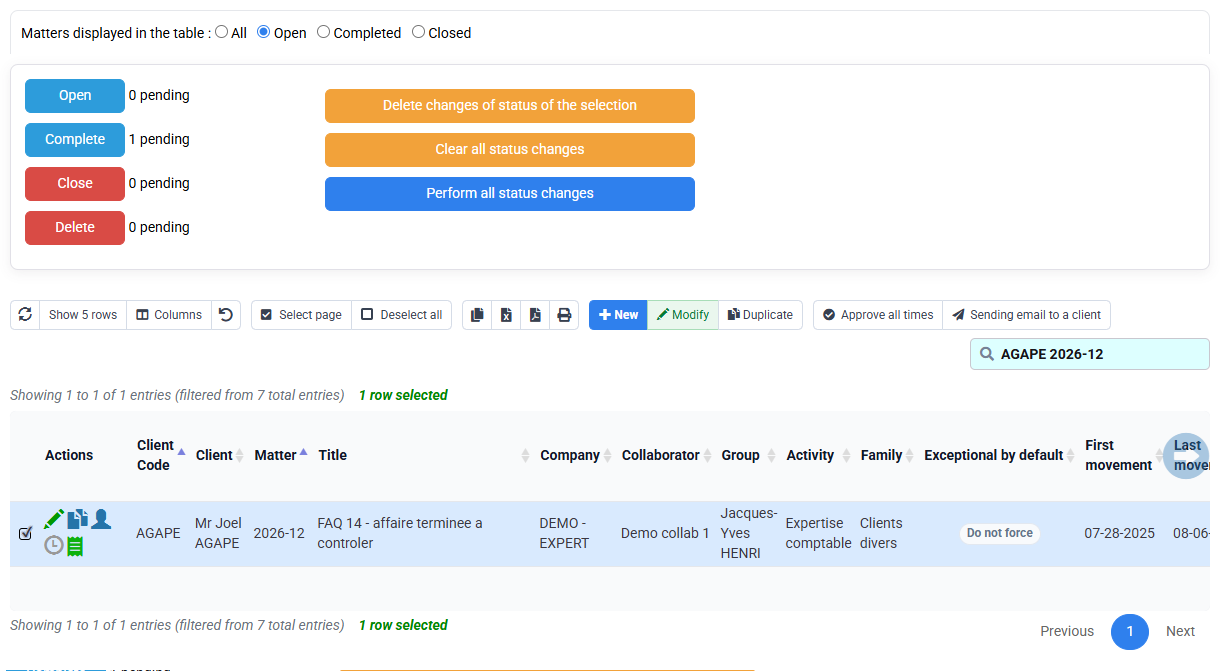
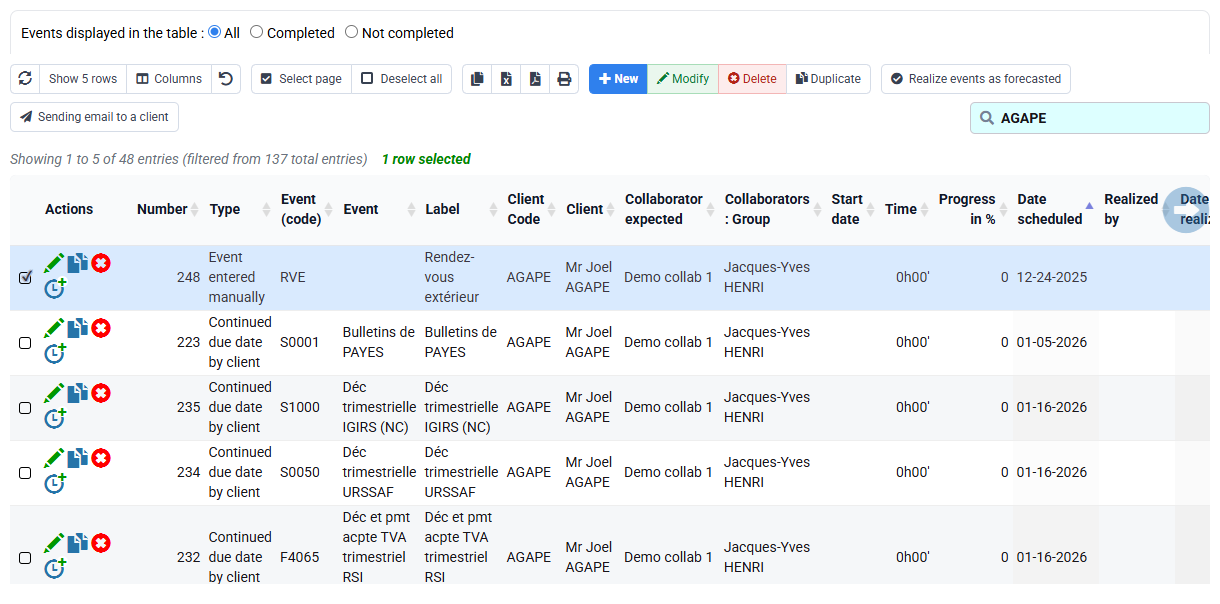
The actual event count and every remaining treatment are recorded; any unassigned item blocks the recommendation.
2Check operational and financial dependencies
Path: billing budgets, time, expenses, drafts, issued invoices, payments and reports.
Use the same client, matter and company with a broad enough period. For each list, note the count, latest date, state and next action. When a list is blank, check filters, period, rights and company before deciding there is nothing to handle.
Issued invoices and payments remain available whatever the matter state. Corrections follow their normal business workflow.
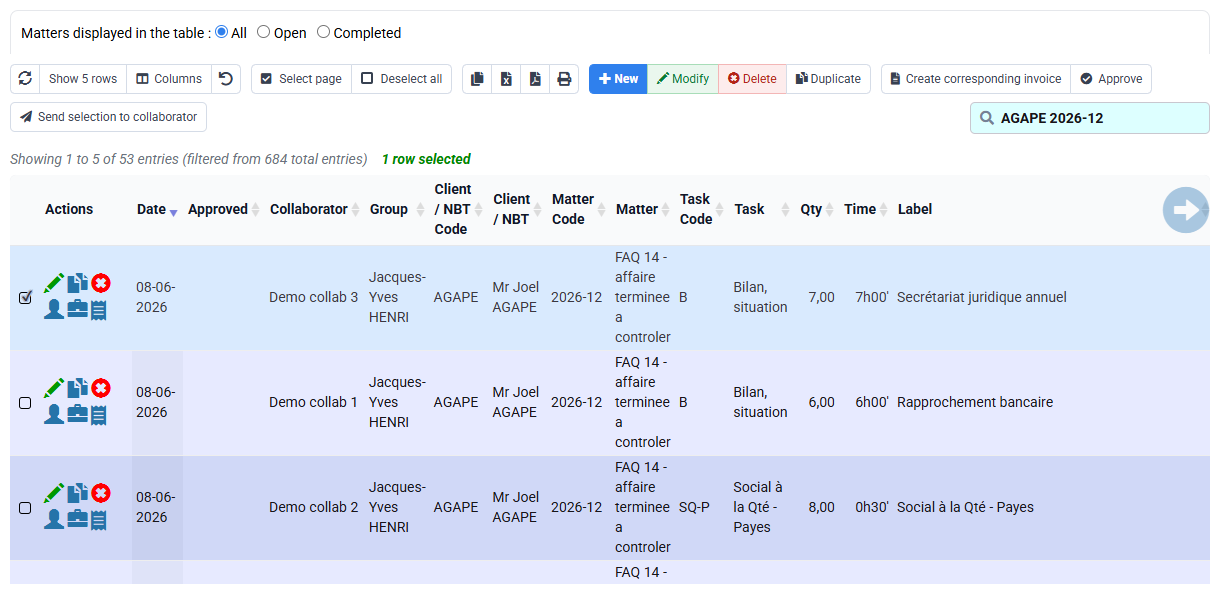
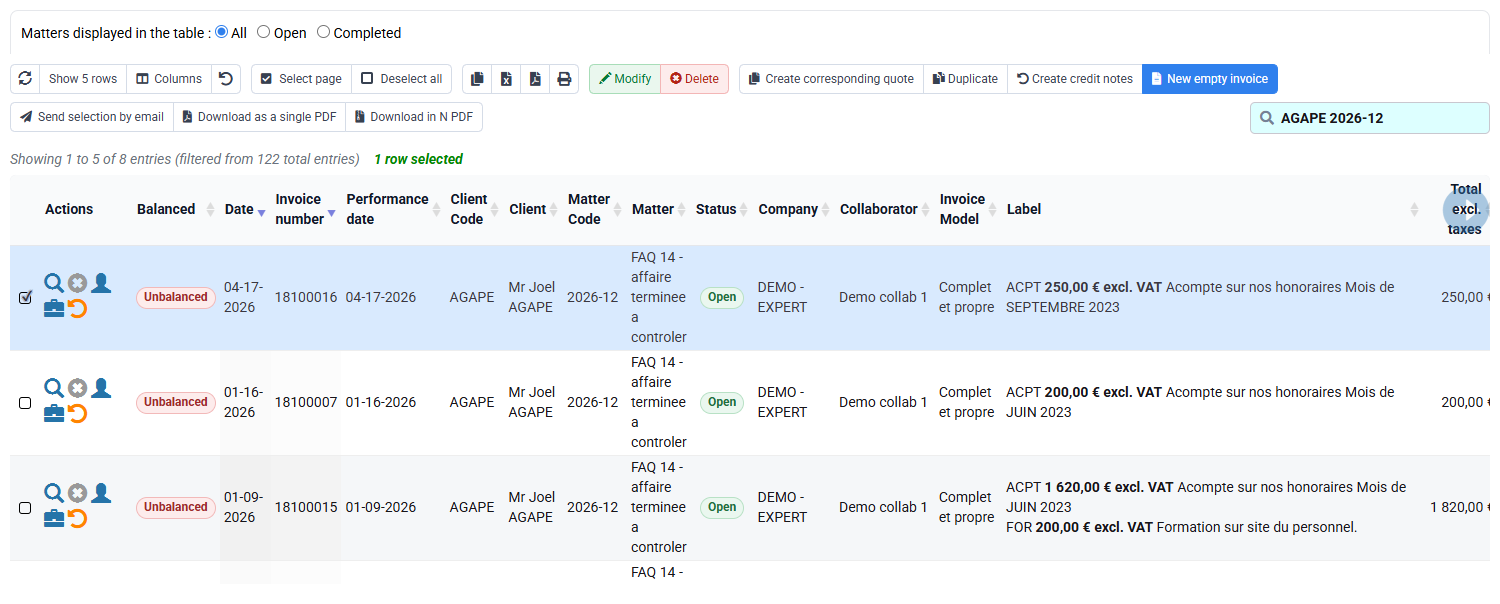
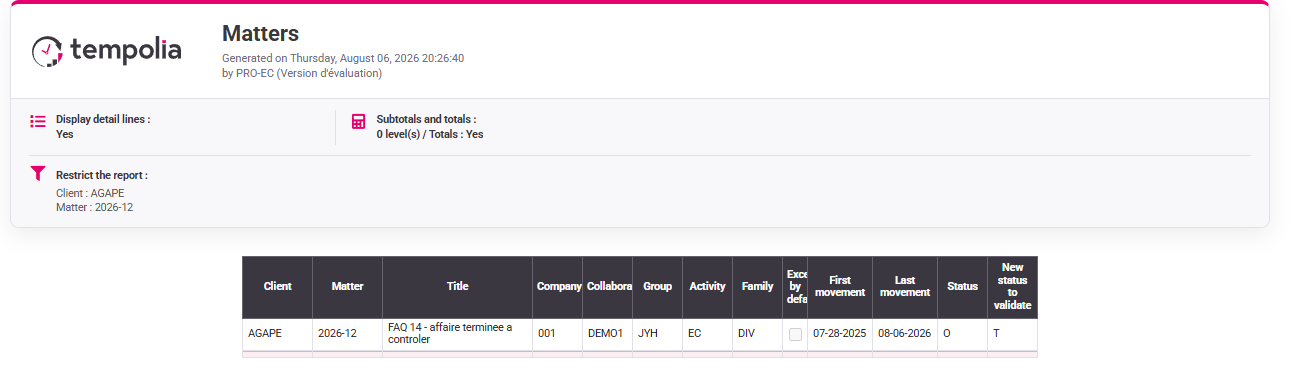
For each list, you know whether anything remains to be handled and where to find it.
3Prepare customer and employee departures
Path: Clients, Employees and the reassignment form.
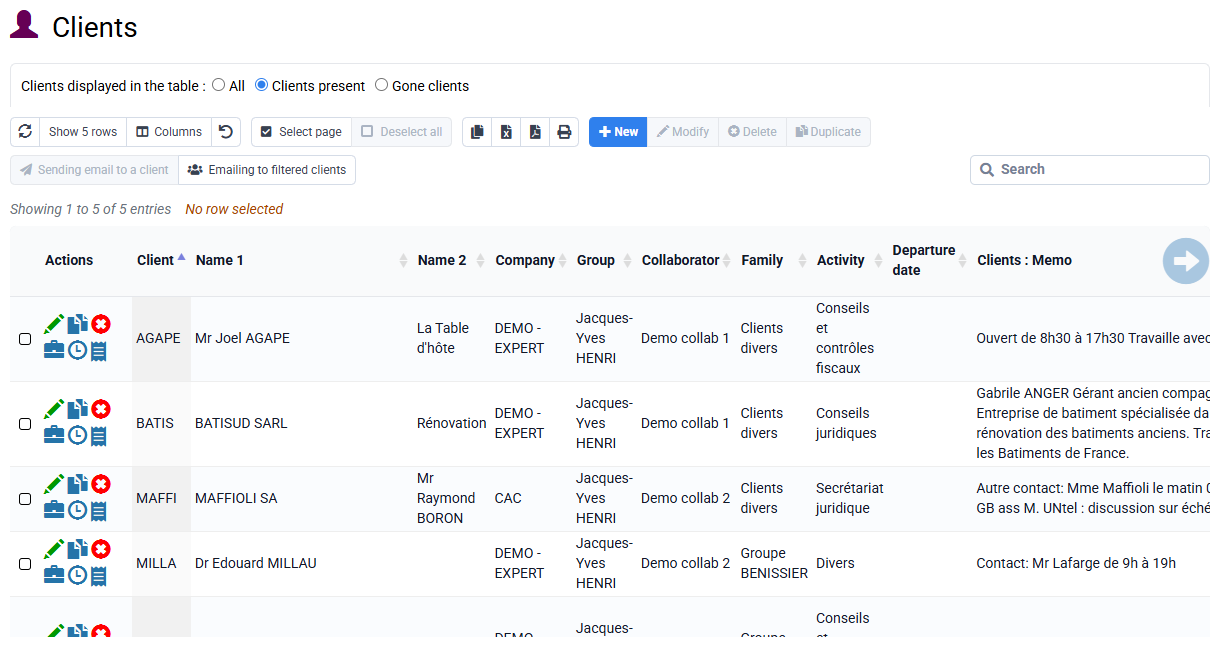
Before a client departure date, review open matters, future budgets and movements. Before an employee departure, identify clients, matters, events and future budgets to transfer. Record former owner, new owner, effective date and scope without submitting the form.
A departure date retains history. Any future responsibility without an owner blocks the departure.
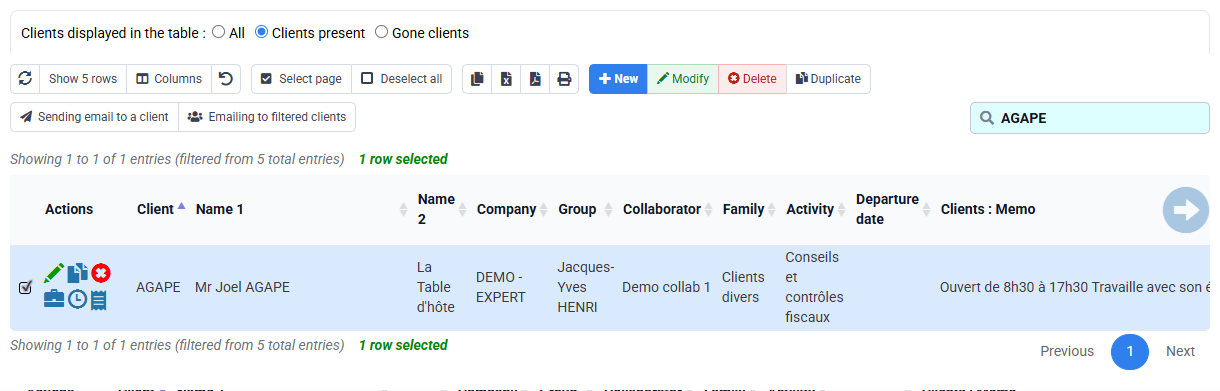
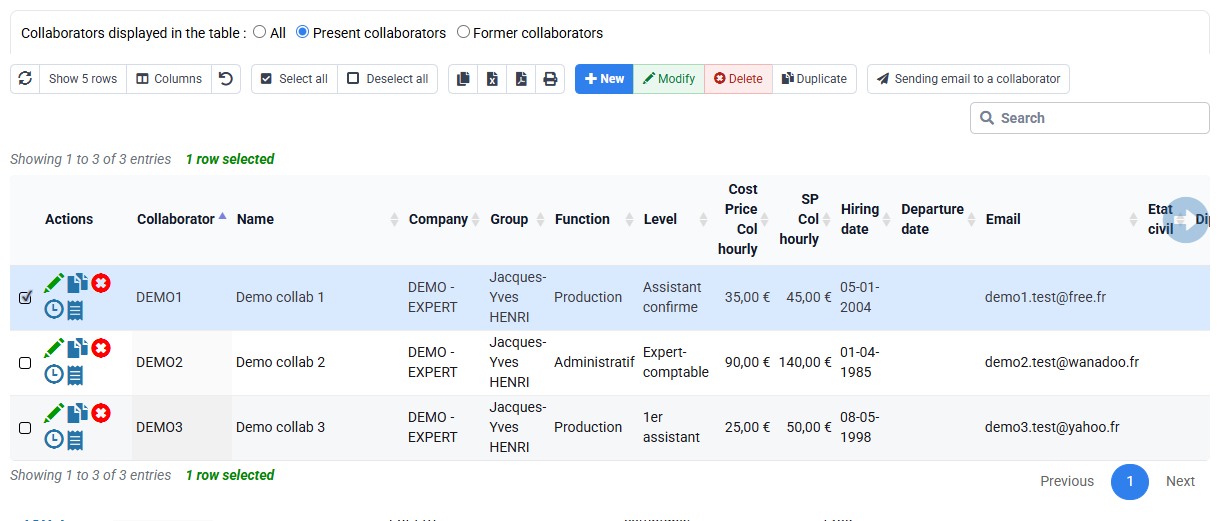
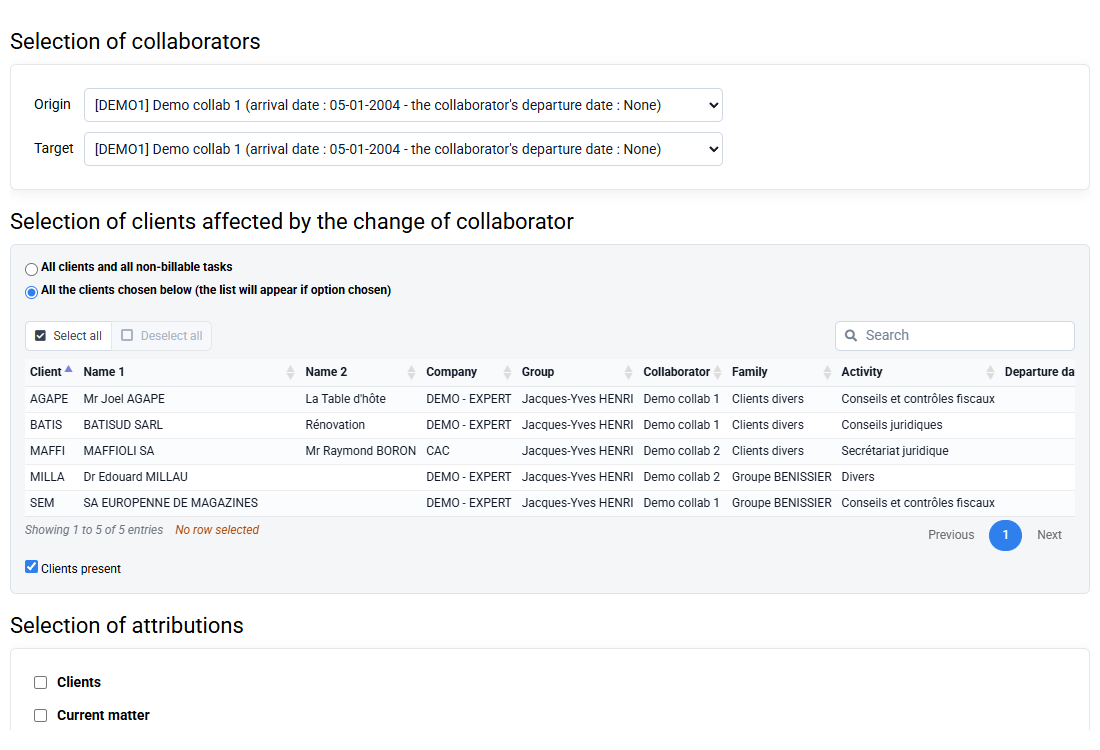
The proposed dates are compatible with the inventory or remain explicitly blocked by a named dependency.
4Deactivate used reference codes with NPU
Path: Configuration > Sales codes and Expense codes.
For both chosen codes, identify historic uses and a replacement. NPU prevents future selection while preserving the code on historic time, expenses, budgets and invoices.
Record replacement, cutover date and affected users. Save nothing and never recode an issued invoice for visual uniformity.
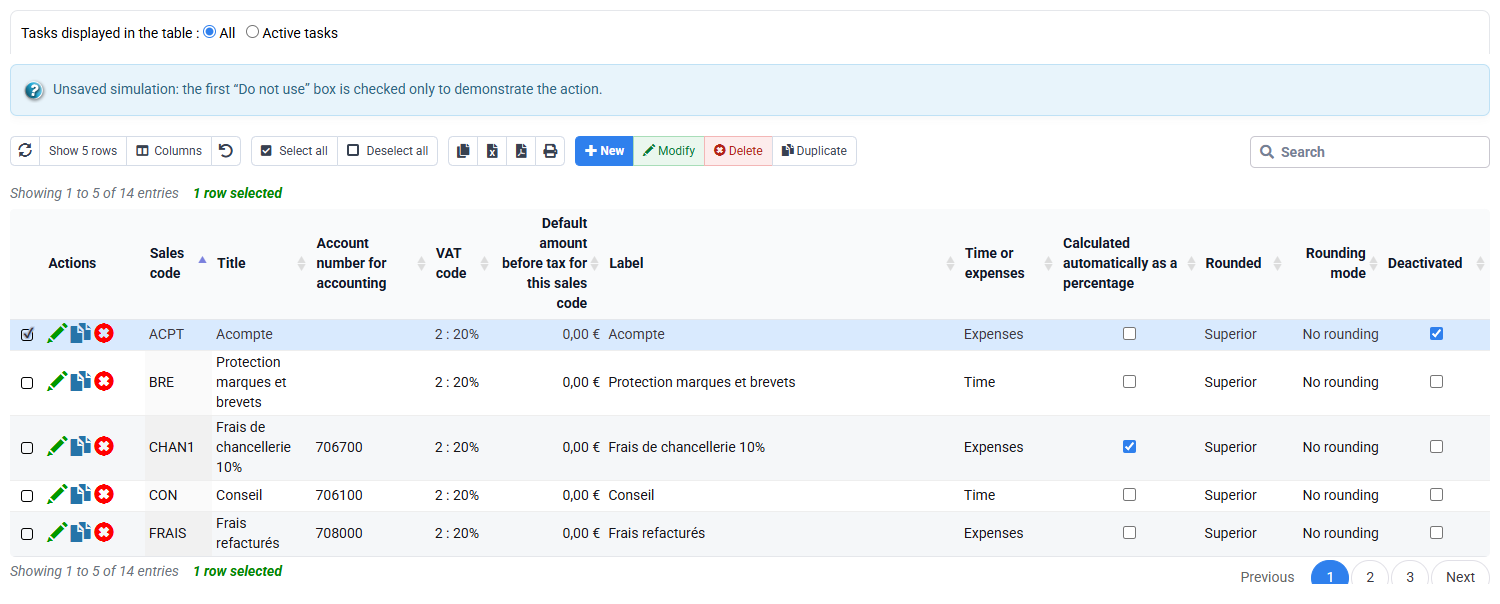
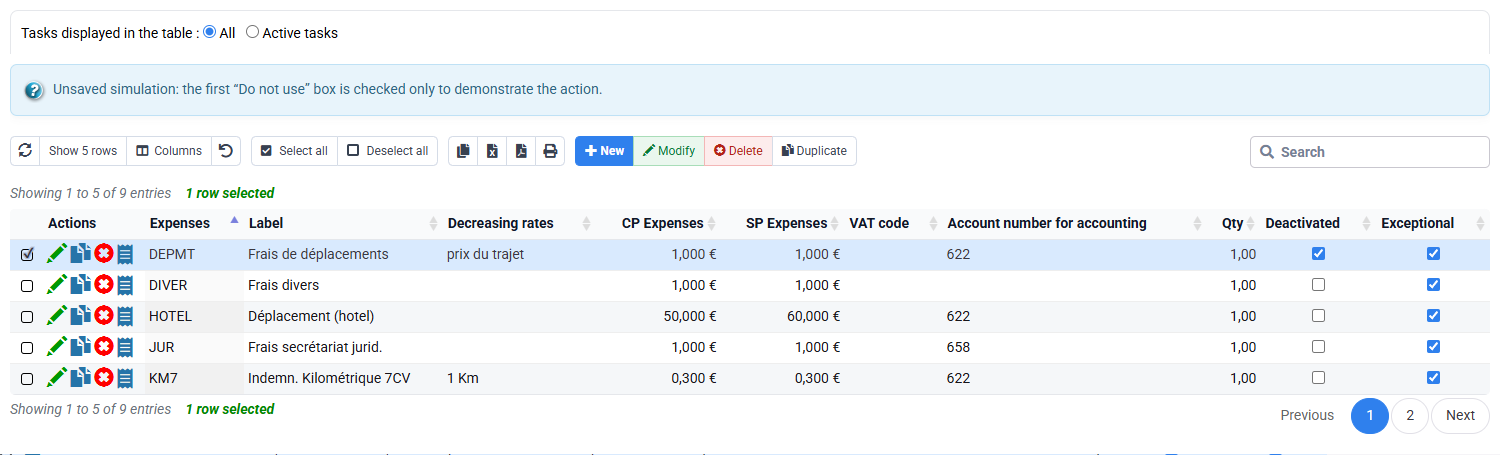
Each code has a planned replacement and its historic references remain intact.
Separate history, backup and NF525 tax archive
Action history shows what happened; a backup provides a technical restore point; an NF525 tax archive, when applicable, serves a separate fiscal purpose. None replaces the others.
Check the module status before using an NF525 function. If the module is inactive or unavailable to your profile, ask the appropriate person to review it. Do not generate an archive or purge data during the exercise.

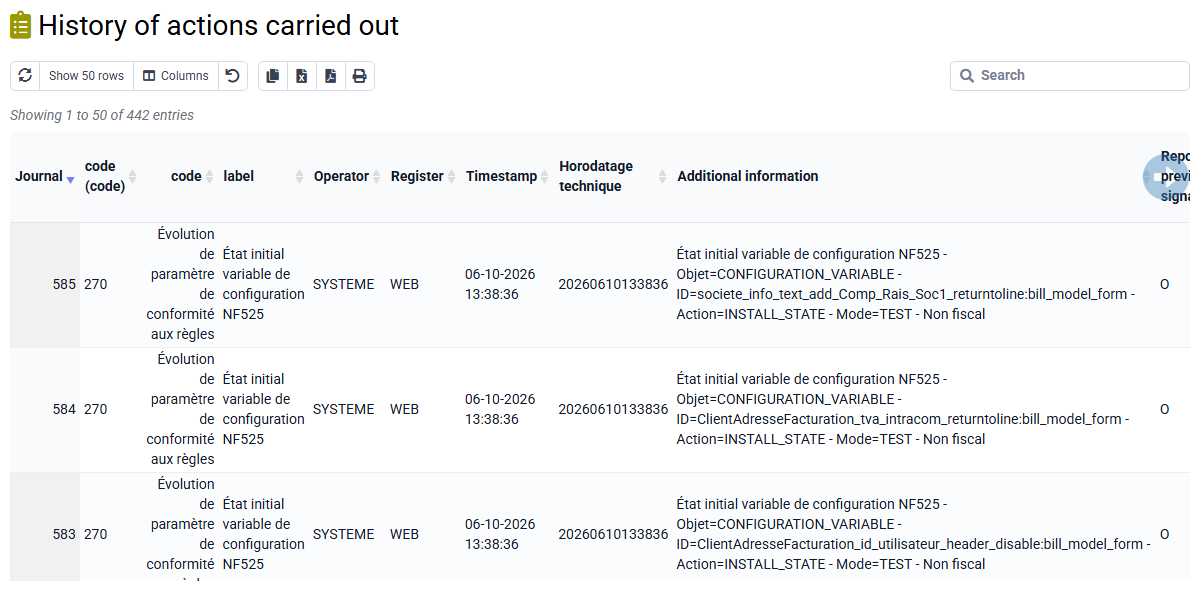

You know which reports and histories to retain, where the backup fits and whether a tax archive applies.
Work through the selected matter
Review every list for the selected matter without saving a change.
- Review dependencies. Filter events, budgets, time, expenses, drafts, invoices and payments.
Note scope, count, latest date, state and next action. Correct an uncertain filter before drawing a conclusion.
- Handle open items. Give every future item an owner and next step.
Nothing is removed merely to clean a list.
- Prepare Ended. Check how you will still find the matter afterwards.
If everything is handled, the change can be proposed; otherwise keep the matter open and list what remains.
- Prepare reassignment and NPU. Note owners, dates, scope and replacement codes.
Future ownership is complete and historical data remains unchanged.
Before you finish
- Counts, dates and states come from filters on the selected matter.
- Every future item has an owner and next action; otherwise the matter stays open.
- Reassignment, departure and NPU changes have only been prepared.
- Invoices, payments and history remain retained.
- The conclusion depends only on what you found in your matter.
Before finishing, review every open point and give it an owner and next date.
Errors to avoid
- Using destructive Close merely to clean a list.
- Assuming an unfinished dependency means the matter is complete.
- Deleting a referenced client, employee or code.
- Confusing backup, action history and tax archive.
- Purging without an authorised procedure and covering archive.
- Changing tax-relevant history silently.
Step back
Ending a matter is about stopping future use while keeping its history. Ended, departure dates and NPU usually meet that need. Close, deletion, purge and restoration have wider effects and require a separate authorised procedure.
Use the least destructive option that solves the operational need. Keep the matter open whenever an event, budget or responsibility still needs attention.
Choose the next step
If no blocking item remains and the required history will stay available, propose Ended for authorisation. Otherwise leave the matter open and note each remaining action, its owner and the next review date.