


Where can I view PA deposit history, errors and statuses?
History is viewed on the PA management and history page. This page is separate from the deposit page to avoid mixing two different uses.
- The deposit answers: what am I sending now?
- The history answers: what was sent, when, with which status and which technical response?
The history page displays several tables:
- sent invoices;
- e-reporting flows;
- payments included in declarations;
- PA directory;
- technical events.
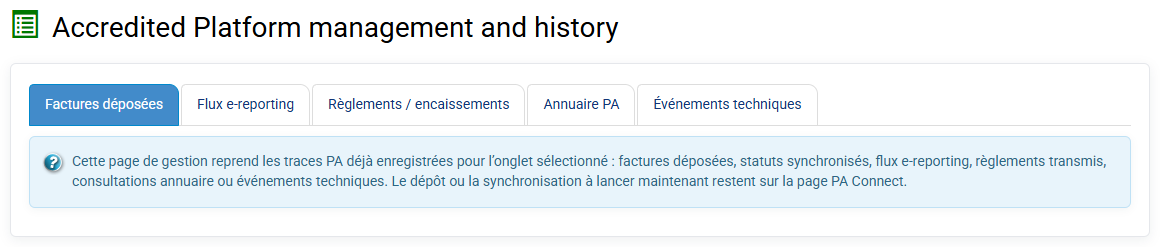
Each table can be filtered by platform, company and status. Flow identifiers, tracking identifiers, statuses, sending dates, errors and platform responses are kept for analysis. Technical events show exchange details with the platform, its messages, validation errors or received statuses.
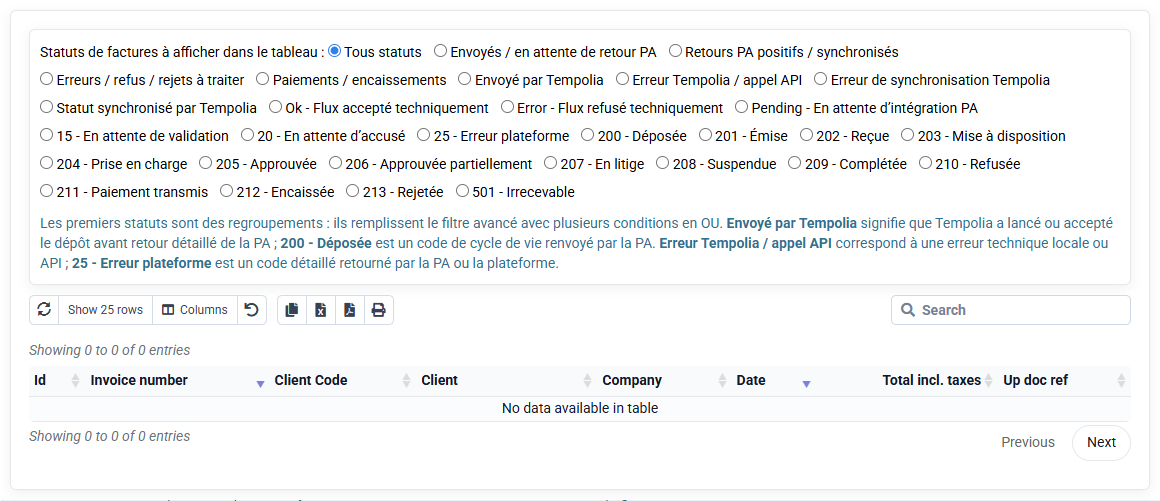
If an invoice or payment is refused by the PA, this is the first page to consult.
If a payment already transmitted is later corrected by a reverse entry, such as a direct debit reject, Tempolia keeps both events in history. This separation is important for traceability: an event already transmitted is not silently deleted.