


Help - Questions / Answers
eReporting
- How does Tempolia manage electronic invoicing?
- How do electronic invoicing, e-invoicing and e-reporting work with the JeFacture PA?
- What is the “Send to PA / eReporting” page used for?
- Where can I view PA deposit history, errors and statuses?
- How does Tempolia distinguish B2B France, B2C and international transactions?
- What should be checked on the client record before a PA deposit?
- What happens when a B2B France invoice is sent?
- What happens for a B2C or international invoice?
- What is the difference between VAT on debits and VAT on collections?
- How do I declare payments for a B2B France invoice?
- How do I manage SEPA direct debits and rejects?
- How often should PA declarations be sent and how can duplicates be avoided?
Regarding electronic invoicing and compliance with the legislation planned for September 2026, Tempolia offers several solutions. Invoices generated by Tempolia are in Factur-X format, a hybrid format including a readable PDF and an embedded structured XML file. This format allows any PA, Approved Platform, formerly PDP, to decode and process the tax information.
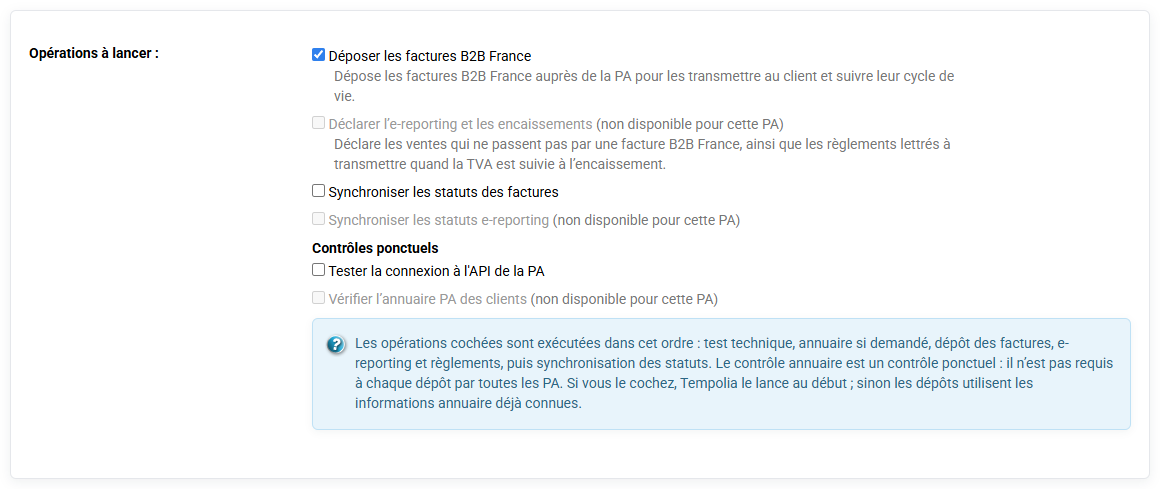
Three methods are available for transmitting electronic invoices:
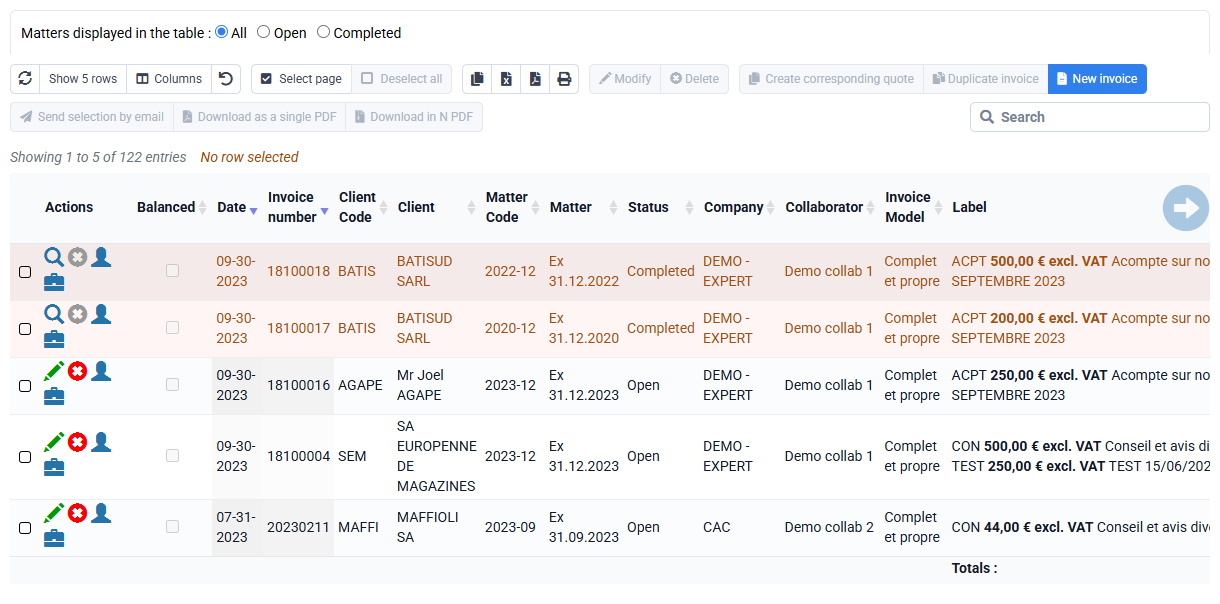
- You can download a ZIP file containing the invoices in Factur-X format from Tempolia and manually deposit it on the PA of your choice: go to the « Billing > Invoices » page, select your invoices and click "Download N PDFs"
- You can send invoices directly to an approved platform: Tempolia can interconnect with any approved platform (PA), provided that its technical documentation is available and compatible. To send the invoices, go to « Tools > Send to PA / eReporting ».
- You can transfer invoices to your accounting software and then use the PA associated with that software. This flexibility is intended to adapt as well as possible to each user’s accounting ecosystem: go to « Tools > Export invoices to accounting ».
PS: remember to validate your invoice first if this has not already been done, by clicking "Validate / Transfer to the sales journal" on the "Billing > Invoices to validate" page.
The reform imposes two tax flows through a PA: e-invoicing and e-reporting.
If you use Tempolia’s API interconnection with JeFacture as your PA, included in subscriptions, this is how it is organized:
- e-invoicing: B2B invoices between French companies must be sent to the PA. Tempolia sends Factur-X invoices containing all information to the PA, which forwards them to the clients’ PA. The PA also extracts the main tax data from the invoice for the French tax authority. A JeFacture identifier is stored by Tempolia so that payment data related to the invoice can later be associated.
- e-reporting: this concerns operations that do not go through e-invoicing, such as B2C, exports and certain international operations. Transaction and payment data must be sent to the French tax authority. To simplify, Tempolia also sends invoices in this case, and payments linked to those invoices are sent to the tax authority by the PA when necessary.
In summary: Tempolia sends all invoices to JeFacture and, when necessary, collection information. JeFacture then handles regulatory transmission to the administration.
Tempolia is therefore the business system for invoices and payments, while the PA manages tax compliance.
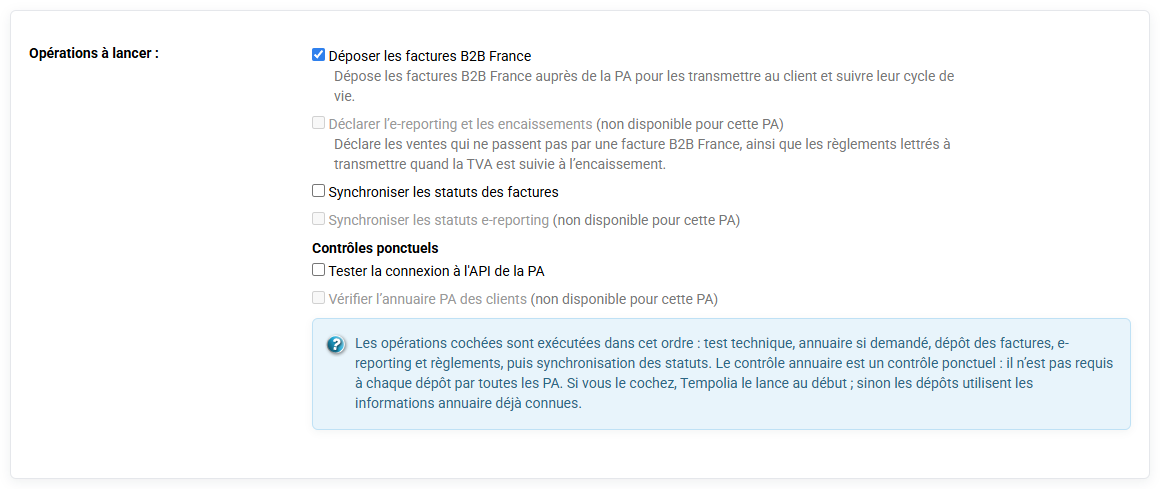
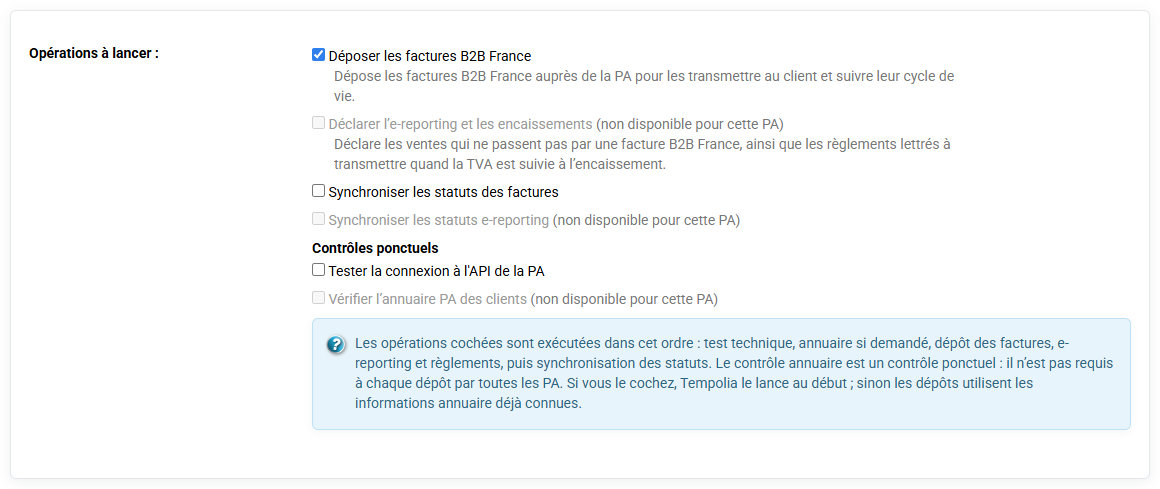
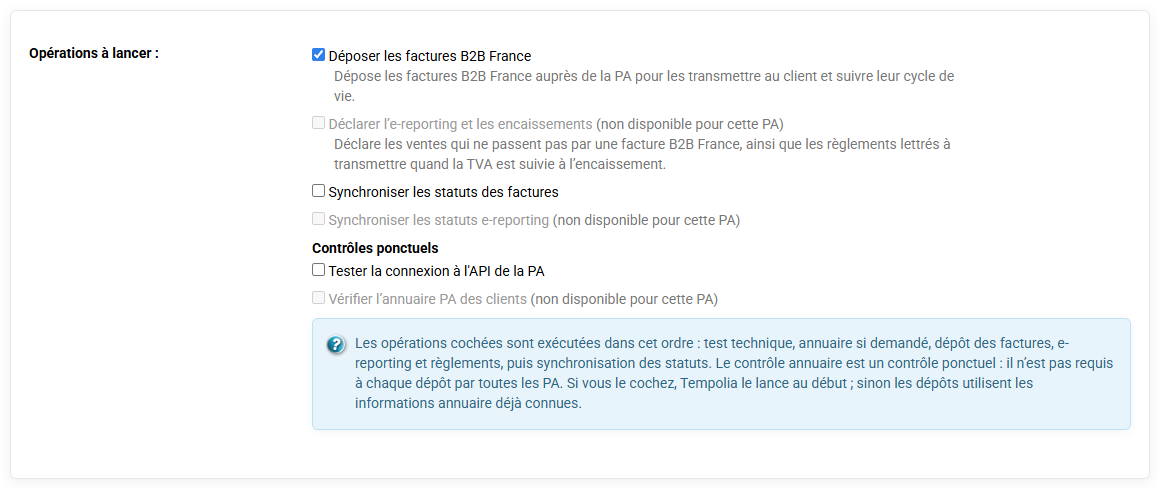
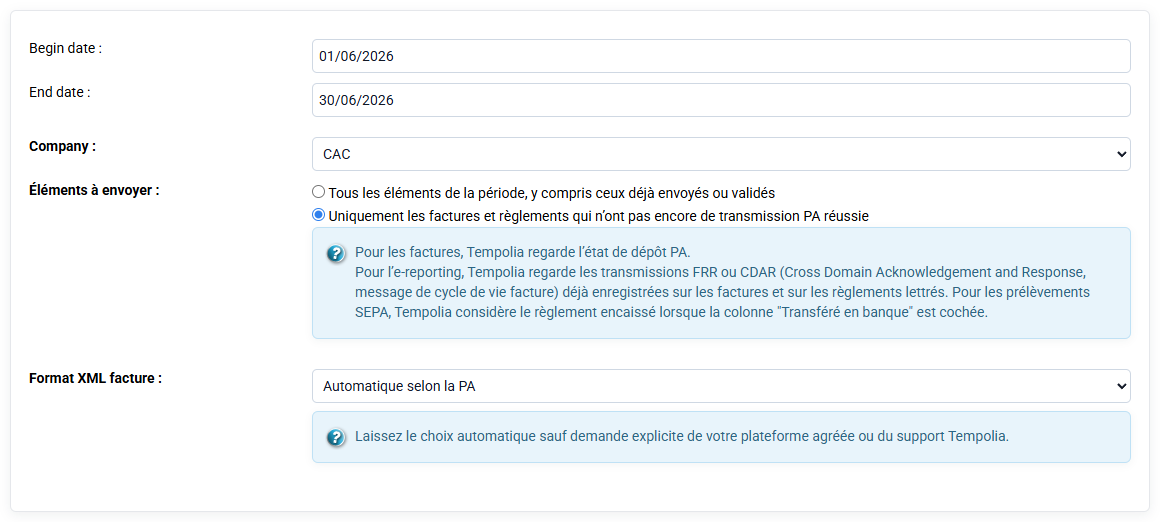
The Send to PA / eReporting page is used to launch a specific deposit to a PA at a given time. It is accessed from Tempolia export tools, through the Send to PA / eReporting page. This page lets you choose the approved platform used by the firm: JeFacture/Banqup, Sage Network, Pennylane, Inqom, Iopole, B2BRouter, Billit, Storecove, Pagero, Avalara, Basware or SUPER PDP depending on the configured connectors. After the PA is selected, Tempolia displays the introduction text corresponding to that connector.

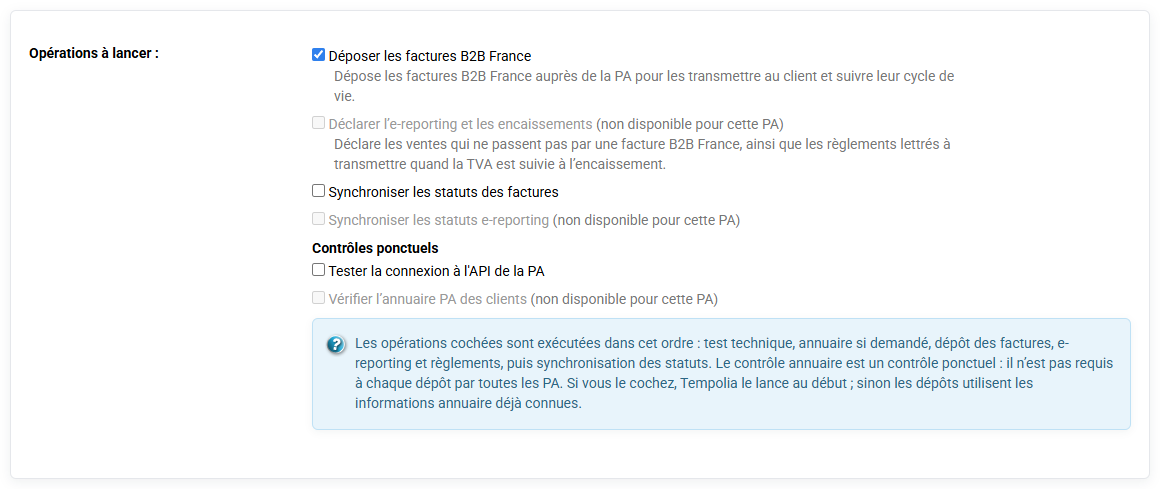
The user then checks the operations to launch:
- invoice deposit;
- e-reporting and payment sending;
- status synchronization;
- one-off directory lookup;
- technical connection test with the platform.
The checked operations are executed in a stable order to avoid omissions: technical check if requested, directory lookup if requested, invoice deposit, e-reporting and payments, then status synchronization.
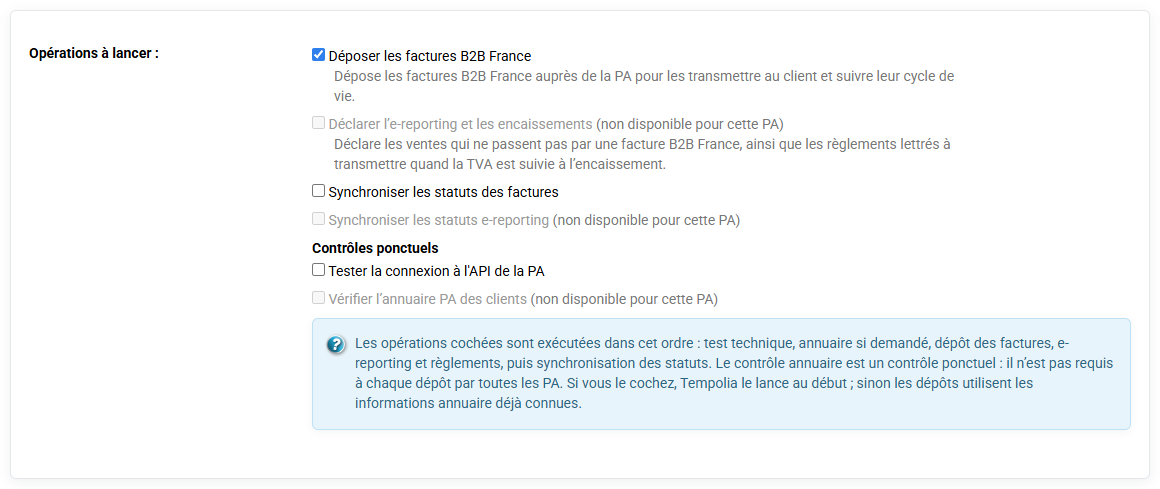
The directory check is not required for every deposit. It is used to refresh routing information when you want to check the clients for the period.
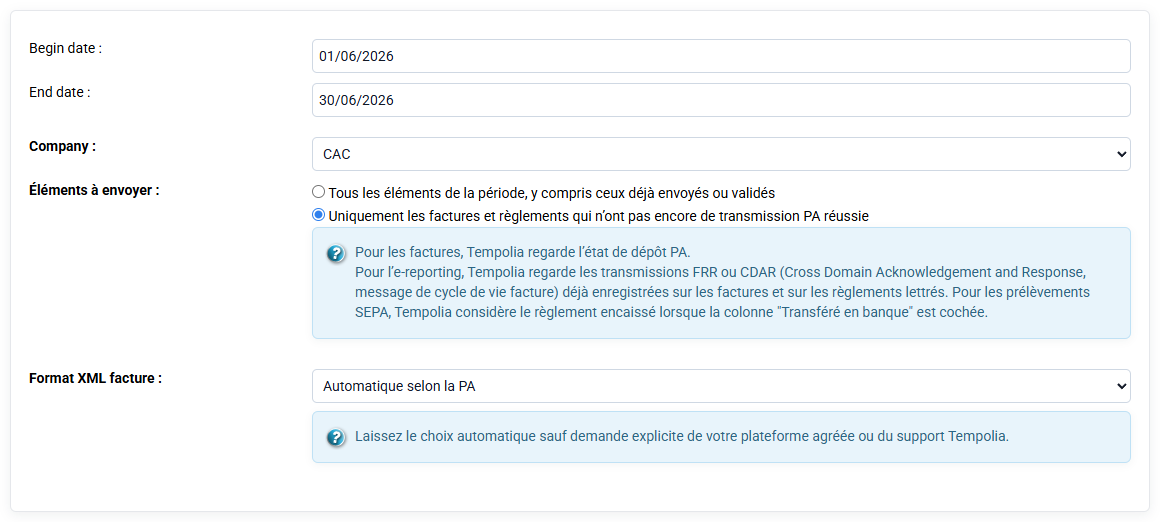
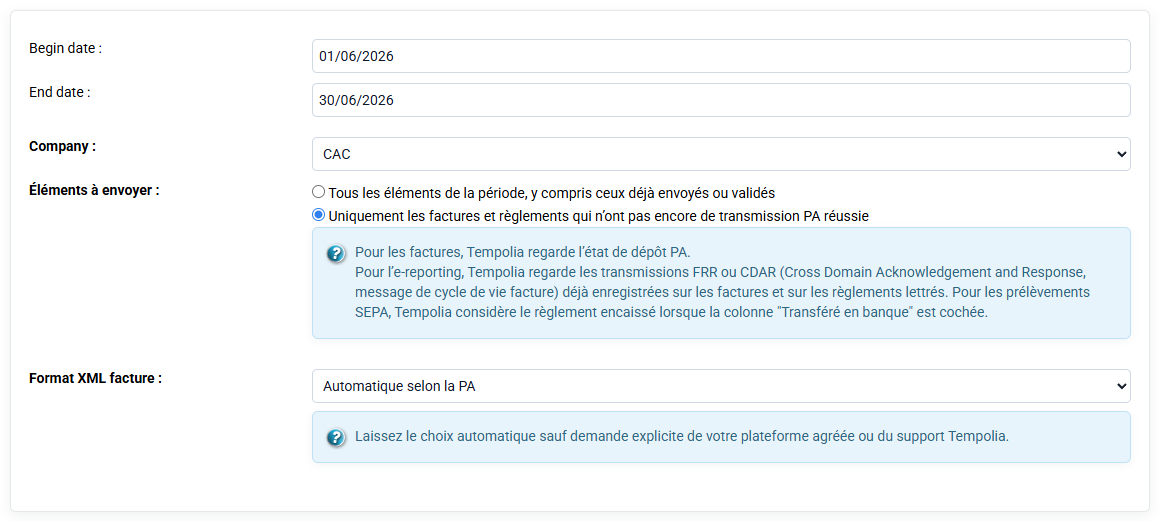
The form also lets you select a company, a period, the format expected by the platform and a differential option. The differential option is used to send only items that are not already traced as transmitted.
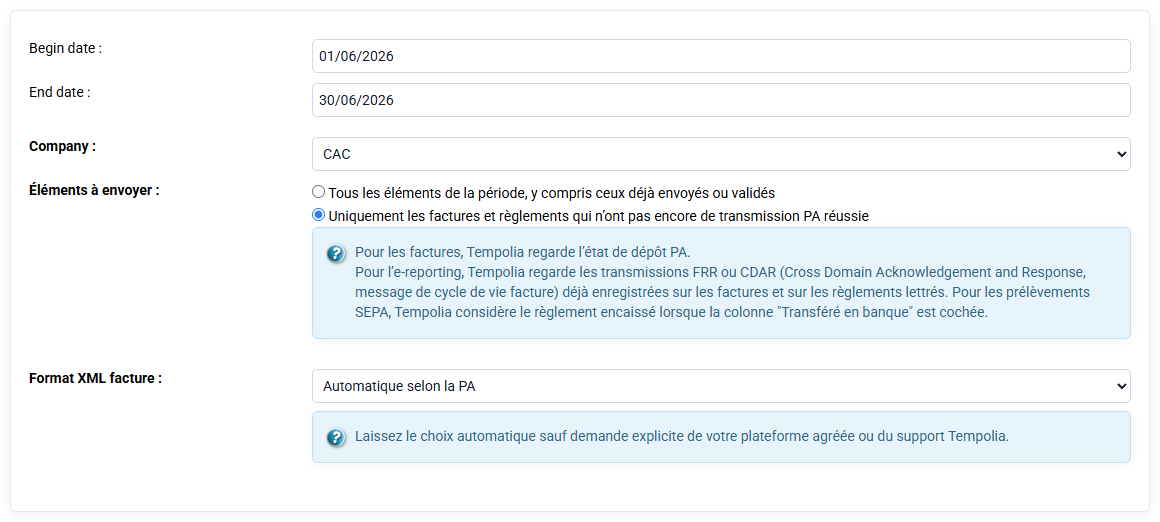
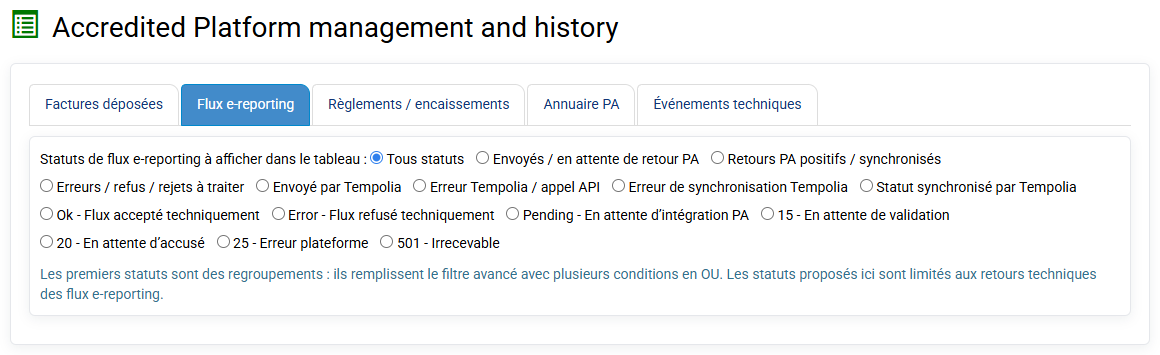
This page is not a historical analysis page: it is used to execute an operation. To consult what happened before or understand an error, use the PA history page. In practice, the right reflex is therefore: launch deposits from Send to PA / eReporting, then check traces in PA management and history.
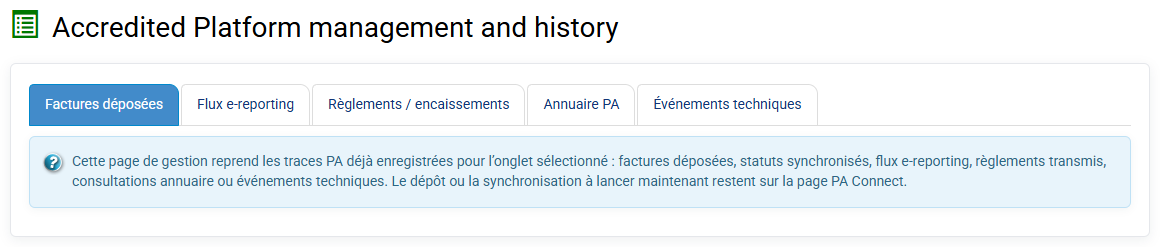
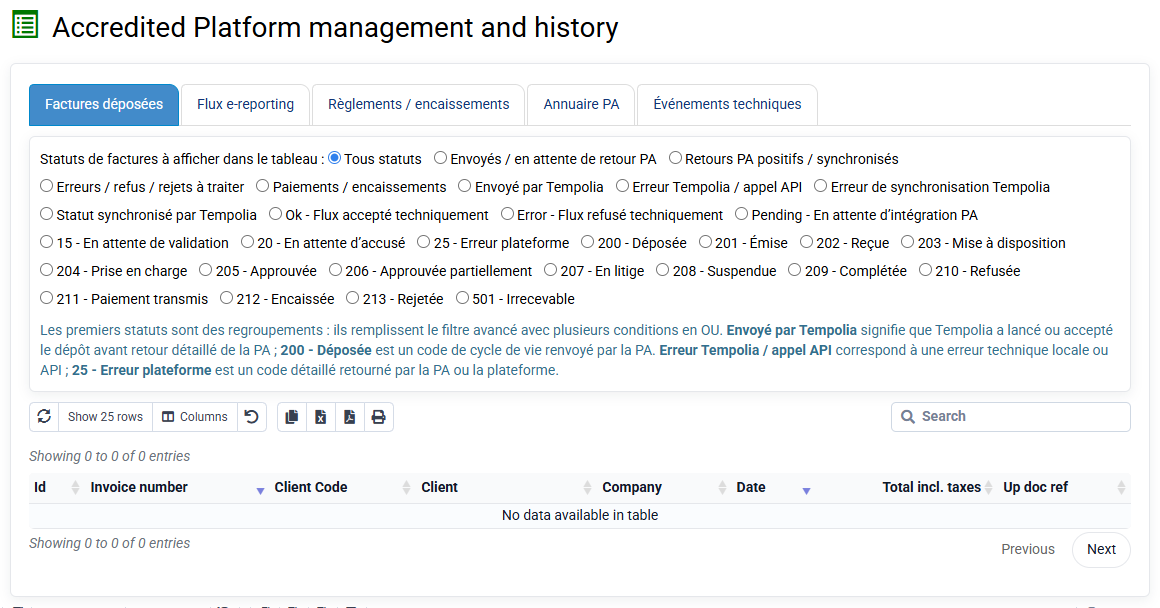
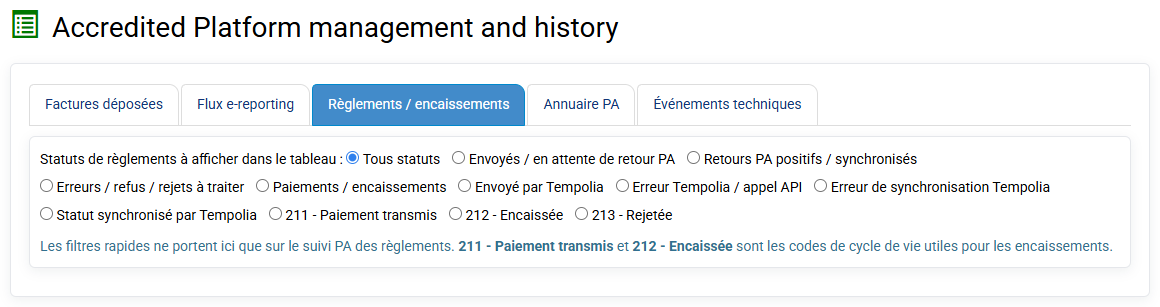
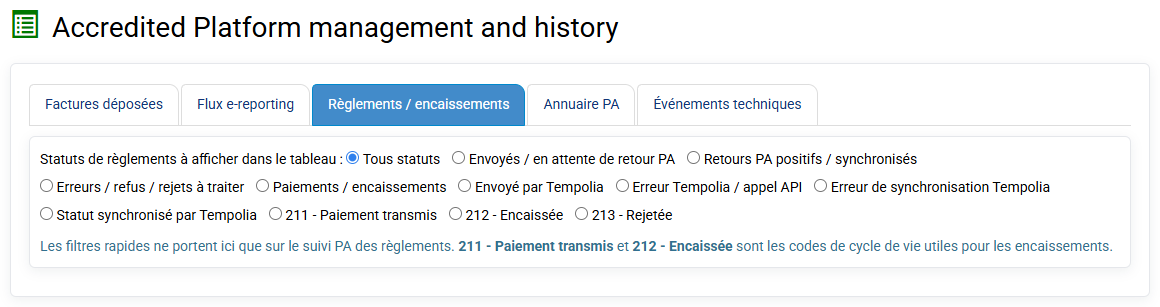
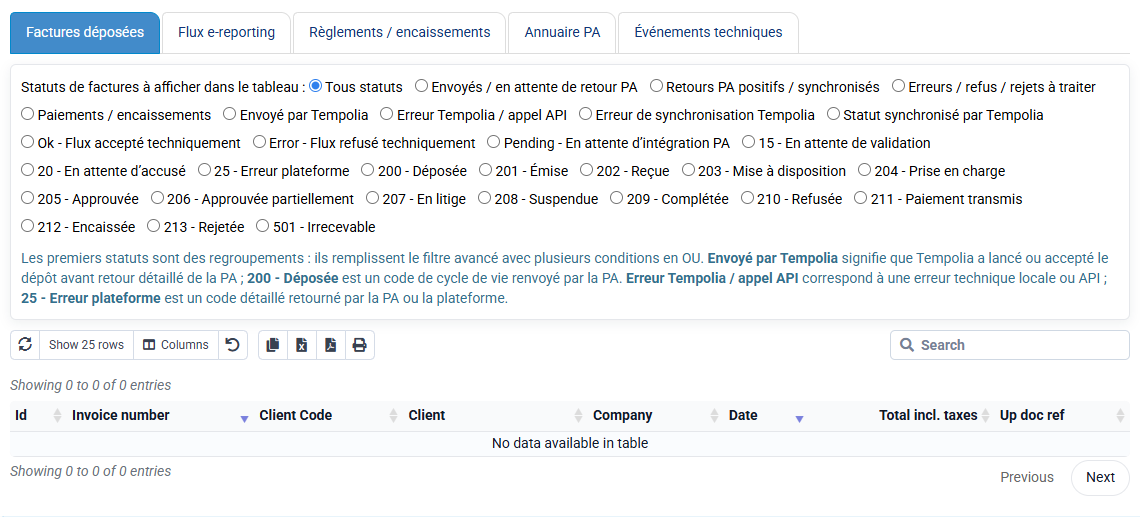
History is viewed on the PA management and history page. This page is separate from the deposit page to avoid mixing two different uses.
- The deposit answers: what am I sending now?
- The history answers: what was sent, when, with which status and which technical response?
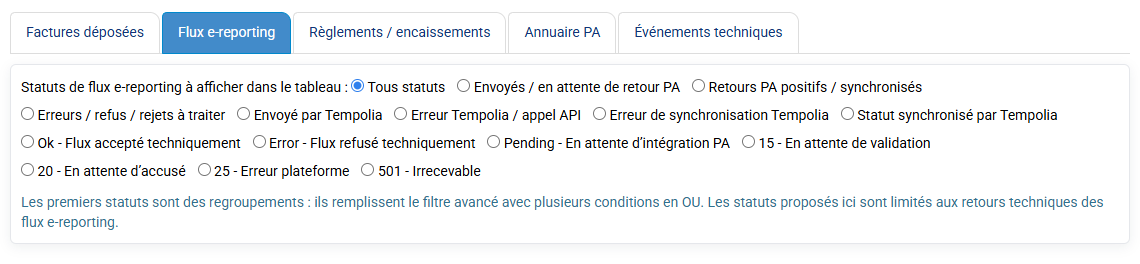
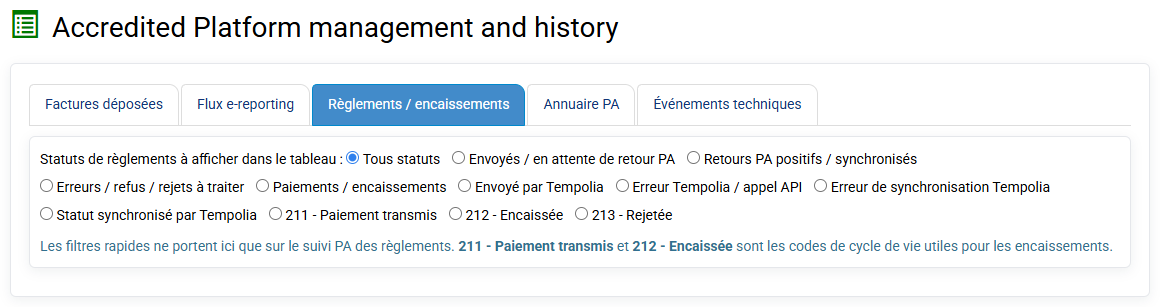
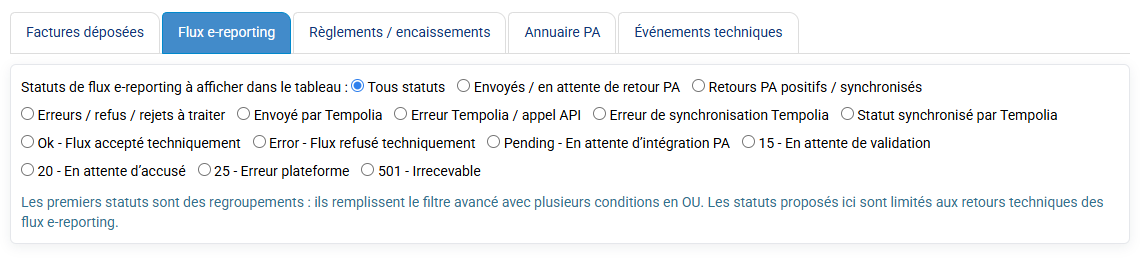
The history page displays several tables:
- sent invoices;
- e-reporting flows;
- payments included in declarations;
- PA directory;
- technical events.
Each table can be filtered by platform, company and status. Flow identifiers, tracking identifiers, statuses, sending dates, errors and platform responses are kept for analysis. Technical events show exchange details with the platform, its messages, validation errors or received statuses.
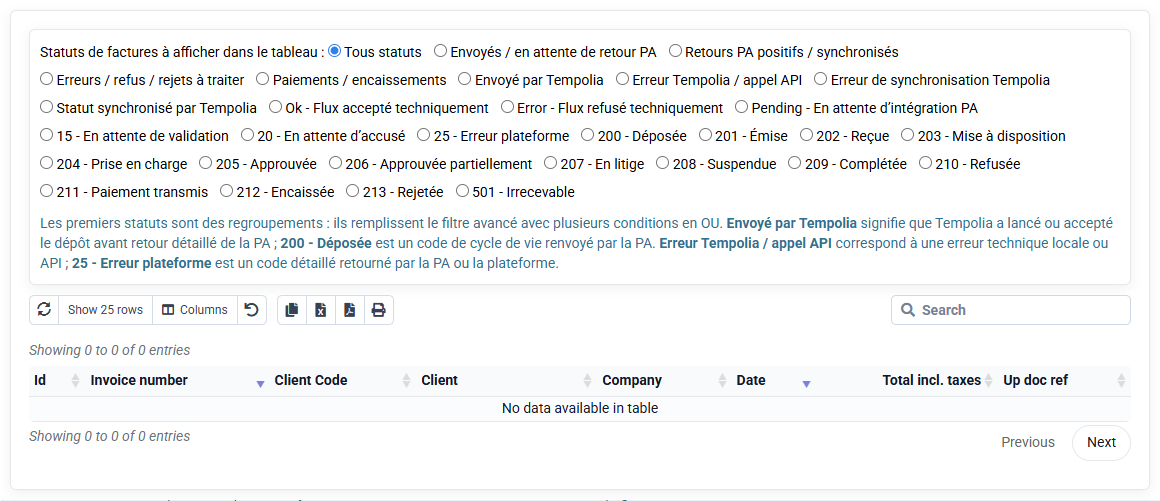
If an invoice or payment is refused by the PA, this is the first page to consult.
If a payment already transmitted is later corrected by a reverse entry, such as a direct debit reject, Tempolia keeps both events in history. This separation is important for traceability: an event already transmitted is not silently deleted.
Tempolia qualifies each invoice before PA sending. This qualification determines whether the invoice falls under B2B France e-invoicing or e-reporting.
| Situation | PA processing |
|---|---|
| Professional client established in France, identifiable by SIREN, SIRET or intra-community VAT number | B2B France electronic invoice deposited with the PA |
| Professional client outside France | Unit e-reporting transaction |
| Individual or non-taxable person | B2C e-reporting transaction |
On the sending page, action checkboxes correspond to these flow families: B2B France invoice deposit, e-reporting transaction and payments.
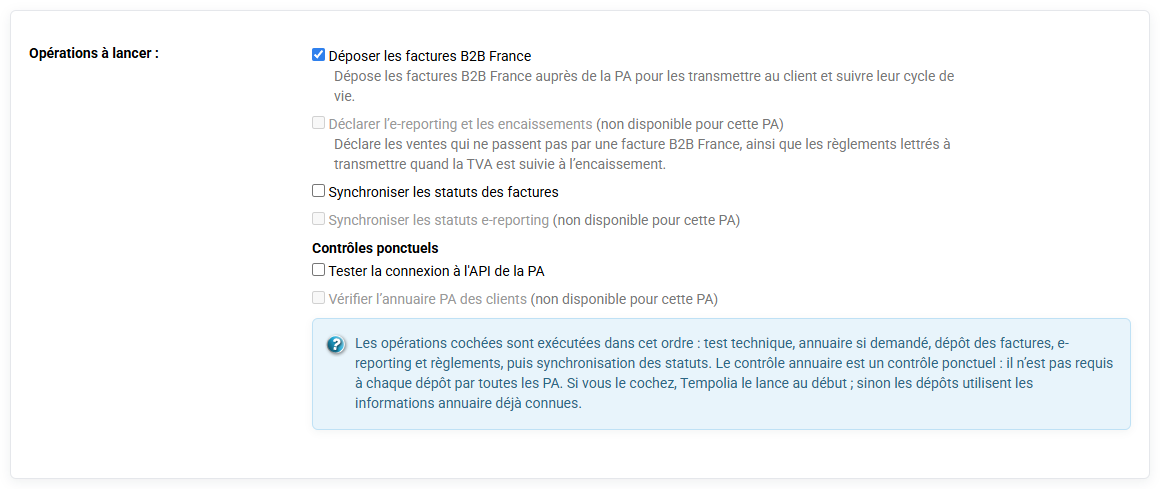
A B2B France invoice must not go into the e-reporting transaction flow. When information is explicitly stored on the client or invoice, Tempolia respects it. Otherwise, Tempolia cautiously infers the scope from country, SIRET/SIREN and VAT number.
Before sending, client records must therefore be checked: country, SIRET, intra-community VAT and PA information. Incorrect qualification can block a deposit or send the invoice to the wrong type of flow.
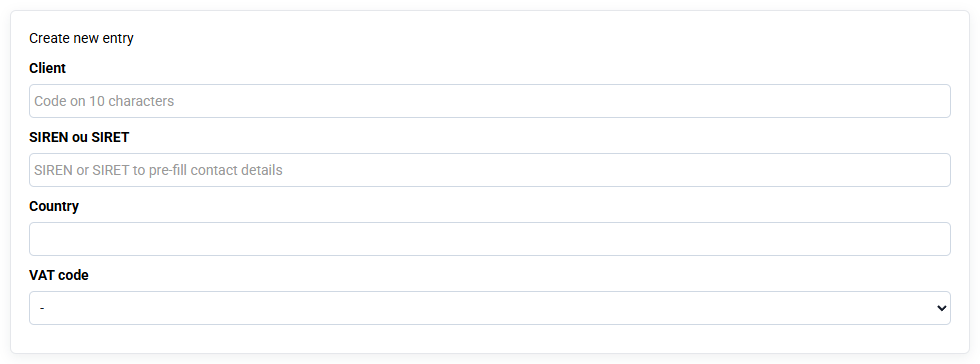
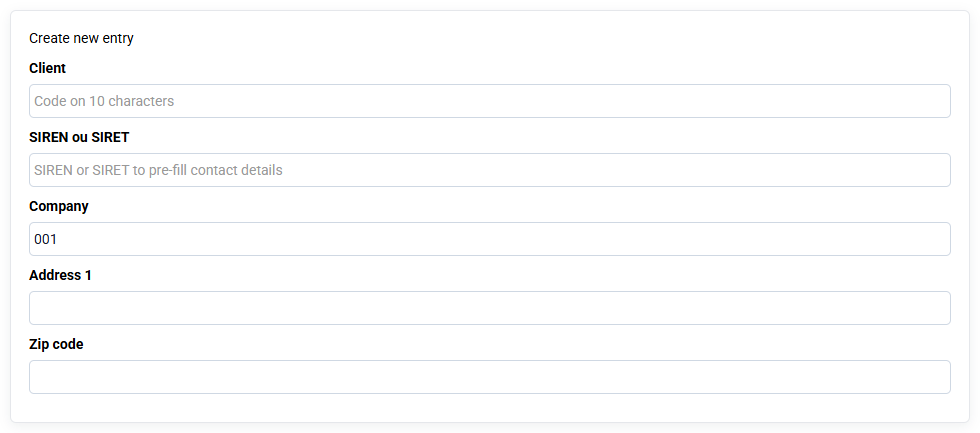
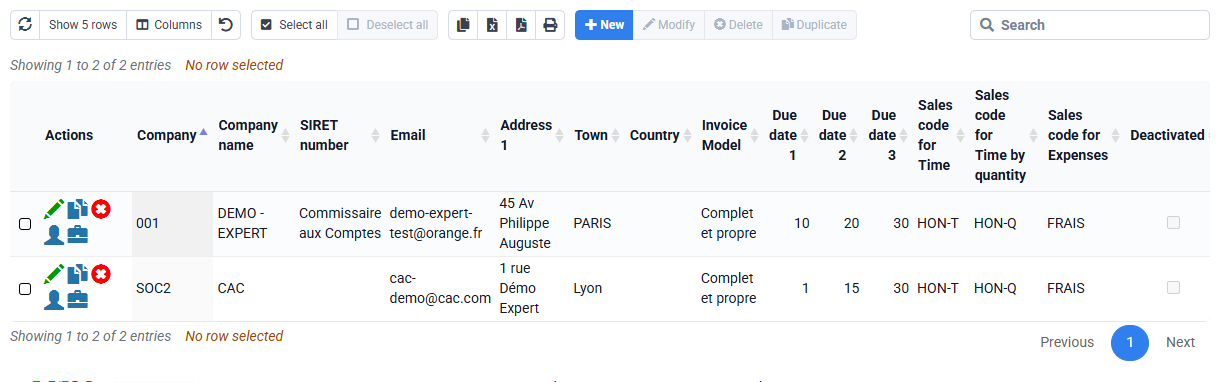
The client record must contain the information needed to identify the buyer. Check it in Clients and Matters > Clients.
For a French professional client, the SIREN or SIRET must be correctly filled in. The company name, address, country and, if available, intra-community VAT number must also be entered.
For PA exchanges, the "PA addressing ID", directory routing identifier, may be required. This identifier indicates to which platform or receiving service the invoice must be addressed. This information can be filled in on client records at the top of the Billing tab. Tempolia can also search for or cache PA directory information depending on available connectors.
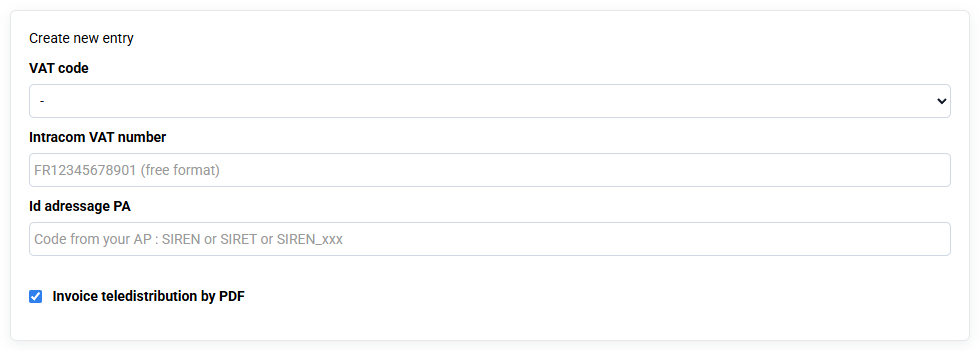
Depending on the approved platform used, a B2B France invoice without a routing identifier may be blocked before deposit. This check depends on the PA connector configured in Tempolia and avoids sending an invoice that cannot be routed correctly.
For an individual client, do not invent a SIRET: the invoice falls under B2C and will be handled through e-reporting. For a foreign professional client, the country and VAT number or professional identifier qualify the international flow.
A B2B France invoice is deposited with the PA as an electronic invoice. Depending on the platform and options, Tempolia sends a Factur-X or structured data in CII or UBL format. By default, Tempolia favors Factur-X when the connector accepts it, because Tempolia already knows how to generate this format. Some connectors require or prefer UBL; in that case Tempolia generates UBL data.
Before deposit, Tempolia checks the invoice PA scope. If the invoice is B2C or international, Tempolia blocks the B2B France invoice deposit and indicates that the e-reporting action should be used.
After deposit, Tempolia stores the returned identifiers:
- PA document;
- PA flow identifier;
- tracking identifier;
- status;
- sending date.
This information is visible in PA history. PA statuses can then be synchronized: deposit accepted, technical reject, made available, refusal, functional status, etc.
If the invoice is for a service with VAT due on collection, later payments are not sent as a new invoice. They are sent as lifecycle statuses attached to that invoice.
A B2C invoice or an international B2B invoice does not follow the same path as a B2B France invoice. It must not be deposited as a domestic B2B France electronic invoice: it feeds the e-reporting transaction flow.
For a professional client outside France, Tempolia prepares a unit transaction attached to the invoice. For B2C, data may be aggregated according to applicable reporting rules.
The transmitted flow contains useful tax information:
- period;
- declaring company;
- operation type;
- amounts excluding VAT, VAT and including VAT;
- currency;
- breakdown by VAT rate.
Tempolia keeps the transmission in PA history, with status, tracking identifier and platform response. If the operation is subject to VAT on collection, payments may also feed payment e-reporting. B2C or international payments are then transmitted in the regulatory payment flow.
If the operation is subject to VAT on debits, e-reporting transaction is fiscally sufficient for VAT: payments later received do not trigger a PA payment declaration.
The user launches these sends by checking Send e-reporting flows and payments on the Send to PA / eReporting page. The history then makes it possible to check which invoices or payments were included.
The difference is essential to understand what Tempolia must send to the Approved Platform.
| VAT due mode | PA consequence |
|---|---|
| VAT on debits | VAT is declared without waiting for payment. Tempolia sends the electronic invoice or e-reporting transaction depending on client type, but the payment received later does not by itself create a PA payment declaration. |
| VAT on collections | VAT becomes due when payment is actually collected. Tempolia must transmit collection data, broken down by VAT rate, in addition to the invoice or transaction flow. |
Payment remains useful for client follow-up, matching, reminders and accounting, even when it is not tax collection data to be transmitted to the PA. For a B2B France invoice handled through e-invoicing, collection is transmitted as an invoice lifecycle status. These statuses use CDAR format, Cross Domain Acknowledgement and Response, the standardized AFNOR base message for invoice lifecycle events. For a B2C or international invoice under e-reporting, collection is transmitted in a payment flow.
If an invoice contains mixed items, for example one part taxable on debits and another taxable on collection, only the lines or amounts subject to VAT on collections must feed PA payment data.
In practice, the user must therefore check the VAT regime applicable to the file, service and client before interpreting payment flows. For this reason, the notion of declared collection in Tempolia is always read after this VAT qualification. Tempolia must declare to the PA only a collection considered effective in Tempolia, and only for operations whose VAT is due on collection.
If the invoice is subject to VAT on debits, the payment remains useful for client follow-up and matching, but it does not by itself create a PA payment declaration. A scheduled payment is not a collection. A merely matched payment indicates accounting consistency, but it must also comply with Tempolia business rules to enter a PA flow. The date used to declare the payment remains the payment due date.
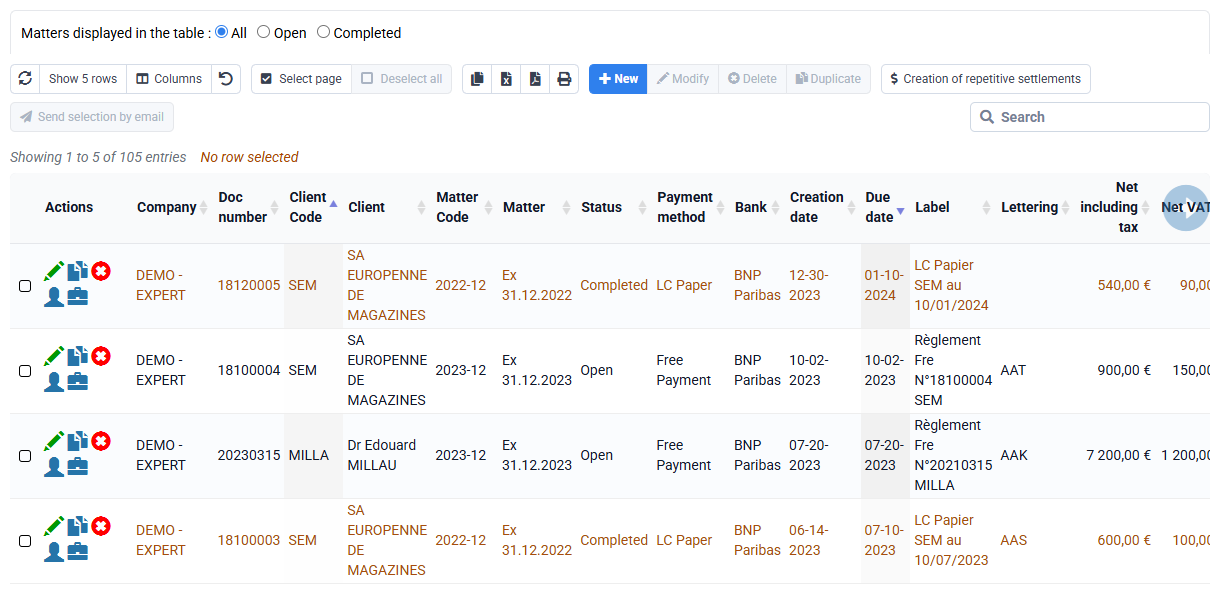
For a bank transfer, cheque or manual payment, the matched payment present in the period may feed the PA declaration. For a SEPA direct debit, Tempolia additionally requires the payment to be marked Transferred to bank. This rule avoids declaring a direct debit that has merely been prepared but not yet sent to the bank.
If the direct debit is rejected, the reject is managed by creating another negative payment with its own due date, see the FAQ "How do I manage a direct debit reject?". This negative payment must be matched like the other entries linked to the invoice. It will then be visible in the history and may correct the amount declared for the relevant period.
For a B2B France invoice whose VAT is due on collection, collections do not go into the same e-reporting block as an international or B2C invoice. They are sent as a CDAR lifecycle status, Cross Domain Acknowledgement and Response, the standardized message used for invoice lifecycle events. The status used for collection is status 212 Collected.
If the B2B France invoice is subject to VAT on debits, the PA obligation concerns the invoice and its transmission or processing statuses, not a tax declaration of collection.
Tempolia builds a lifecycle message in CDAR format attached to the deposited invoice. This CDAR contains the invoice reference, the payment due date used as payment date, and collected amounts broken down by VAT rate.
Each partial payment can produce a separate collection status. For example, an invoice paid in three installments will generate three collection events if the three payments are collected on different dates.
Tempolia requires a PA deposit identifier to already exist for the invoice. This avoids sending a collection that cannot be attached on the PA side. If the invoice does not yet have a PA identifier, Tempolia reports the error in the result and history.
Sent collection statuses are recorded in PA history so that the invoice, payment, sending date and platform response can be found.
When a SEPA file is generated, Tempolia marks payments as transferred to the bank. For PA declaration, Tempolia then considers the direct debit as collected. There is no separate PA status to fill in on the payment. The declared date remains the due date, which must represent the expected bank date for this payment.
If the direct debit is rejected before PA declaration, the negative reject payment must be created before sending. In Tempolia, the reject is created from the reject action on the payment line. This action creates a new negative payment line whose due date must correspond to the bank date of the reject.
If a collection had already been transmitted and a reject arrives later, Tempolia does not delete the history. The initial payment remains historized as transmitted. The negative reject line becomes the corrective event to transmit for the proper period. The user therefore sees in history the initial collection, then the negative payment correcting the amount.
The important point is to keep the full chain: declared collection, bank reject materialized by a negative payment, then new PA transmission if necessary.
The regulatory frequency depends on the VAT regime.
| VAT regime | Frequency | Deadline days |
|---|---|---|
| Monthly normal actual regime | e-reporting transaction data by ten-day periods | 20th of the same month for the first ten-day period, 30th of the same month for the second, 10th of the following month for the third |
| Quarterly normal actual regime | Monthly transmission | Before the 10th of the following month |
| Simplified VAT regime | Transaction data and, when they exist, monthly payment data | Between the 25th and 30th of the following month |
| VAT exemption threshold | Transaction data and, when they exist, bimonthly payment data | Between the 25th and 30th of the month following the end of the two-month period |
For February, the second deadline of the monthly normal actual regime is naturally adapted to the end of the month. These days correspond to the deadlines indicated by the French tax administration in the official e-reporting transmission frequency and deadline table. Payment data deadlines therefore do not mean that all payments must be declared: they concern collections for operations whose VAT is due on collection.
The PA may accept more frequent deposits, but Tempolia keeps track of what has already been sent. In the PA form, the differential option sends only invoices and payments that are not already validated as transmitted. This option is recommended for periodic processing because it avoids redeclaring a payment that has already been sent.
If an error occurred, consult PA history before relaunching. A line in error can be corrected and sent again. A line already sent and then corrected must be analyzed with its history. In that case, do not simply delete the trace: understand the event, create a negative corrective payment if necessary, then transmit the expected items to the PA used.