How to delete a matter?
- In the menu « Clients / Matters > Matters »
- Select with the box on the far left the case to be deleted
- Click in the table at the bottom of the page on "Finish" then "execute all status changes".
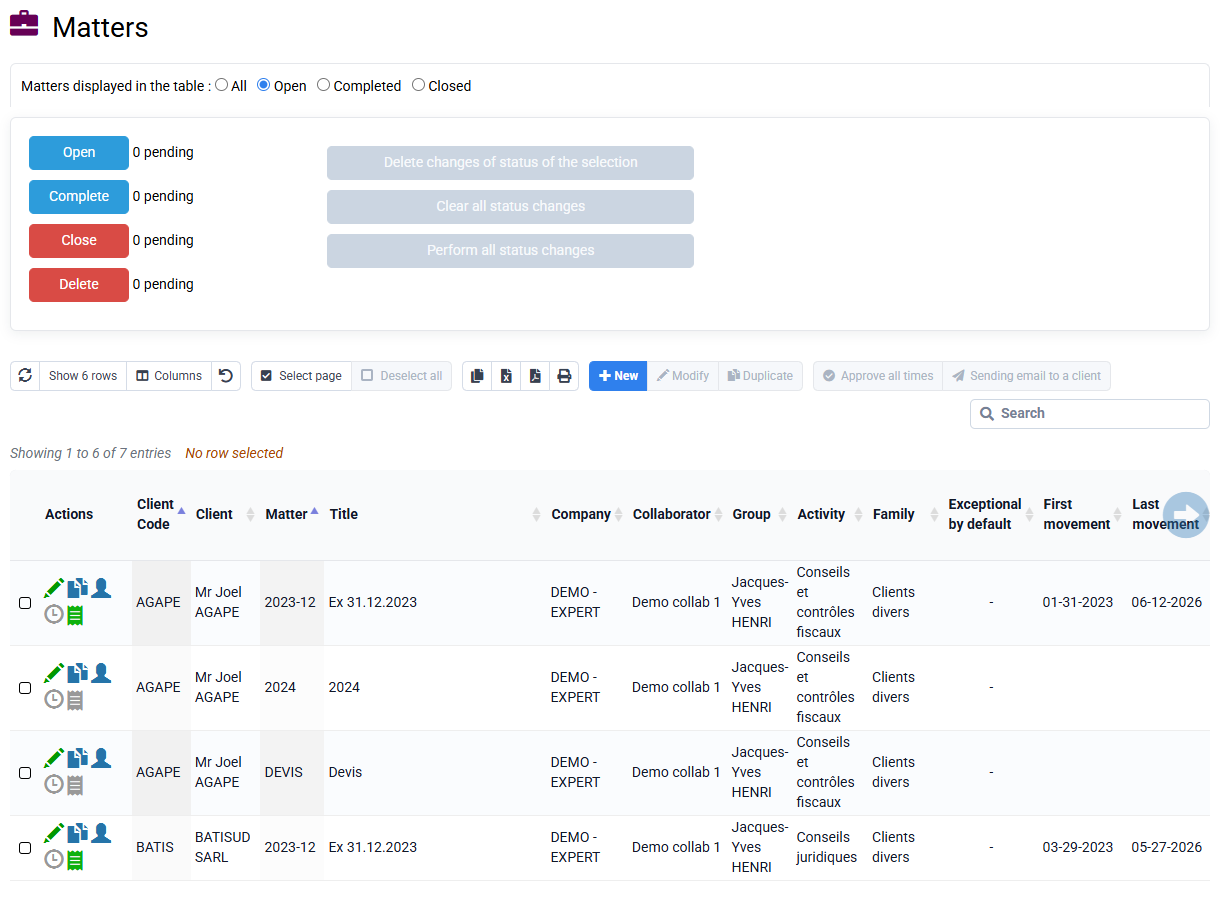
The case is now over. To view it, you can filter on "T" cases to complete.
- You can repeat this process to close the case and then delete.

You can consult the blue box on the Matters page to find out the different consequences of the change of states.