


How do I check an accounting export and avoid sending a document twice?
An accounting export can produce a file to import or transmit documents through a connector. A download, an acknowledgement and a completed accounting import are different results.
Find the correct export
Open Tools > Accounting export and select the relevant flow. Check company, period, destination software and document selection. For a missing invoice, first check that it has been issued and is not excluded by date or transfer filters. See accounting integrations.
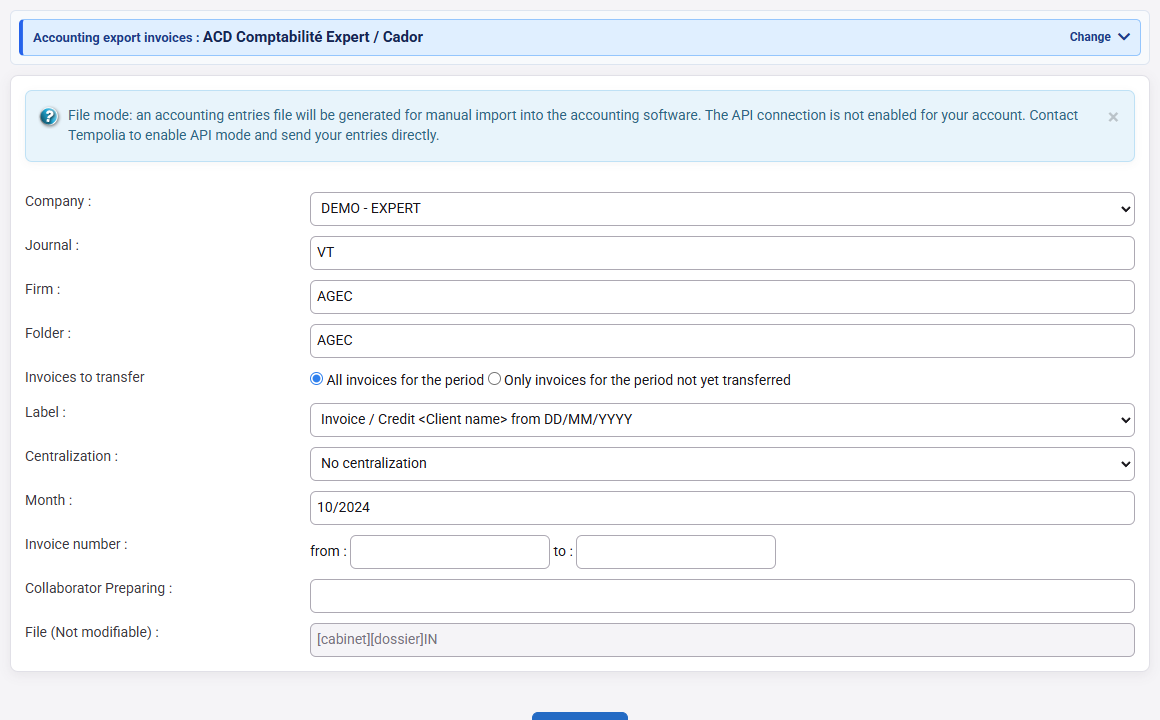
Read the result before trying again
For a file, retain the original, its scope and totals, then check the import report in the accounting software. For an API, review the result provided by the connector and the transfer references retained for the documents. Connectors such as Tiime or Shine may retain acknowledgements or tracking states; the same screens and statuses are not available from every provider.
Compare document reference, company, date and amounts excluding tax, tax and including tax. A technical acknowledgement confirms an exchange step; it does not by itself confirm a final accounting entry.
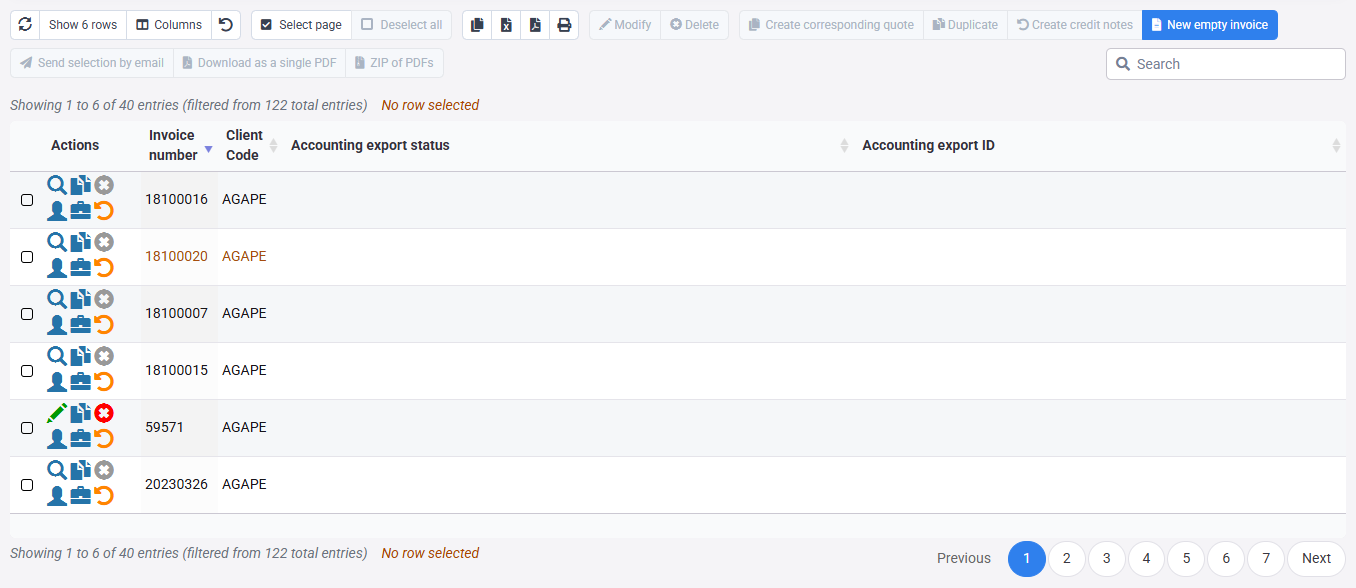
Handle rejection, a pending state or uncertainty
- Explicit rejection: note the document and reason, correct the affected source or setting, then retry only the necessary scope.
- Interrupted response or uncertain status: first look for the document and reference at the destination and in connector tracking. Do not resend an entire period as a test.
- Already transmitted: do not delete tracking records to force another send. Determine with accounting whether the document exists, requires correction or was never imported.
The accounting export training covers debit/credit checks and total reconciliation.