


How to calculate employee overtime?
- On the « Employees > Employees » page, in the “Remuneration” tab of the employee files, there are two fields “Extra Hour Threshold 1” and “Extra Hour Threshold 2” which must be filled in and used then for the calculation of overtime. For a full-time employee in France, the values to indicate are generally 35 and 43 hours in these two fields.
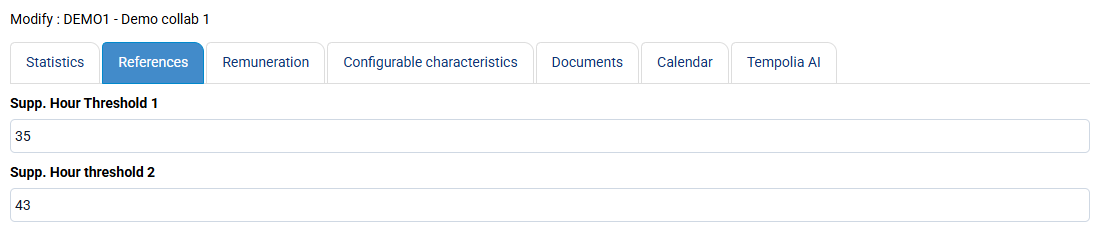
This information is used for the “Employee activity control by month and/or week” report, which allows you to automatically have “Overtime” and “Increased overtime” calculated lines. The calculation is done as it should, per week, taking into account good weeks over the month according to accounting rules.
We do not have an automated process for managing overtime catch-up, and you can decide internally whether to pay or recover these hours.
You can create a non-billable task categorized as Absence which corresponds to this overtime catch-up so that employees can enter them for traceability.