


Import payments and verify matching to customer invoices
Objective. Import bank payments reliably, match each valid line to the right customer and invoice, isolate duplicates and unknown identifiers, explain partial balances and keep enough references to review reminders, reports and accounting exports.
Before you start: prepare your subscription mappings
The supplied files are for format checks, anomaly review and preview; they are not ready to import. Before any authorised import, record the company, payment method, bank, two customers, their open-invoice references and matching amounts from your subscription. Work on a copy of the CSV and replace all sample codes and amounts with those actual values. If you may not create payments, complete the checks and mapping and stop before confirmation.
Example batch
Download the batch to review and keep the accepted batch for the final reconciliation. It contains transactions dated 20 July 2026: VIR-101, EUR 1,200.00 for customer code CLIENT01 (the synthetic CLIENT01 CONSEIL record) and FACT-101; VIR-102, EUR 400.00 for CLIENT02 and invoice FACT-102 of EUR 600.00; and VIR-103, EUR 250.00 with unknown customer ZZ999. A fourth row deliberately repeats VIR-101. In the sample file, the calculation gives one exact payment clearing FACT-101, one partial payment leaving EUR 200.00 on FACT-102, and no creation for the unknown customer or duplicate. Values 001, 05, EUR 1,200.00, EUR 400.00 and EUR 200.00 are used only to check this sample calculation; use the values from your own working file afterward. Execute an adapted import only with dedicated test records in your subscription and the appropriate authorisation.
| CSV column | Tempolia field | Check before import |
|---|---|---|
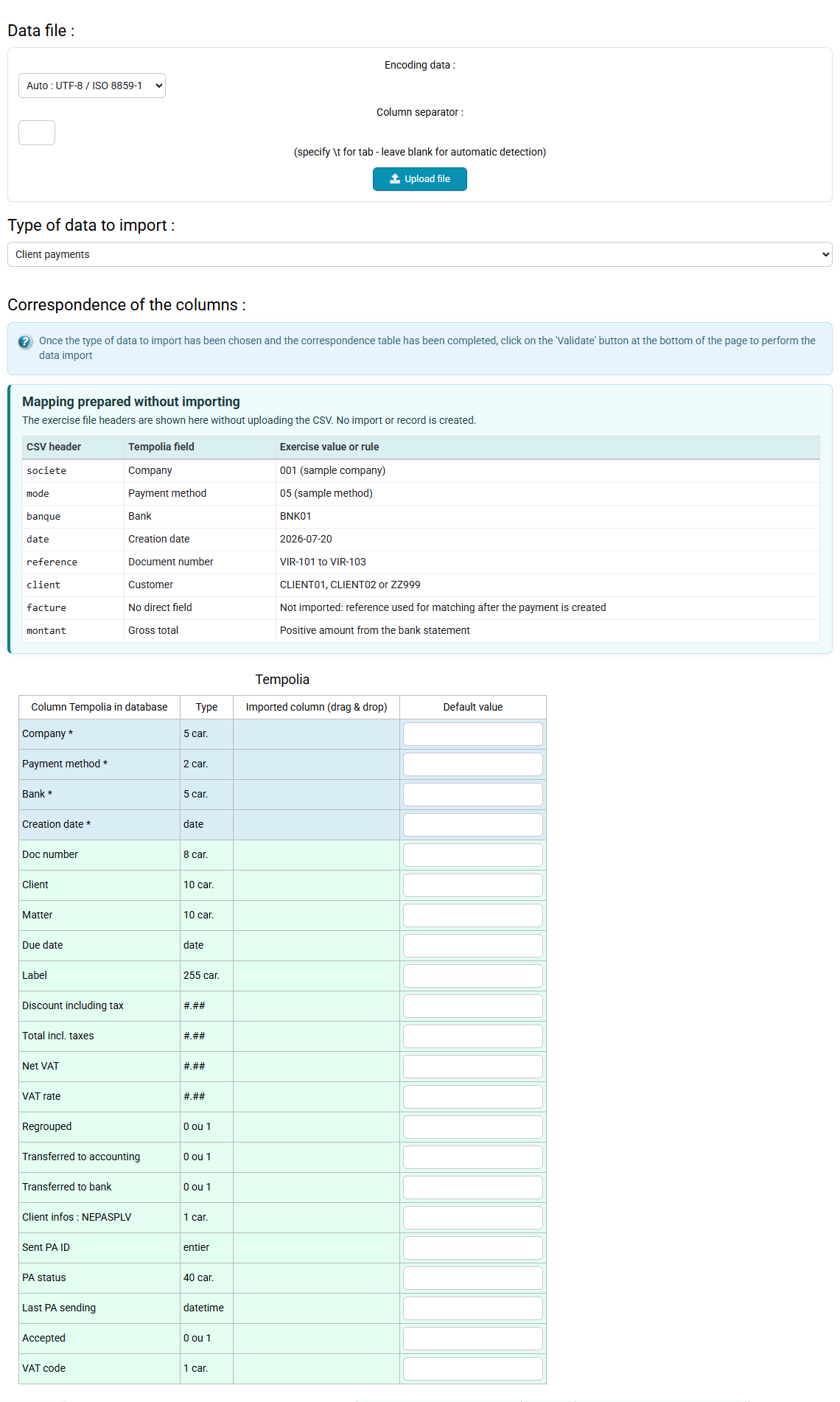
| societe | Company | Code 001 in the file — replace it with your company code |
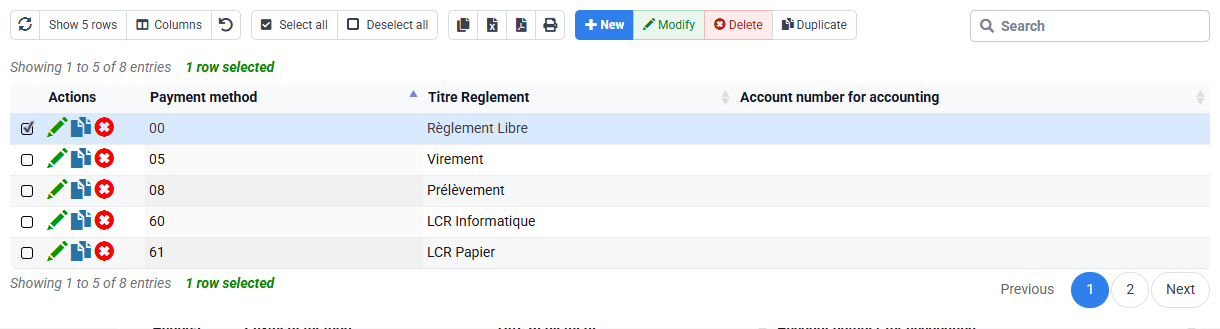
| mode | Payment method | Code 05 — Virement (bank transfer) title |
| banque | Bank | BNK01 in the sample file — replace it with an active bank from your subscription |
| date | Creation date | 20 July 2026 |
| reference | Document number | VIR-101 to VIR-103, unique in history |
| client | Customer | CLIENT01, CLIENT02 or ZZ999 code |
| facture | Not imported | Control reference retained for matching after import |
| montant | Gross total | Positive amount reconciled to the bank statement |
Prerequisites
- In your working copy, replace company, bank and payment-method codes with active values from your subscription.
- For an authorised import of the adapted copy, the two actual invoices selected in your subscription must be issued and open; otherwise complete only the mapping, preview and sample arithmetic.
- Keep the original sample file unchanged and identify the batch by VIR-101 to VIR-103.
- Use your subscription only when you are authorised to create payments, and keep the original file and a working copy in a dedicated folder. No accounting file is transmitted to production.
55-minute schedule
- 8 min: verify invoices and opening balances.
- 12 min: load the file and map fields.
- 12 min: isolate the unknown customer, duplicate and partial payment.
- 10 min: import the corrected batch and verify created lines.
- 8 min: match the two valid payments and check balances.
- 5 min: reconcile imported lines, balances and the export.
Results in the sample file
- The mapping uses codes 001 and 05, sends
referenceto Document number andmontantto Gross total. Thefacturecolumn is not imported; it guides matching after the payments are created. - VIR-101 exists once and clears FACT-101.
- FACT-102 retains exactly EUR 200.00 after VIR-102 is matched.
- ZZ999 remains in the anomaly log or source to correct; it is never assigned to a similar customer.
Understand import, payment and matching as separate stages
The bank file contains the bank transaction, the payment table contains the imported line, and matching links that line to an invoice or credit note. These three statements are related but not interchangeable. A row can be syntactically imported and still be functionally wrong because the customer, company, bank, sign or reference is incorrect.
A stable bank reference is the first duplicate barrier. Search it in prior imports and manual entries, within and beyond the current period. A matching customer name is weaker than an identifier and must not justify an arbitrary assignment. Unknown or ambiguous lines remain outside the validated batch until the source is corrected.
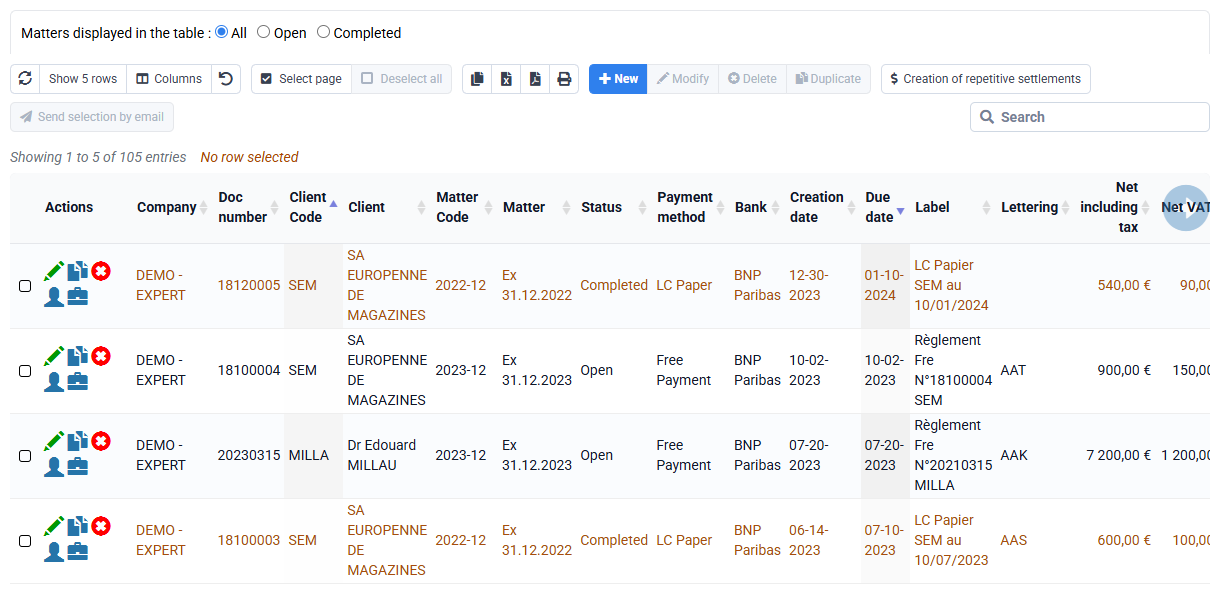
Partial payment is not an error. It is a legitimate state that must remain visible: FACT-102 of EUR 600.00 minus VIR-102 of EUR 400.00 leaves EUR 200.00. Matching should explain that remainder, not invent a discount. A grouped payment may match several pieces, but every allocation must reconcile to the original bank amount.
Capabilities acquired
- Set the import scope with one company, bank, period, format and set of unique batch references.
- Map required columns and distinguish source data, reference data and derived matching.
- Detect a duplicate across the current file, earlier batches and manual payment entry.
- Reject an unknown customer without attaching the payment to a similar name.
- Import valid lines once and reconcile their count and total with the corrected source.
- Match exact and partial payments while keeping unexplained amounts visible.
- Verify reminder, PA/eReporting and accounting-export consequences without confusing their roles.
1. Establish the opening state and map the file
Path: Billing > Payments, Tools > Import, and the sales journal.
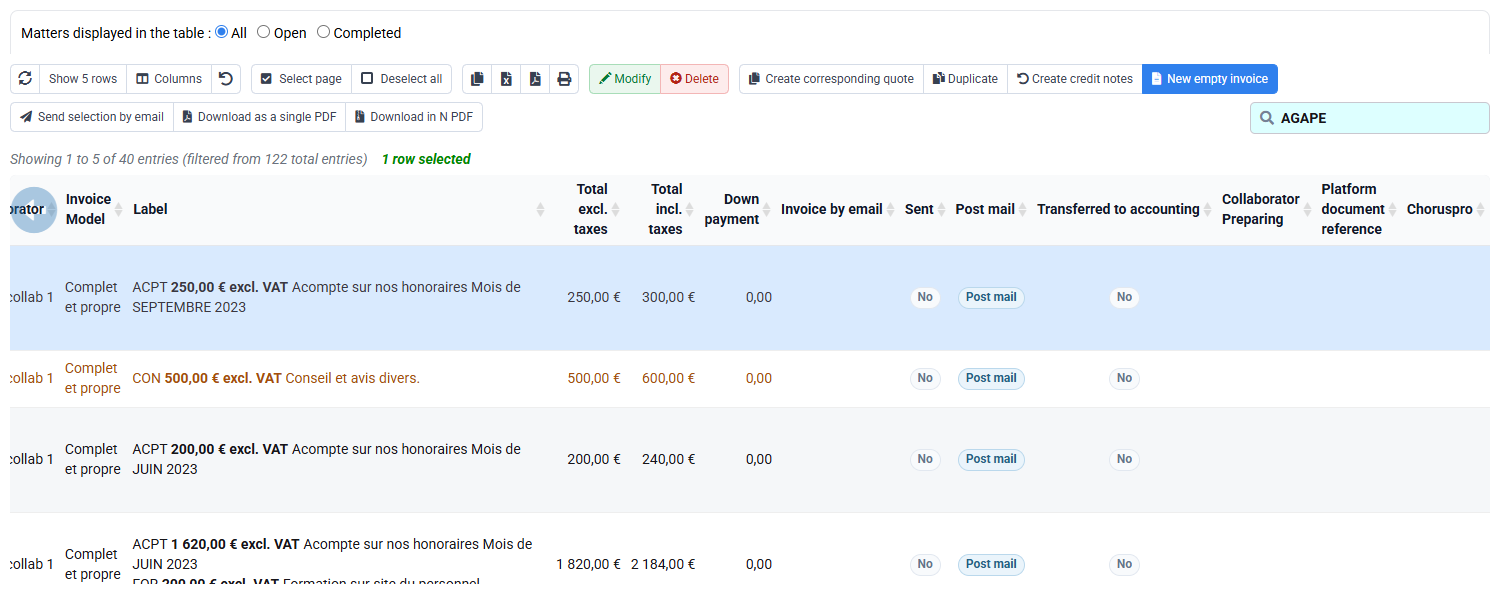
Select two open issued invoices from your subscription. Record their actual references, customers and open amounts, then give the two valid rows in your working copy new bank references. Search those references in the payment table to avoid a duplicate, load the adapted copy and select the customer-payment import type.
Map the company, payment method and bank codes taken from your subscription, the date, reference to Document number, customer code and montant to Gross total. Leave facture unmapped: it will guide matching after import. Preview all rows and confirm that they show your adapted values. Exclude the duplicated reference and unknown customer before validation.
2. Resolve anomalies before writing data
Classify each preview row. VIR-101 is valid once; its duplicate is excluded using the stable reference and source-row trace. VIR-102 is valid even though it will be partial. VIR-103 is rejected because ZZ999 is unknown. Correct the source identifier only from authoritative information; never select CLIENT01 CONSEIL or another customer because the name appears plausible.
Prepare a corrected two-row import file or select the two valid rows, according to the active import flow. Preserve an anomaly log containing original row, reason, decision and responsible person. Reconcile the accepted total: EUR 1,200.00 + EUR 400.00 = EUR 1,600.00. The rejected EUR 250.00 is not lost; it remains pending correction outside the imported total.
3. Match exact and partial payments
Path: Billing > Customer movements.
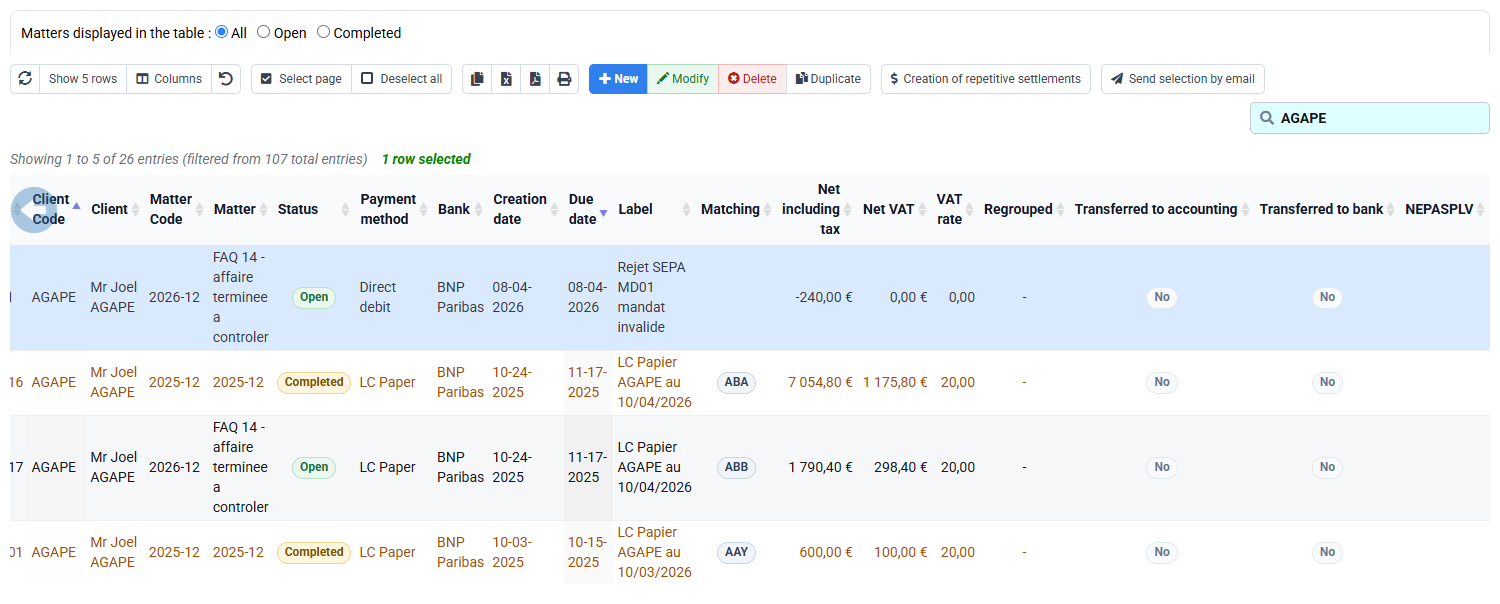
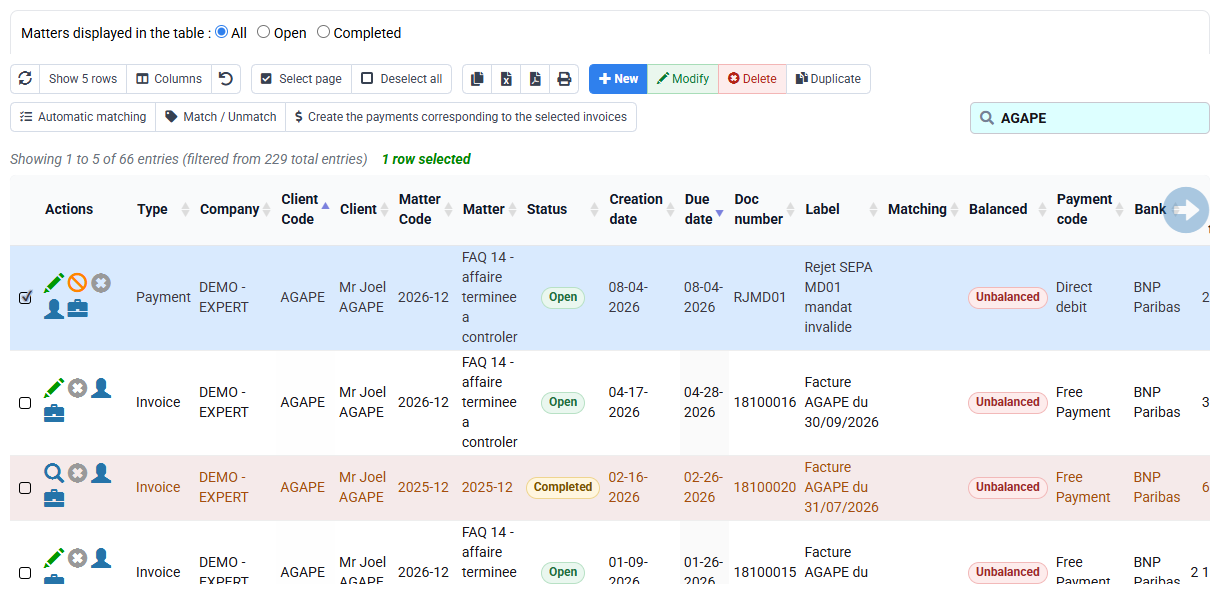
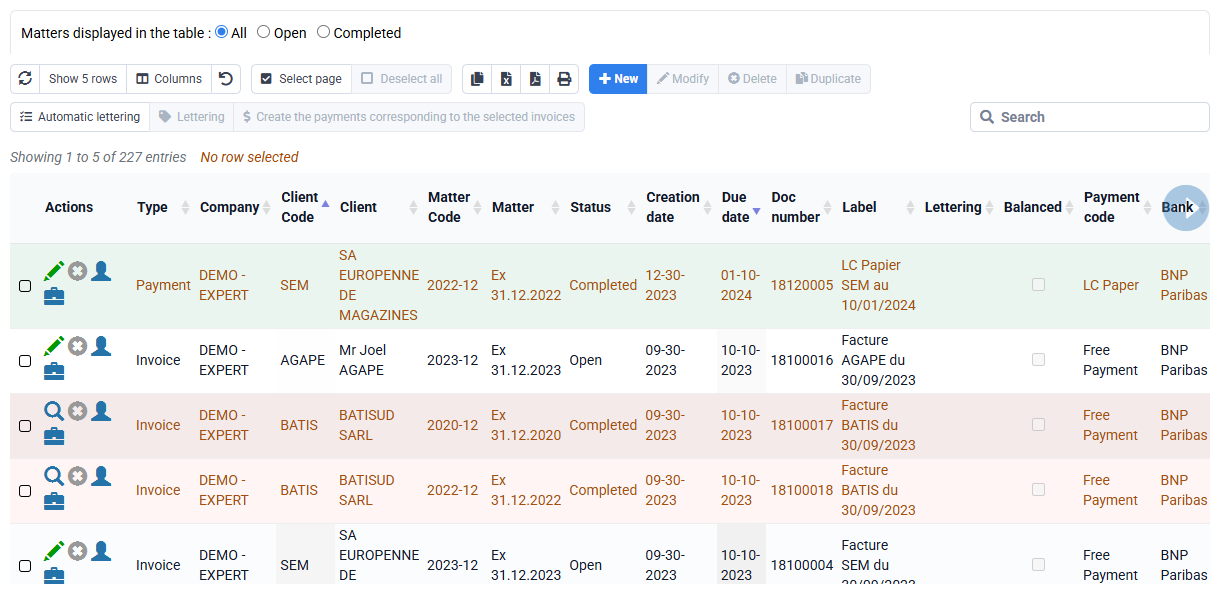
For the first selected customer, match the imported payment to the invoice only after checking opposite signs, the same company and equal amounts. The matching group must total zero. For the second customer, match the partial payment and verify that the open balance equals invoice amount minus payment amount.
If FACT-102 appears cleared, inspect other matched movements, signs and amounts; do not add a miscellaneous movement. If matching is unavailable, verify status, customer and company. If a payment was attached to the wrong customer, use the authorised correction flow and retain history instead of compensating it with another false entry.
4. Reconcile the customer account and accounting preview
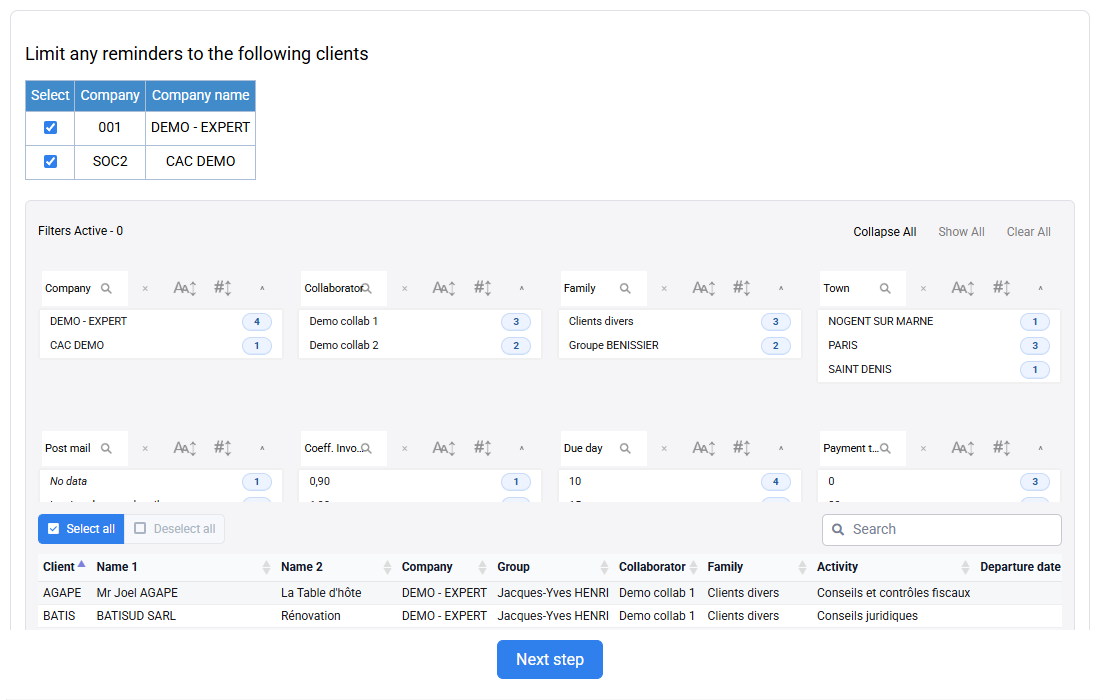
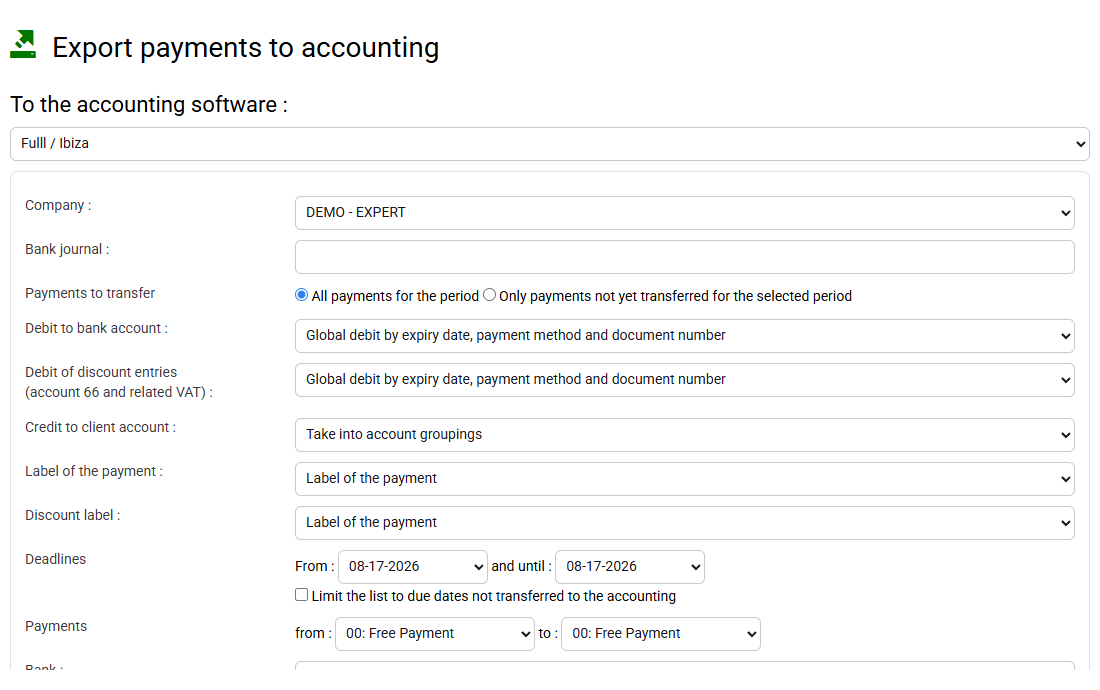
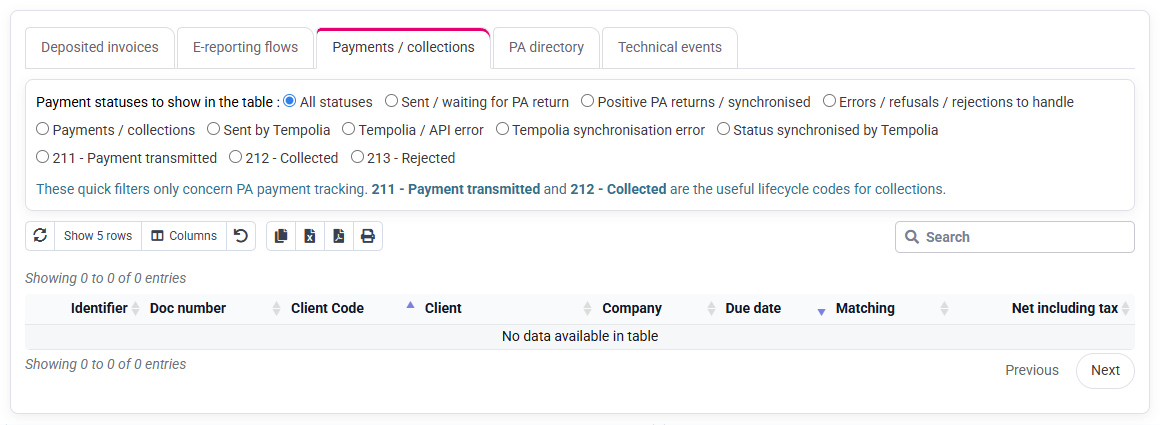
Review reminders after matching: the fully paid invoice should no longer be selected, while the partially paid invoice may retain its actual balance according to due date and dispute status. In the accounting preview, check the references, company and bank from your adapted copy and reconcile the total of the accepted rows. Do not transmit the file during the exercise.
If payment reporting to PA/eReporting applies, inspect the relevant history separately. Its absence or status does not change the bank-import result. Reconcile the corrected CSV, import result, payment table, matching groups and export selection. Store batch name, source checksum or retained file reference, date, operator, accepted count, rejected count and totals. These details make it easy to find the batch later and compare its totals.
Work through the selected data
- 1. Confirm that the two invoices are open and that the new bank references do not already exist before import.
- 2. Map four source rows, exclude duplicate VIR-101 and ZZ999, then import two valid rows totalling EUR 1,600.00.
- 3. Match VIR-101 exactly, VIR-102 partially and reconcile balances and accounting preview.
- FACT-101 is cleared by the single EUR 1,200.00 VIR-101.
- FACT-102 stays open for exactly EUR 200.00 after VIR-102.
- Neither ZZ999 nor duplicate VIR-101 creates a validated payment.
Diagnosis
- A duplicate reference requires searching earlier batches and manual entries before any new import.
- An unknown customer is corrected in the authoritative source, never assigned by name similarity.
- A cleared FACT-102 requires checking amount, sign and all other matched movements.
- A missing export line requires checking company, bank, date, method, status and export selection rules.
Common mistakes
- Treating a row read by the importer as a reliable payment.
- Using a customer name guess to resolve an unknown identifier.
- Importing a partial payment and then forcing the invoice to clear.
- Running the same batch again without first checking whether its references already exist.
- Sending reminders or accounting exports before unmatched payments have been reviewed.
Before you finish
Keep a control sheet containing four source rows, two accepted rows for EUR 1,600.00, two rejected rows, one cleared invoice and one EUR 200.00 residual balance. Locate each amount in the prepared source, payment table, matching view and export selection before closing the batch.
The downloaded references remain example values until you adapt and import the working copy; verify only the references that were genuinely accepted in your subscription. For your own data, stop the import if the required rows are absent.
Step back
Payment import is a reconciliation process, not a file-loading task. Automation can validate formats, required fields, duplicate references and arithmetic totals; human review must resolve identities, business meaning and exceptions. The most useful long-term indicators are duplicate attempts, unknown-customer rows and imported payments still unmatched after the expected processing delay.
For day-to-day imports
For every batch, retain the original read-only file, corrected working copy, mapping version, accepted and rejected counts, accepted total, anomaly decisions, operator and import time. Keep enough references in the reconciliation to locate VIR-101 and VIR-102 in the bank source, payment table, customer movements and export preview, and to confirm that VIR-103 remains unresolved rather than silently discarded. Schedule a daily review of imported-but-unmatched items and an alert on a bank reference seen twice. This makes the next import easier to check and correct.