


How do I submit, approve, reject or reopen an AML file?
Preparation and decision are separate steps. AML reading, editing, approval and export rights can differ; ask the administrator to check a missing action.
Save before submitting
In the client’s AML tab, follow the timeline and What to do next. Their links lead to preparation, submission, decision or events according to the file status and your permissions. On a submitted file, Information and evidence reviewed lets you review the preparation.
Complete the reported controls, save the preparation and submit when admissible. Save unsaved changes first. Expired evidence, unresolved alerts or changed identity prevent submission. Submission retains a snapshot of the preparation.

Record a reasoned decision
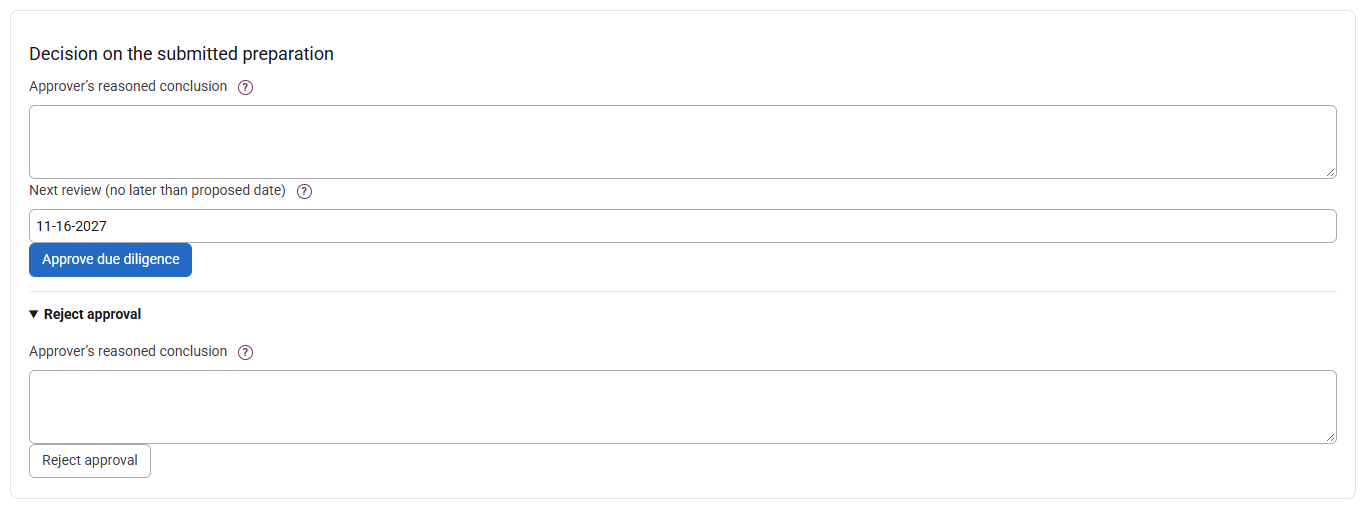
The approver reviews evidence and enters a note of at least ten characters, then approves or rejects. If more preparation is needed, use Return for preparation with a reason: this differs from rejection and gives the approver no editing rights. Approval uses a review date no later than the calculated cap; an earlier date is possible. For high risk, no contributor to the current preparation cycle may approve the file themselves.
Reopen without erasing
After submission, approval or rejection, reopen with a reason of at least ten characters. Review and save the information before submitting again. Previous decisions remain in history; reopening does not renew approval, and resolving an alert does not reinstate it. AML checks are shared with engagement-letter workflows that use them.
