How do I monitor AML reviews, deadlines and vigilance events?
Due diligence continues throughout the relationship, using updated client knowledge and appropriate examination of operations. A review deadline is not a reason to postpone action on a relevant event.
Choose a priority
Open AML due diligence and select a tile. Reassessment needed groups unusable approvals, inconsistent states and legacy attestations to revisit; a rejection keeps its separate status. Overdue includes the deadline day; Within thirty days covers future dates up to that limit. Multiple alerts count as one client in the alerts tile. An unscheduled review is not an up-to-date review.

Refine the list
Search covers the client’s name or code and the client owner’s name or code. The Client owner shown in the list is not automatically the AML approver. The shield in Actions opens the client record’s AML tab; Portfolio AML monitoring then returns to the filtered worklist.
Combine status, priority, recorded risk and search. Choose Ongoing relationships, All relationships or Ended relationships: counts and the CSV use that same scope. Table filters do not change its counts. Preparation risks may be provisional. Approved appears only while the approval checks remain satisfied; changes to identity or engagement scope can require review.

Report and resolve
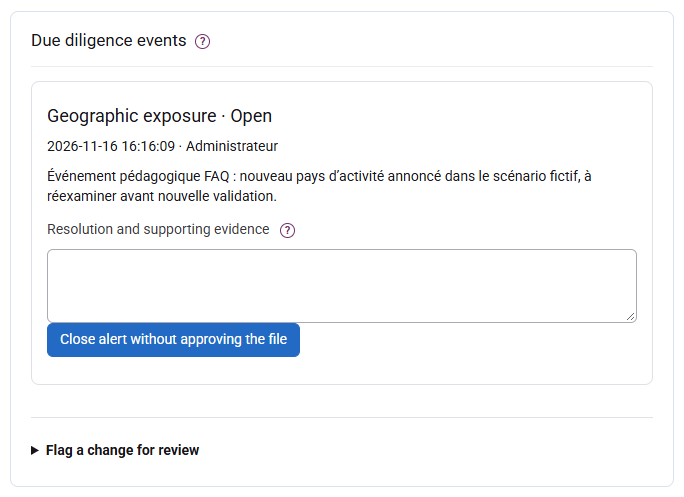
Record an identity, ownership, PEP, sanctions, geography, operation or other event and the relevant facts. Reporting invalidates current approval while retaining history. An authorised approver resolves the event with at least twenty characters of reasoning; the file must then be reviewed and approved again. Do not record the existence of a TRACFIN report in this ordinary monitoring area.