


How do I retain, review and export AML evidence?
Traceability should let a reviewer find the information examined and decisions taken. Supporting documents, the current file and historical decisions complement one another.
Review history
In the client record, open the AML tab, scroll to Retained decisions and reviews and select the review to read. On a submitted or approved file, Information and evidence reviewed describes the current preparation; each historical entry retains its own snapshot.
Open the client in AML due diligence and consult a historical decision. It retains its preparation, author, dates and reasoning. Current corrections or a new review do not rewrite earlier decisions. SHA-256 fingerprints check recorded content without authenticating external evidence.
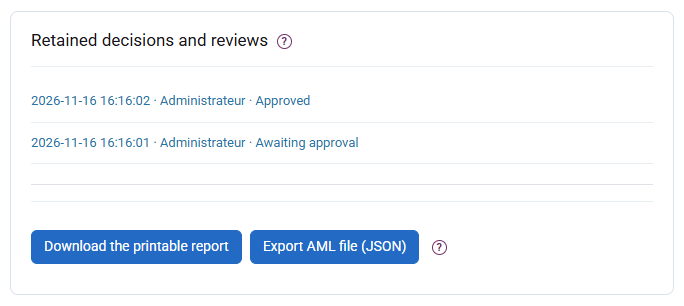
Export a report
Subject to your rights, download JSON or the HTML report. HTML opens offline and can be printed or saved as PDF through the browser; it includes the risk profile, people, decisions and events. Referenced supporting documents are not attached: retain them in the document workflow with matching references.

Organise retention and confidentiality
Subject to stricter requirements, the French framework provides five years after the relationship ends for relationship and due-diligence information, and five years after execution for operations. These periods do not start at data entry. Organise access, backups and evidence retention; no automatic purge is performed here. A TRACFIN report, its existence and follow-up stay outside the ordinary client file and exports.