How do I add a collaborator when my subscription does not provide for it?
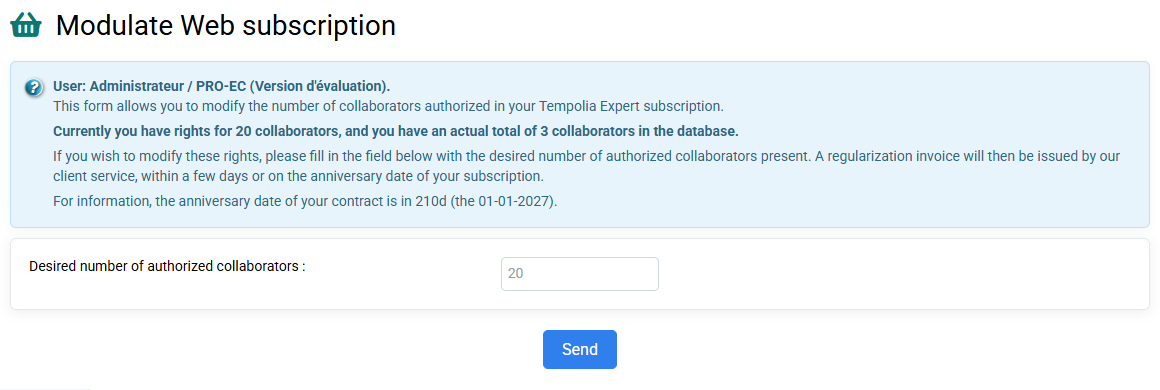
On the “Collaborators > Modulate Web subscription” page, it is indicated to you the number of employees authorized as part of your subscription, and how many employees you have in your database.
NB: The employees present are those whose departure date is not indicated or not yet reached.
What is counted in the subscription
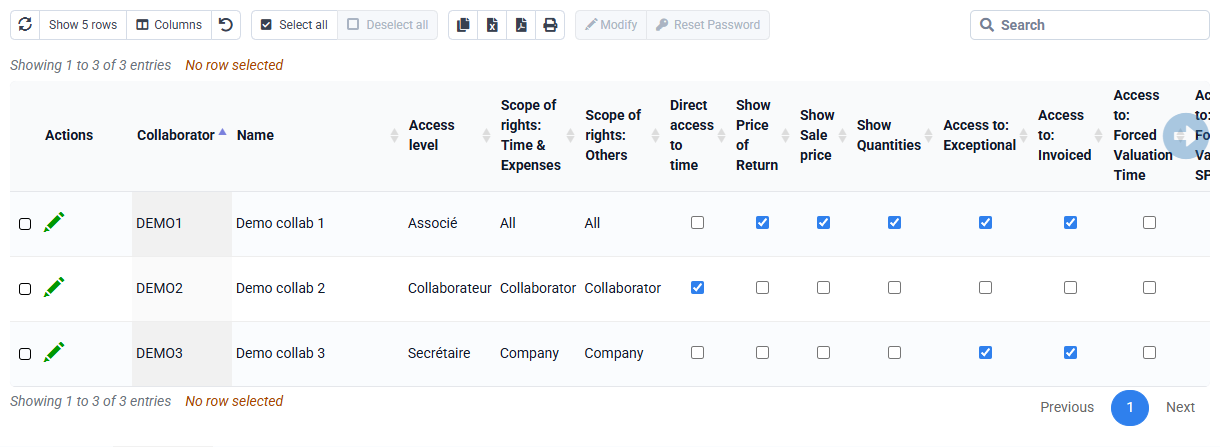
The count depends on whether the collaborator is present in the database and on their departure date, not on whether a password or an access-rights profile has been assigned. Every collaborator created automatically appears under “Collaborators > Collaborator logins and rights”: this page displays collaborator records and is not a separate account list. Leaving a password empty may prevent sign-in, but it does not hide the record or exclude a present collaborator from the subscription count.
A collaborator to whom actual or budgeted time or expenses are linked must already have been created and must be present on each line date. Creating a generic “UNASSIGNED” collaborator does not bypass the rule: it is a real collaborator and, while present, is included in the subscription count.
If you want to add new collaborators, you can:
- Either make employees leave by giving them a departure date: you can look at the help which explains how to do it “What process to follow for the departure of an employee? »,
- Either adjust your subscription on the page: “Collaborators > Modulate Web subscription » . Everything is explained in the help area in blue, and you put your new number in the field and click "Submit", and then it is taken into account without delay. Additional or fewer employees will be added or removed pro rata from your next annual fee invoice, which is your usual maintenance due date.
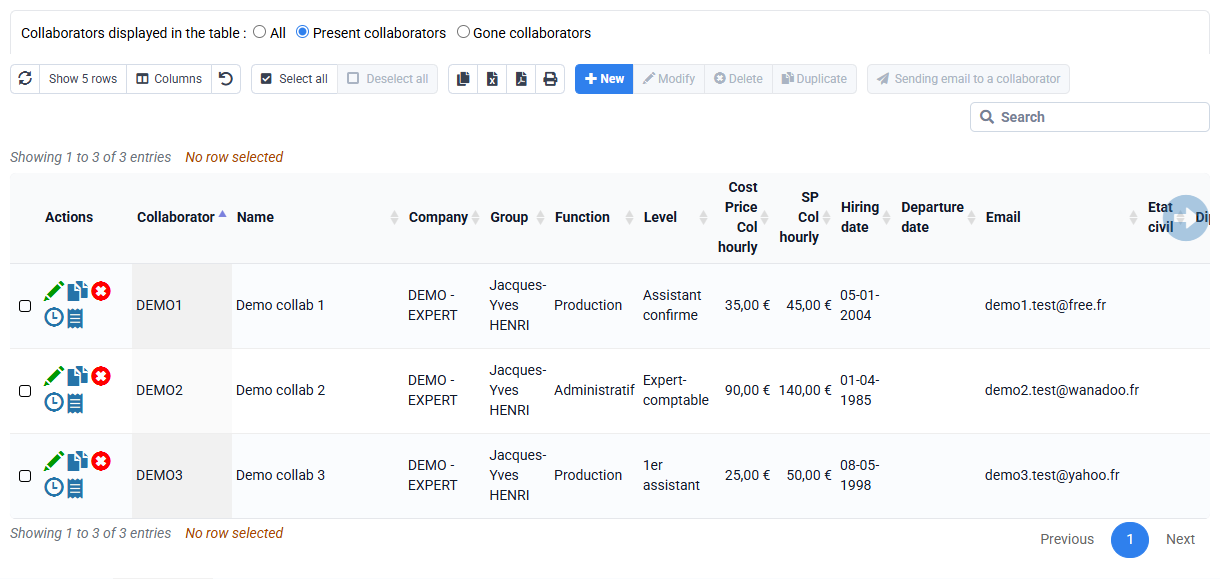
After the subscription has been updated, create the collaborator from “Collaborators > Collaborators”, then assign access rights from “Collaborators > Collaborator logins and rights”.