


How do I assess AML risk and read Tempolia’s radar?
The risk profile combines four justified factors: client/structure, activity, geography and engagement. It explains an assessment rather than replacing professional judgement.
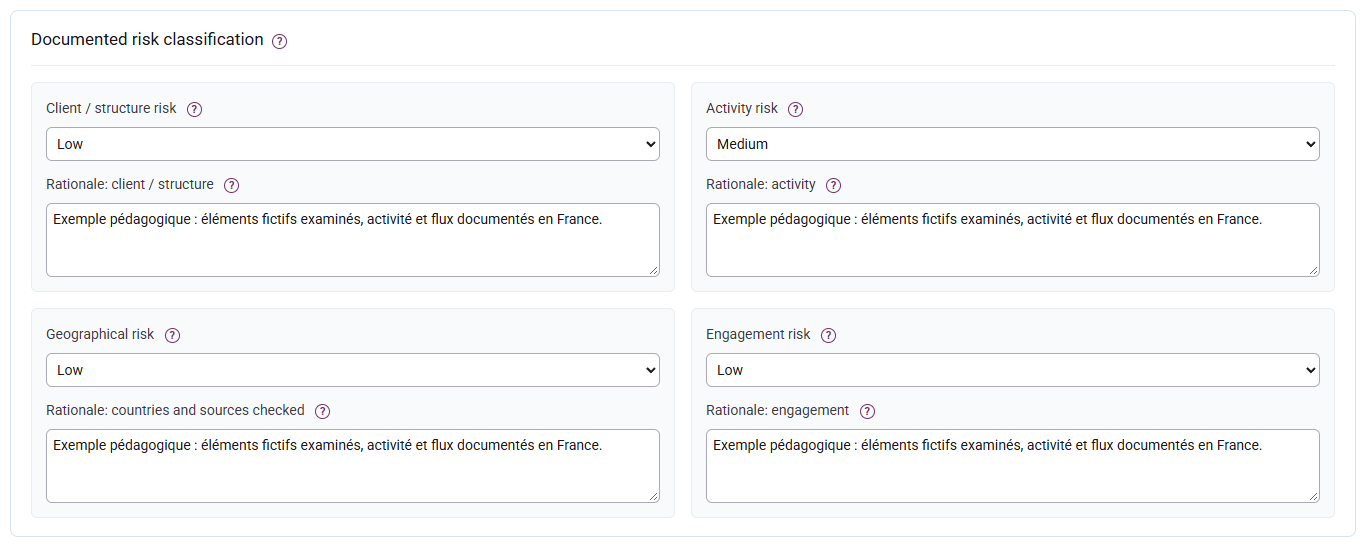
Record a level and its rationale
The Business relationship risk profile and radar appear in the summary at the top of the file, alongside the status and review deadline. Enter the four levels and their reasons further down under Documented risk classification. The radar remains visible for an unassessed file.
Choose Low, Medium or High for each factor and document the facts, dated sources and reasons. Missing does not mean low. A draft without any factor or PEP remains unassessed; save the information before submission.
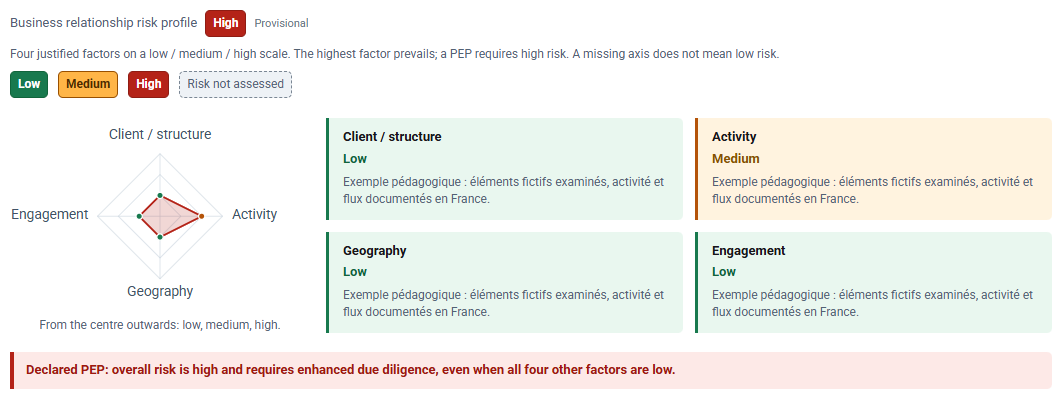
Green indicates low risk, orange moderate risk and red high risk. Grey means that risk has not been assessed; it does not mean low risk. Risk colours remain separate from the file status: an approved relationship may have high risk.
Read the radar and overall level
Moving outwards, the three positions mean low, medium and high, not percentages. The polygon closes only when all four axes are recorded. Tempolia takes the maximum without an offsetting average; a PEP requires high risk even if the four axes are low. The preview updates while typing and flags unsaved entries.
Adapt due diligence
Low risk retains standard due diligence in this workflow. High risk requires source of funds, enhanced measures and a monitoring plan; a PEP also requires source of wealth. A different authorised approver must decide. Default review caps of 365 / 180 / 90 days are configurable internal rules, not universal legal deadlines. See decisions and monitoring.